
Getting tired of using online messaging app / email / telephone to communicate on the work progress of a process/form? ?
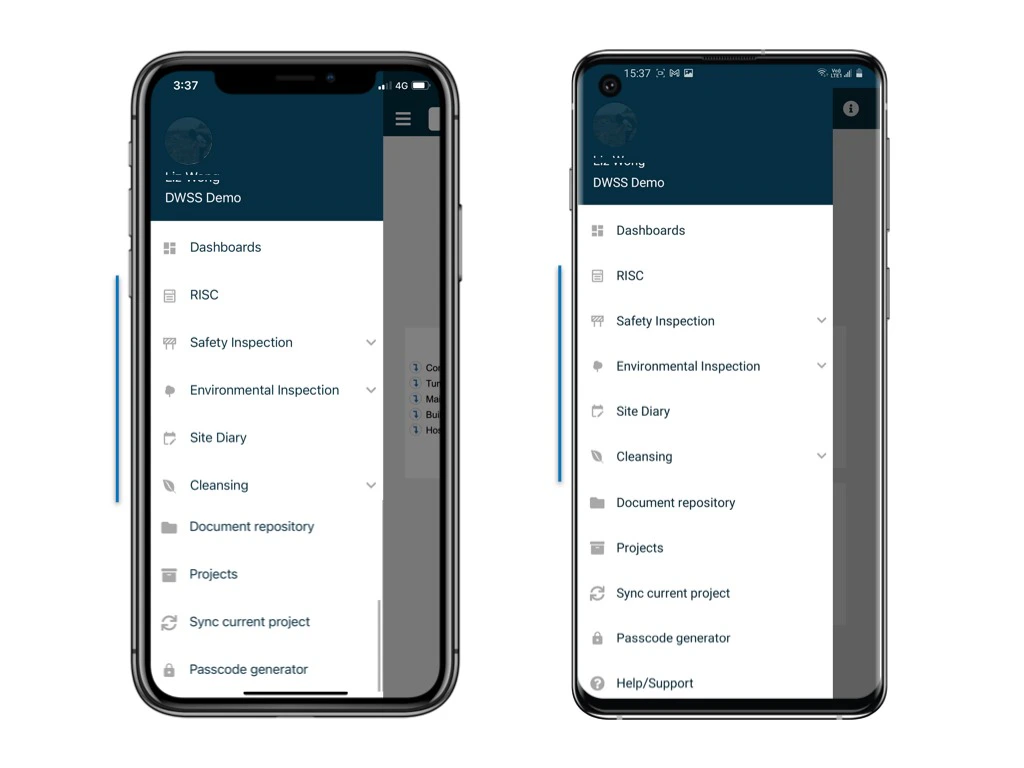
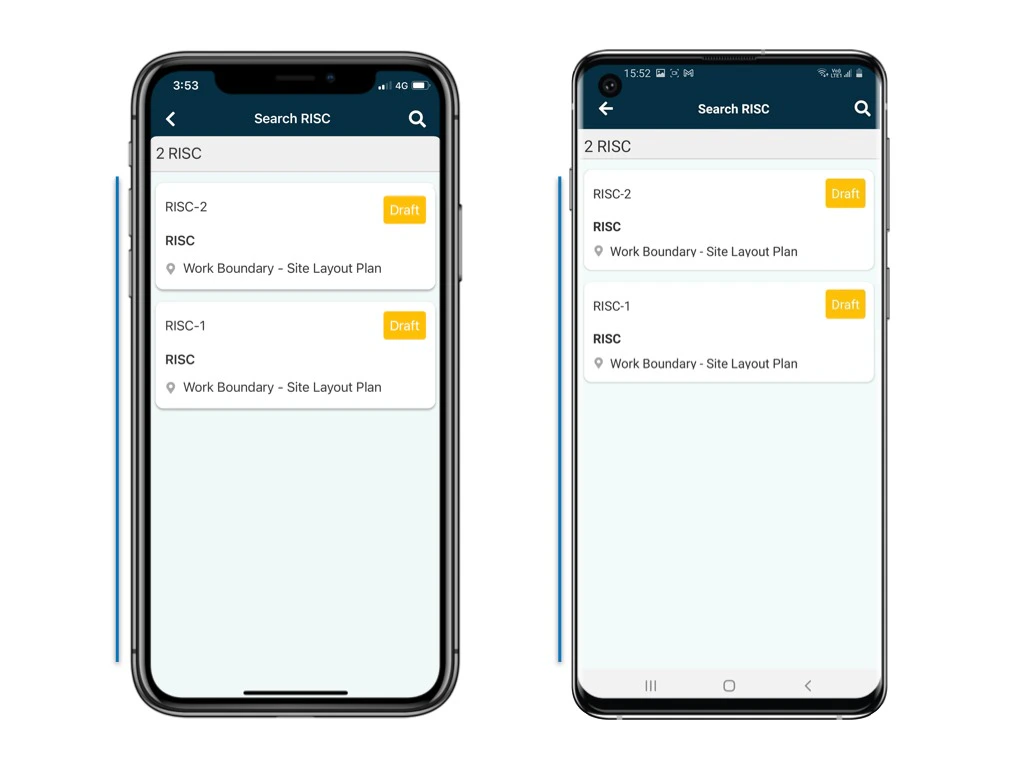
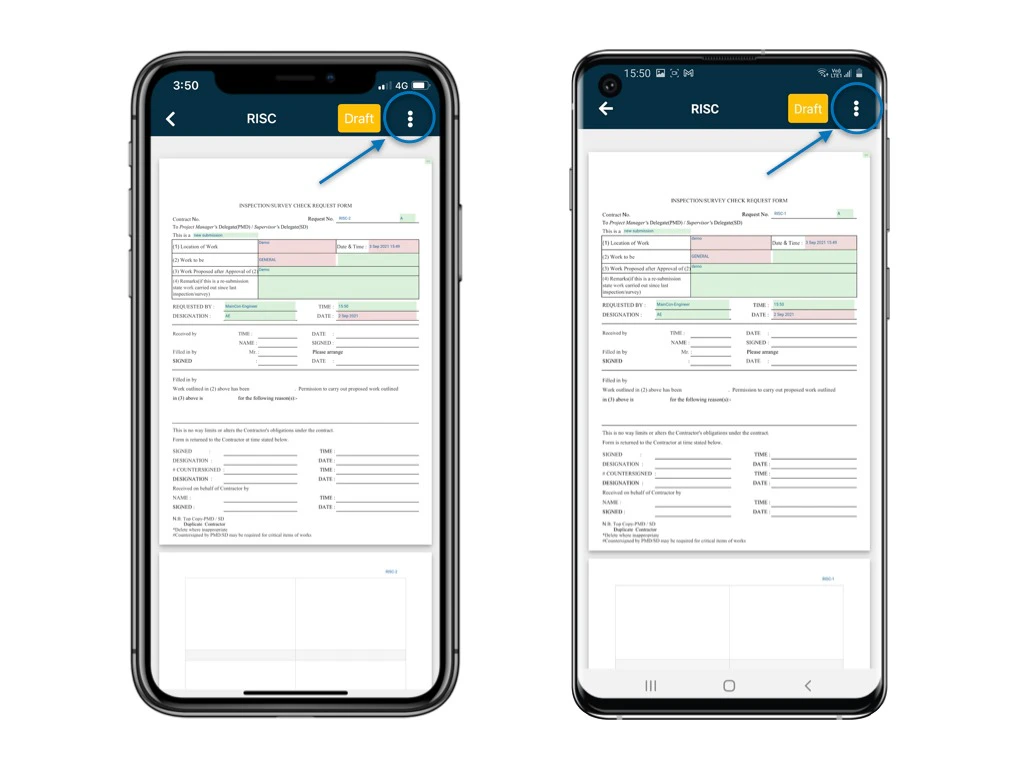
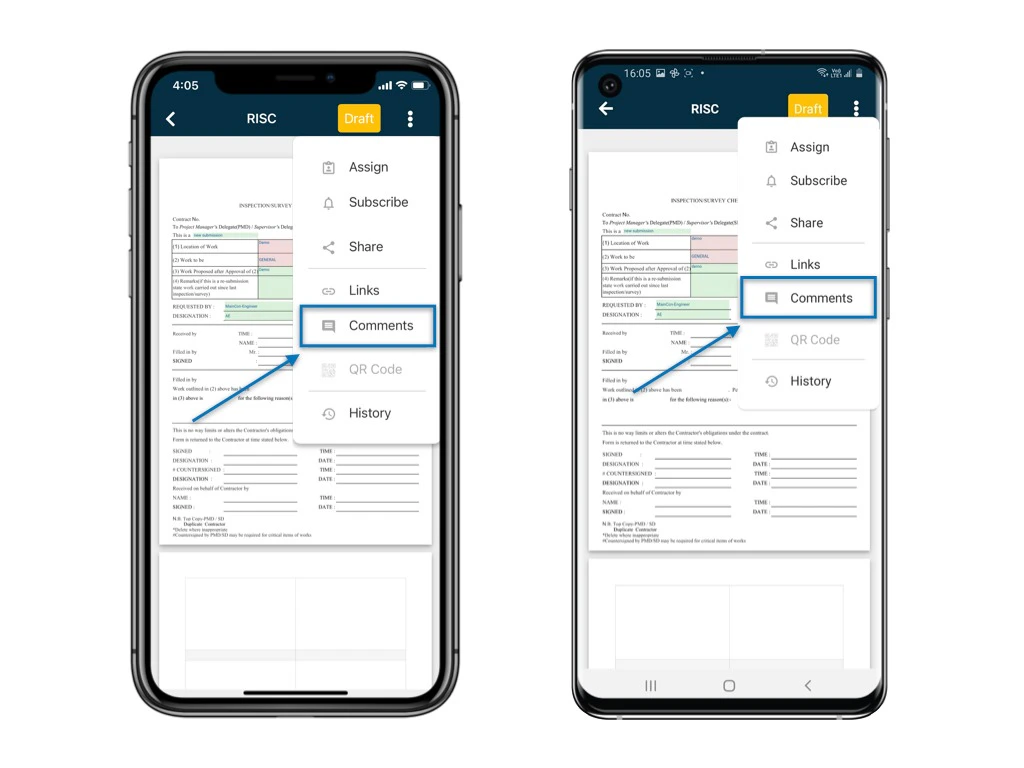
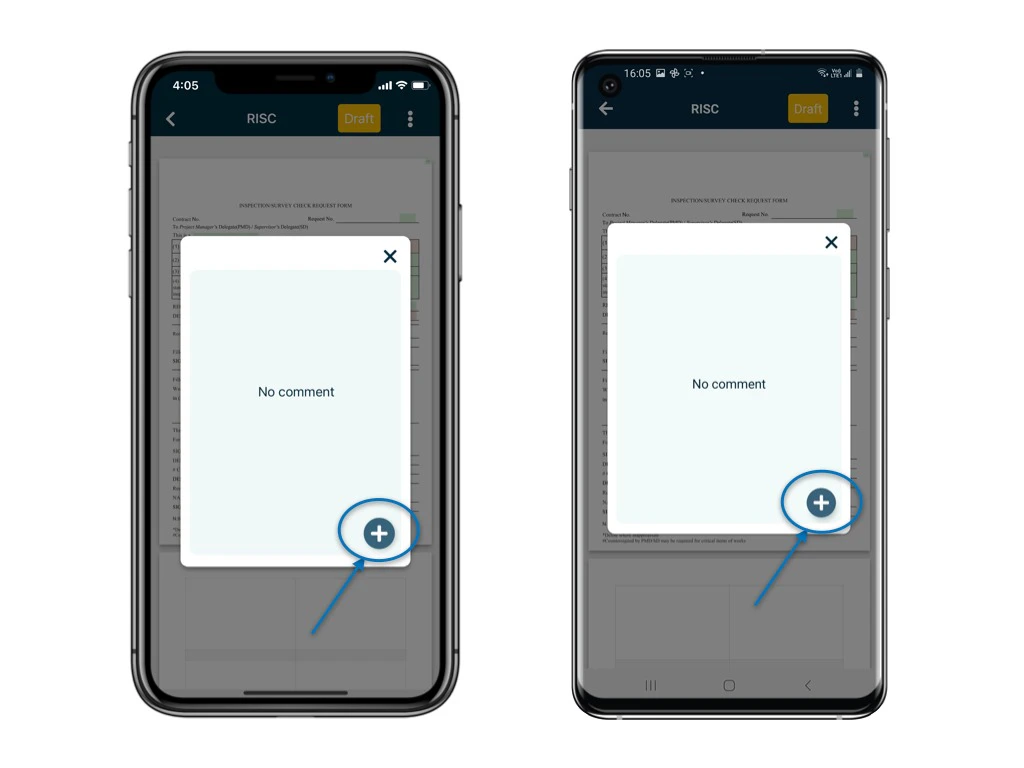
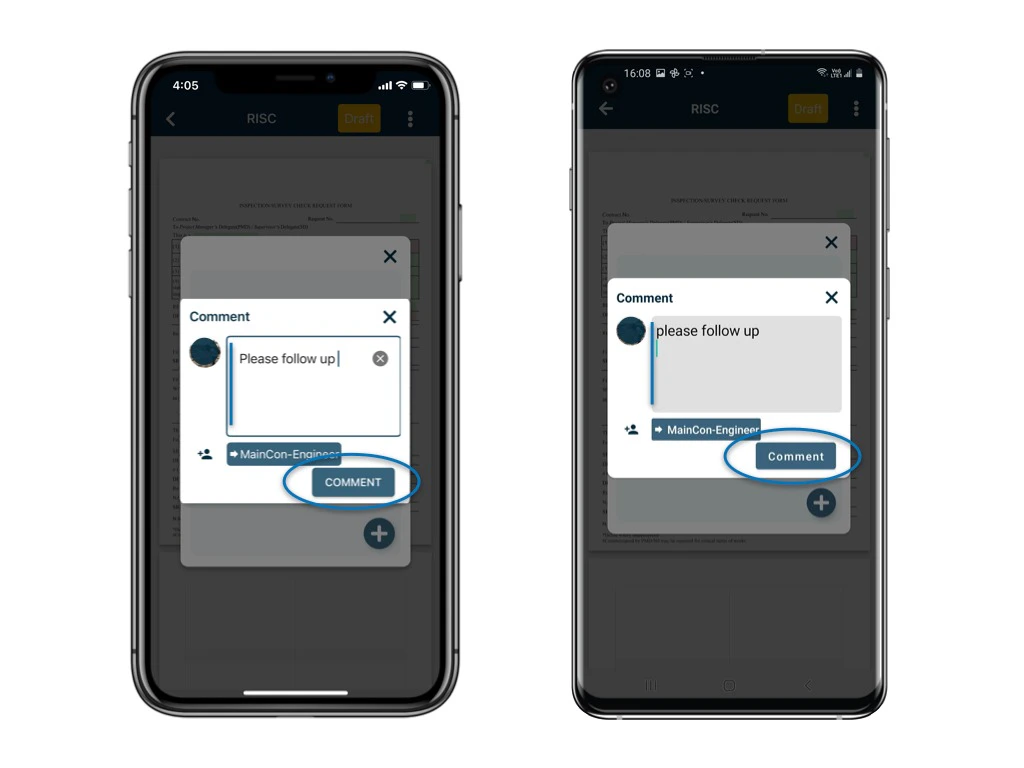
On RDrive, there is a comment function for you to leave a comment to your co-workers. An email notification will send to an user if you @mention him in the comment. You can make use of this function to achieve different purposes! There are plenty of possibilities! Explore it! To add a comment to a form, here are the steps: Go to Finder and access to the process and form.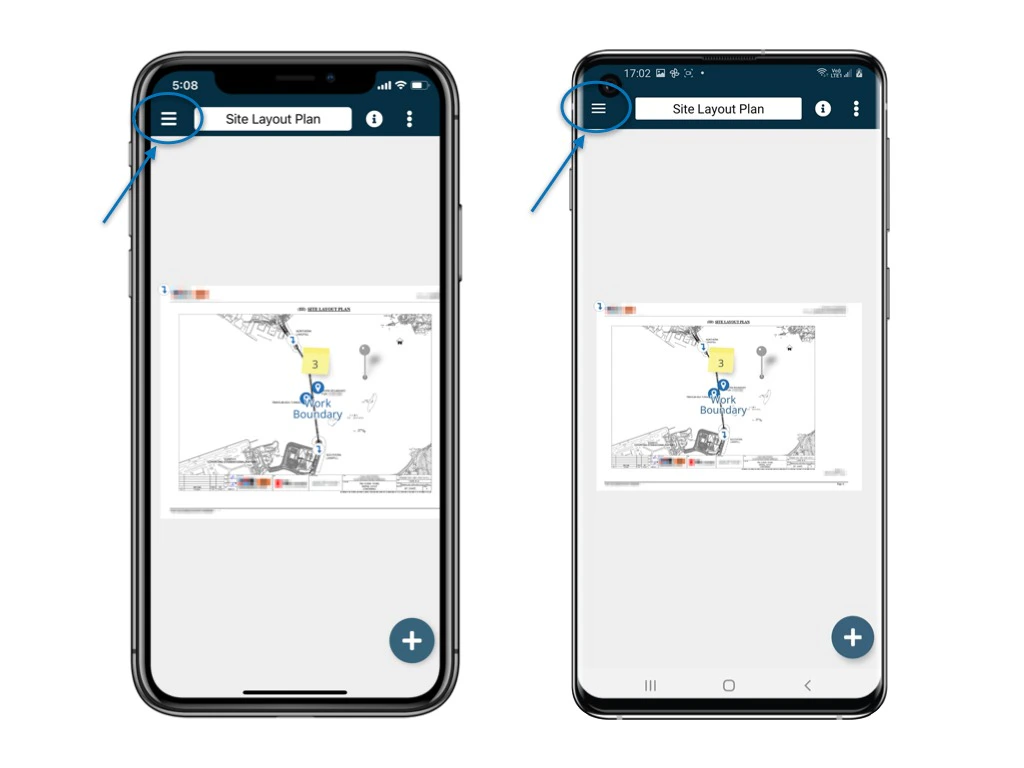
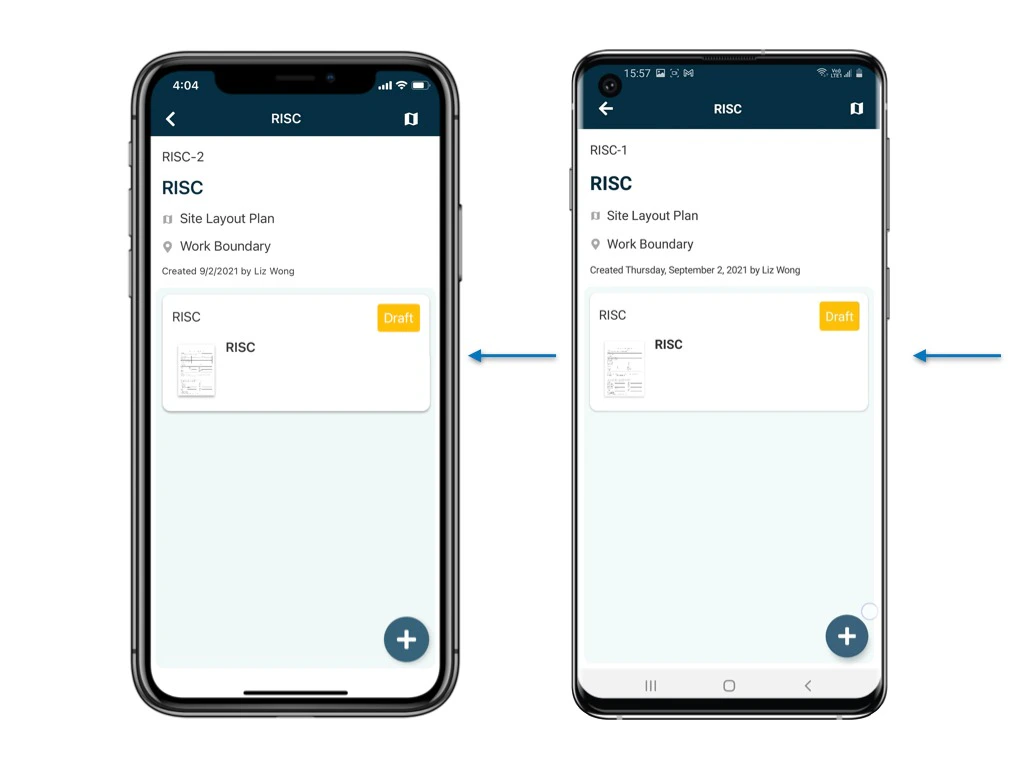
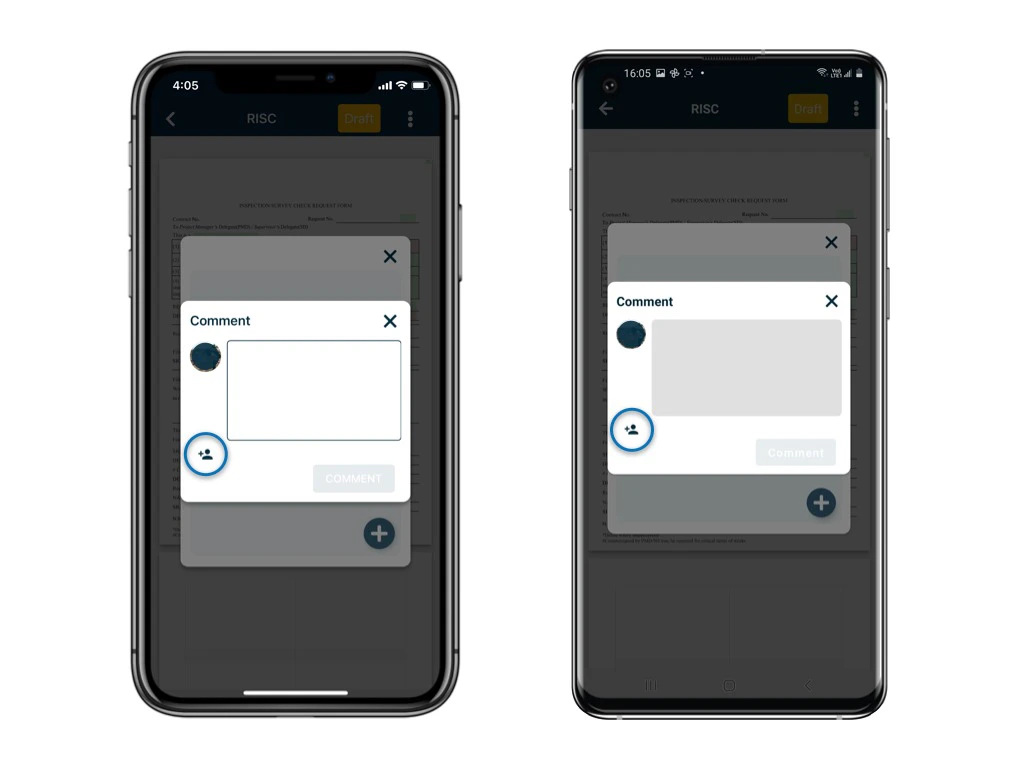
2️⃣ Leave a comment and @mention user by clicking notify user icon
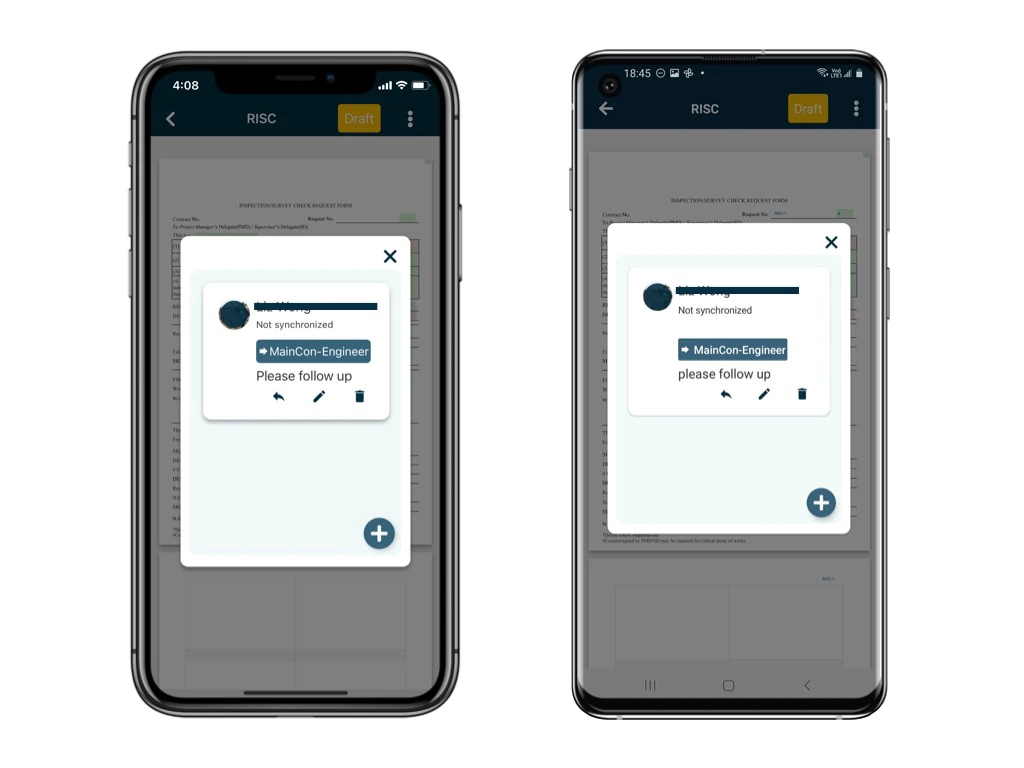
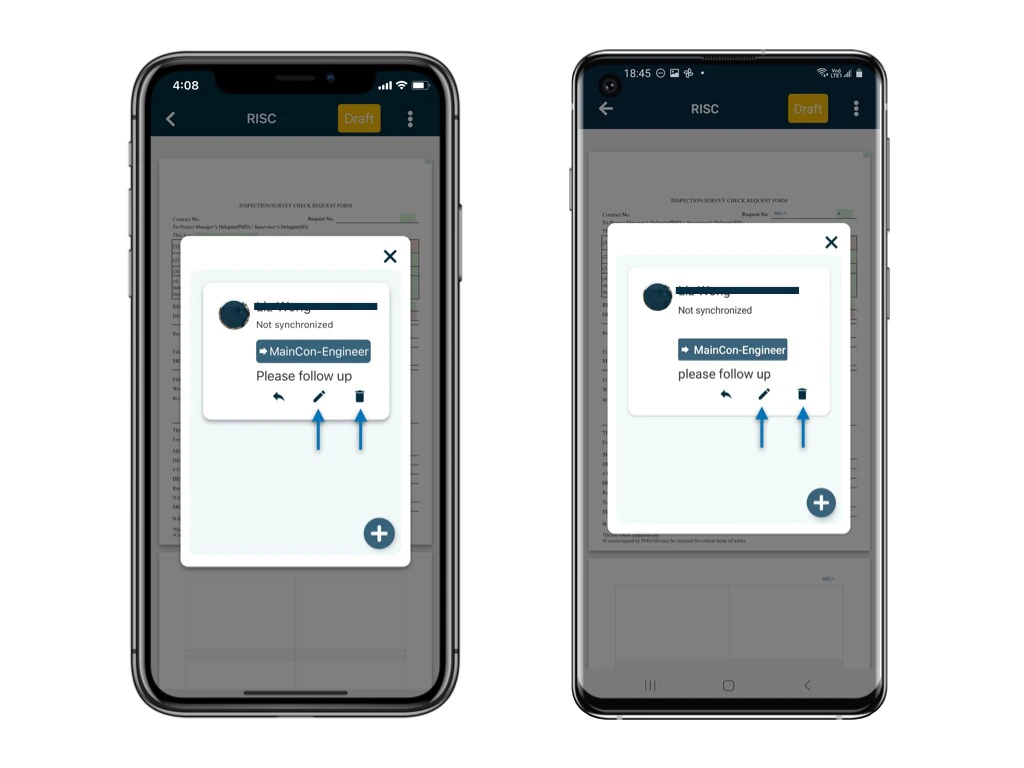
Once it is synced, the comment is unable to be edited and deleted.
⚠️ After completing your onsite work, don’t forget to synchronize. This action ensures data backup and updates for your project team.