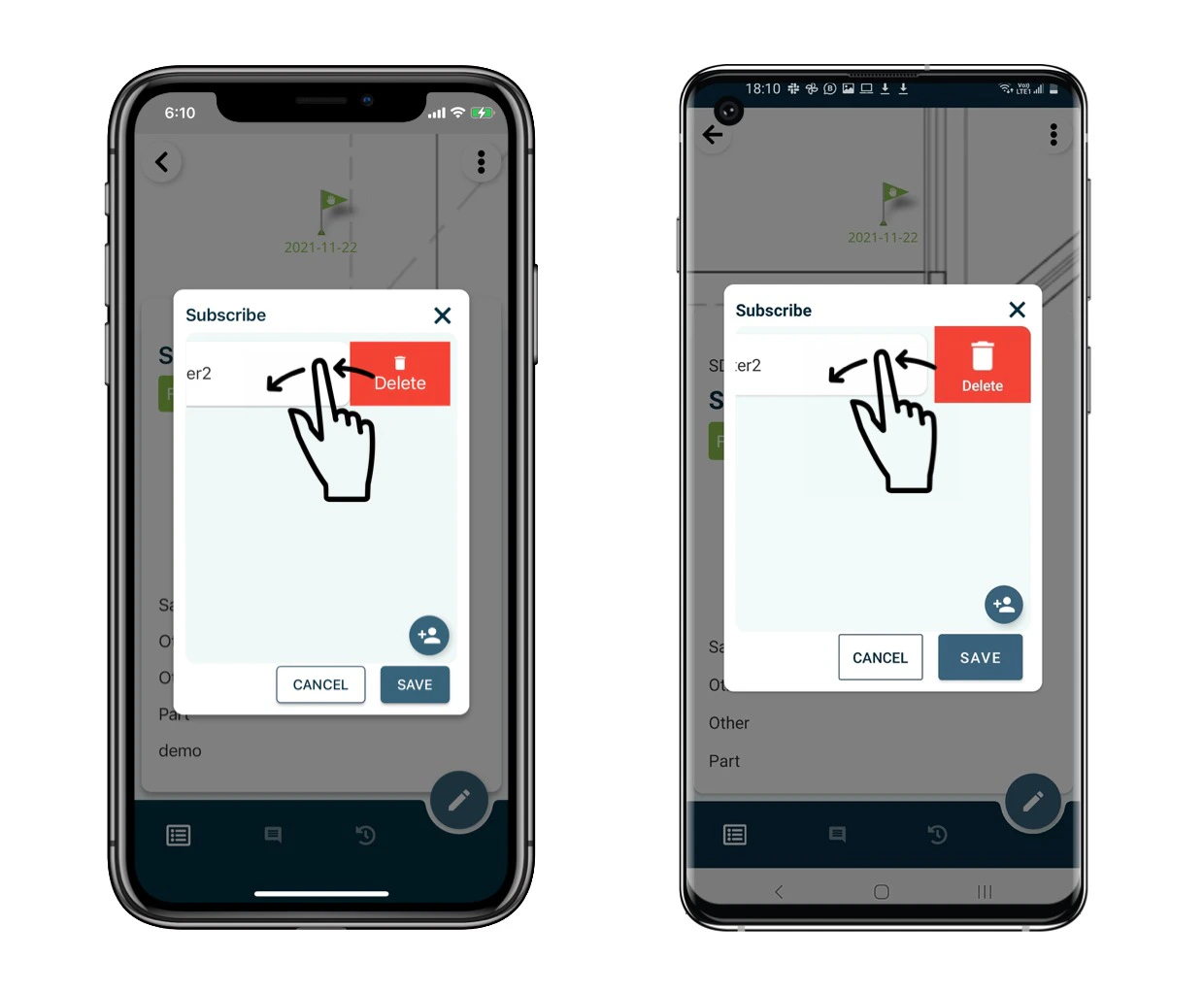
You may check on the subscriber list to know who is watching this issue/record and add a watcher to receive the notification of this issue/record. When subscribing, a user will simultaneously become a participant, so he/she will always be able to read whatever he/she is subscribing to.
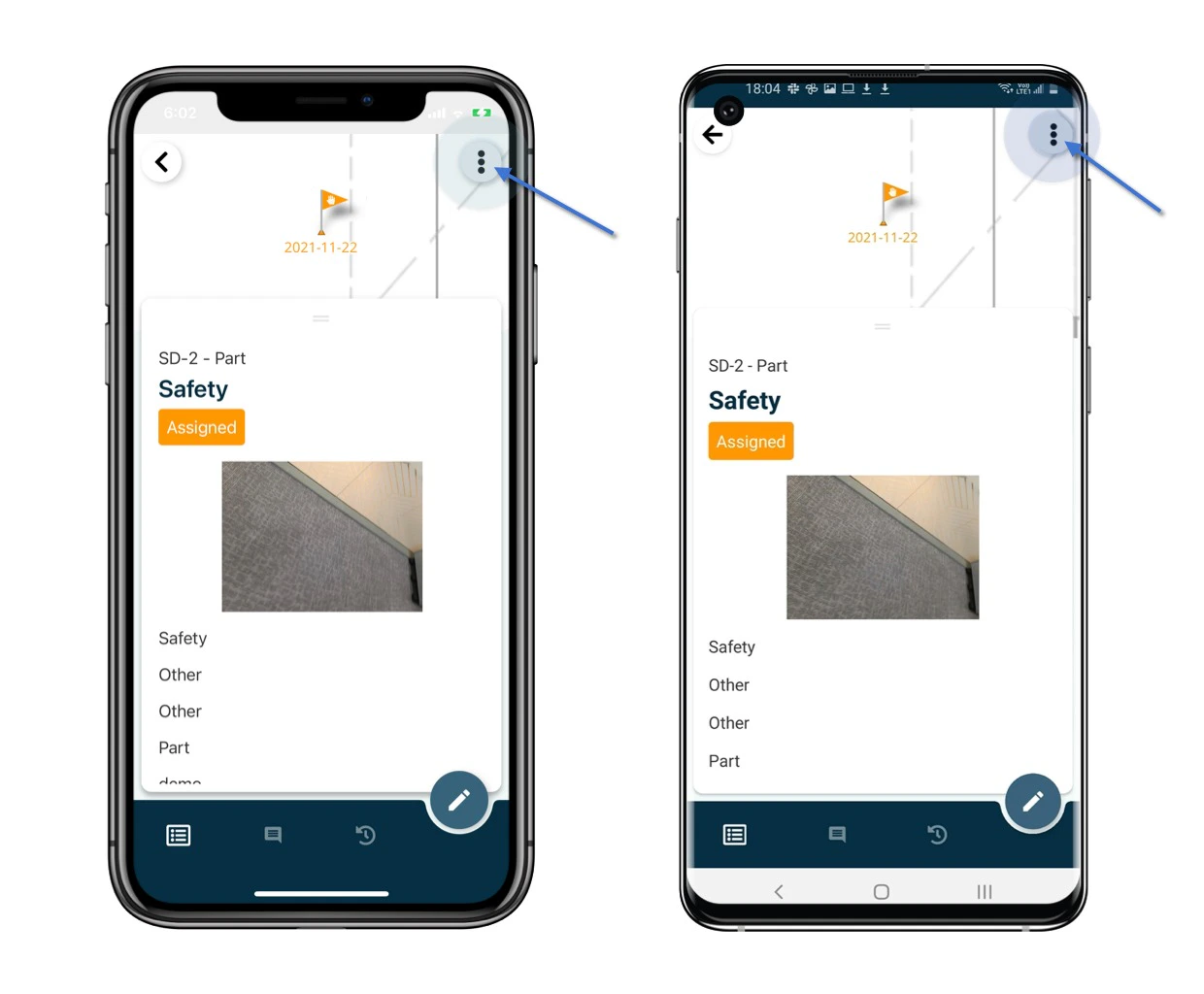
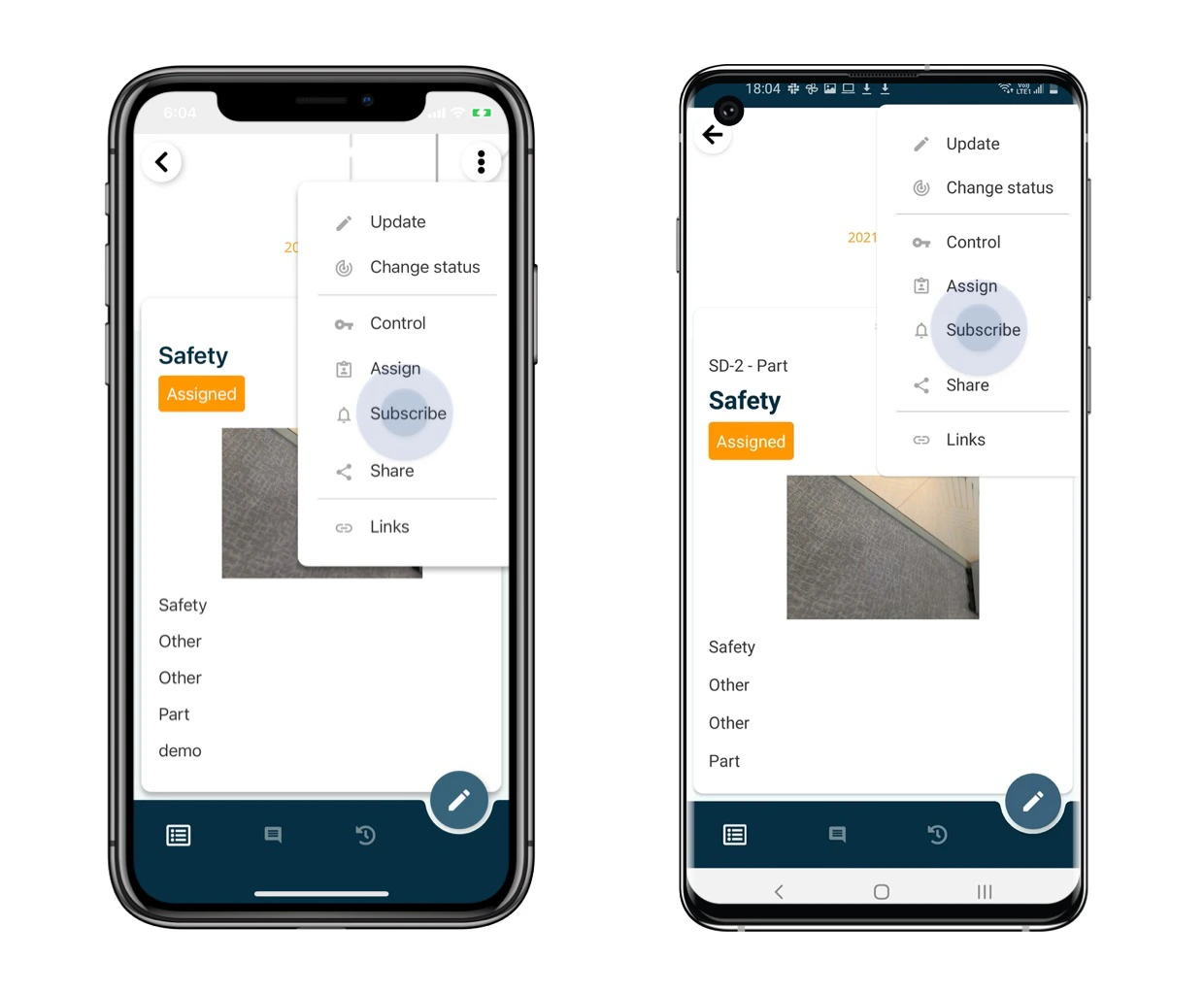
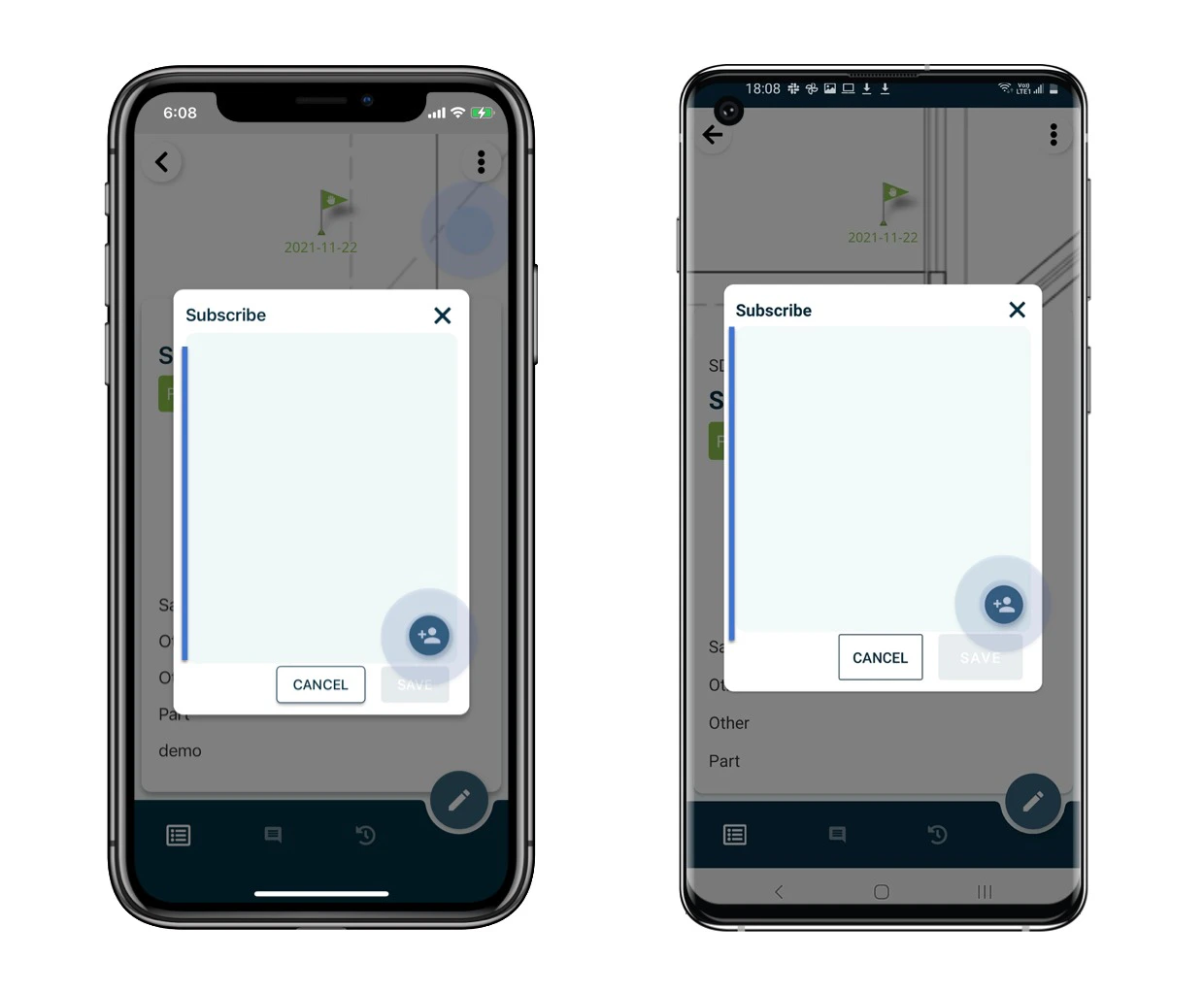
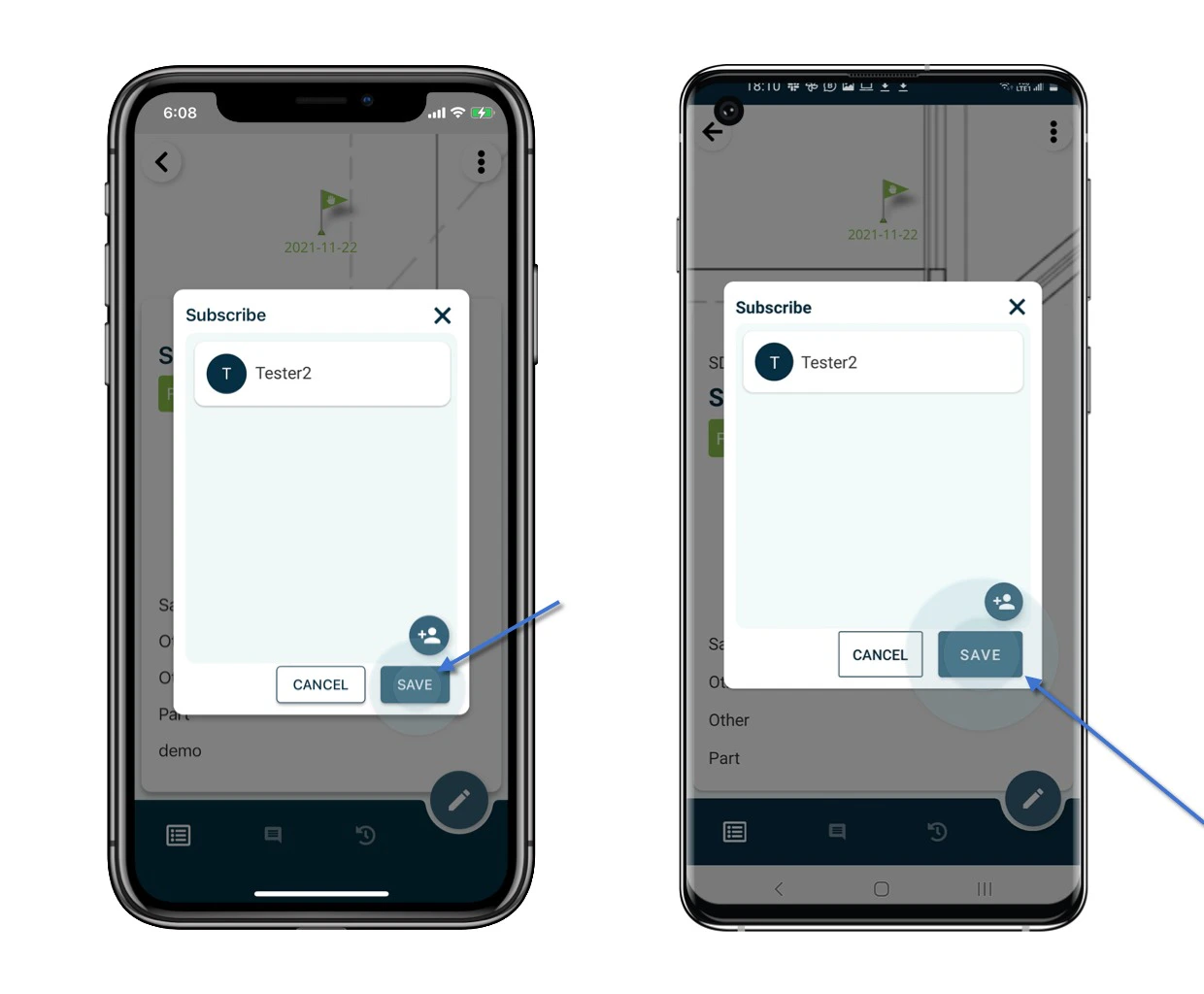
Open the issue/record detail from the Plan viewer or Finder. Click the  on the top right corner of the detail page and select Subscribe. The subscriber will be list on the page if have. How to add user(s) as a subscribe at an issue/record? How to add user(s) as a subscribe at an issue/record? How to add user(s) as a subscribe at an issue/record? Click the + user button and enter the user name search to add as a subscriber. SAVE to confirm. How to add user(s) as a subscribe at an issue/record? How to add user(s) as a subscribe at an issue/record? To remove, please swipe left to clear. How to add user(s) as a subscribe at an issue/record?
⚠️ After completing onsite work, remember to synchronize. This ensures data backup and updates for your project team.