To edit a Process template
⚠️ Attention: Edit process template is no need to create new versionDownload - single & batch
Single download
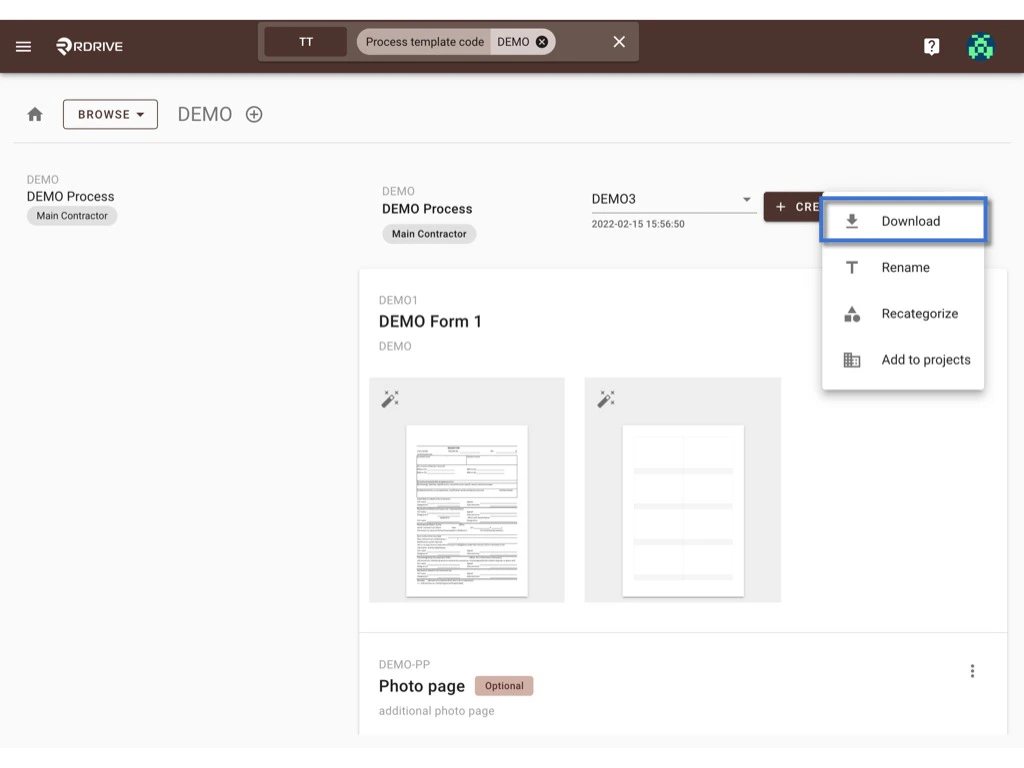
Click the ⋮ button next to the Create new version button and select Download.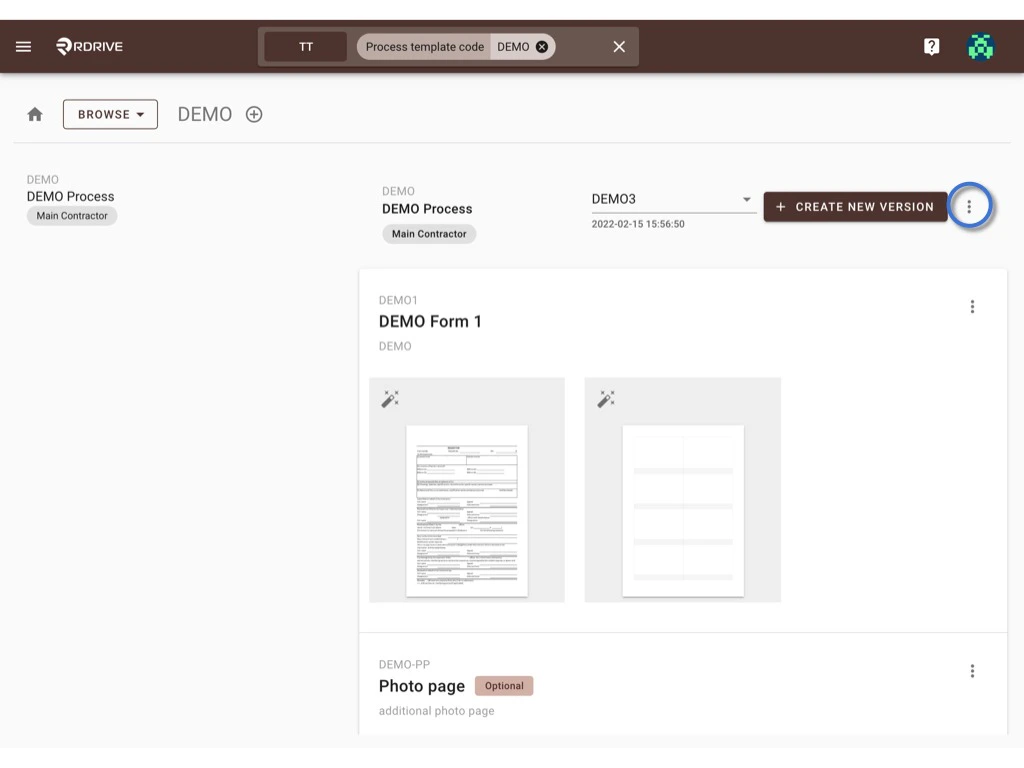
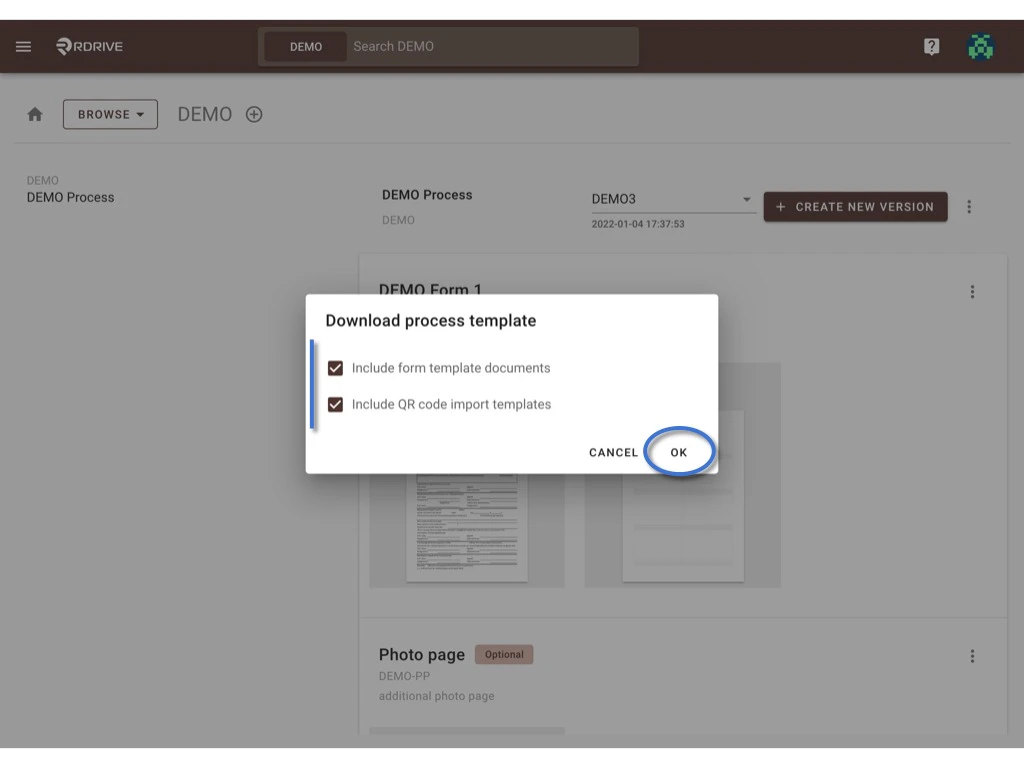
Batch download
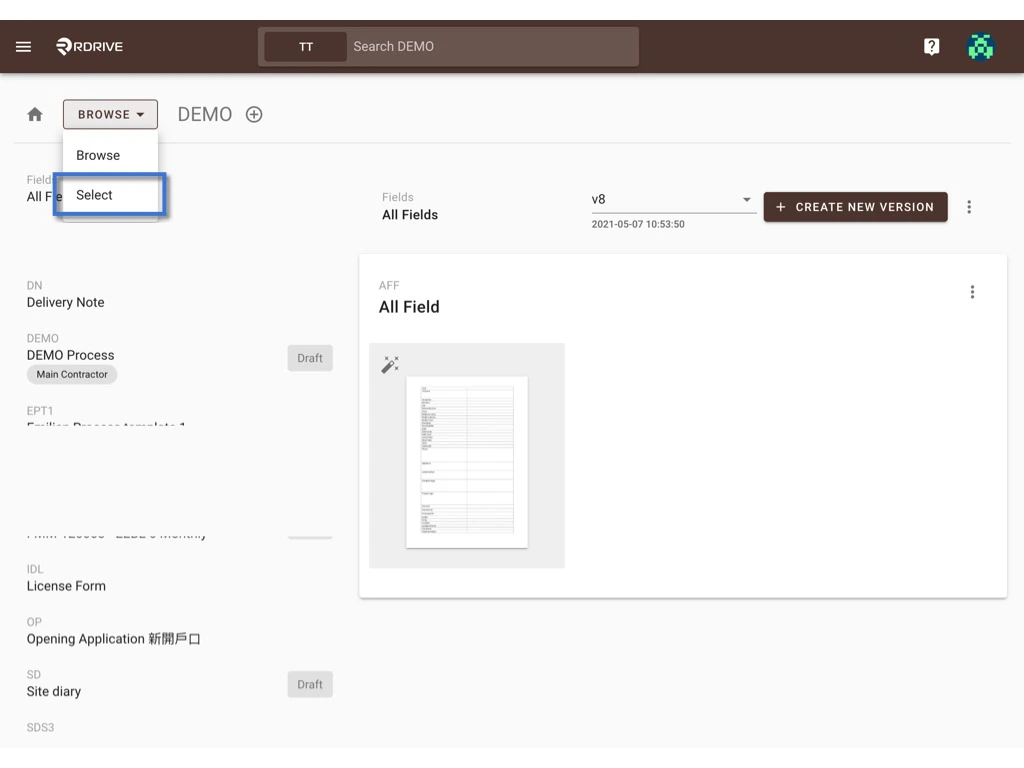
Switch the mode from BROWSE to SELECT.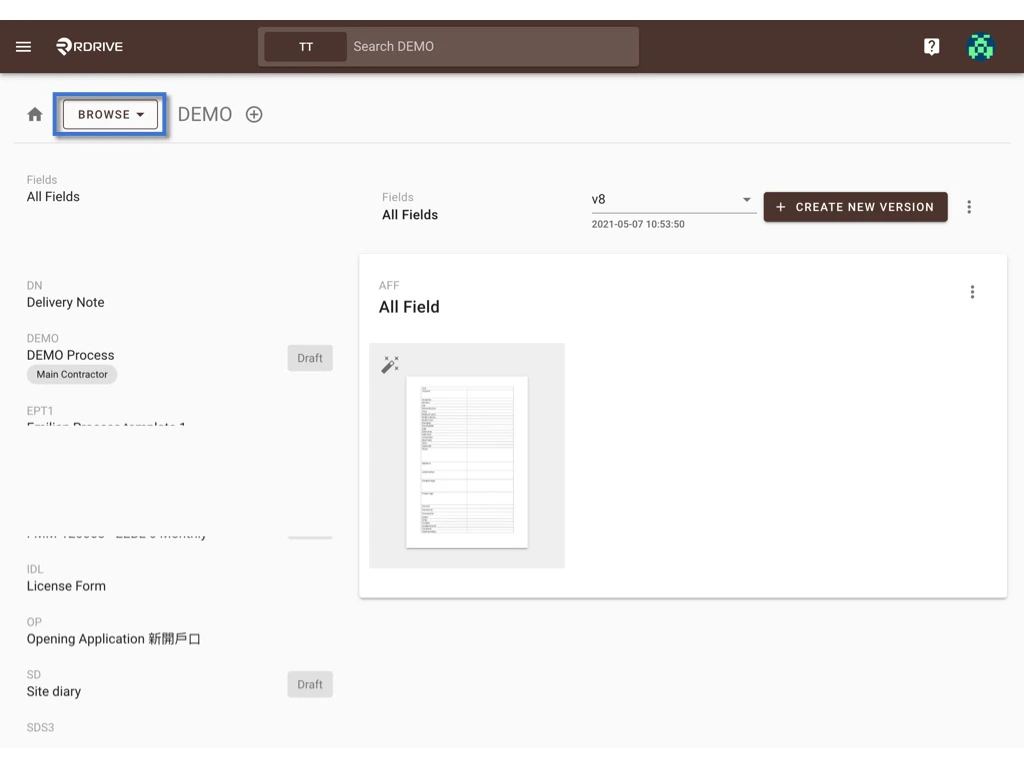
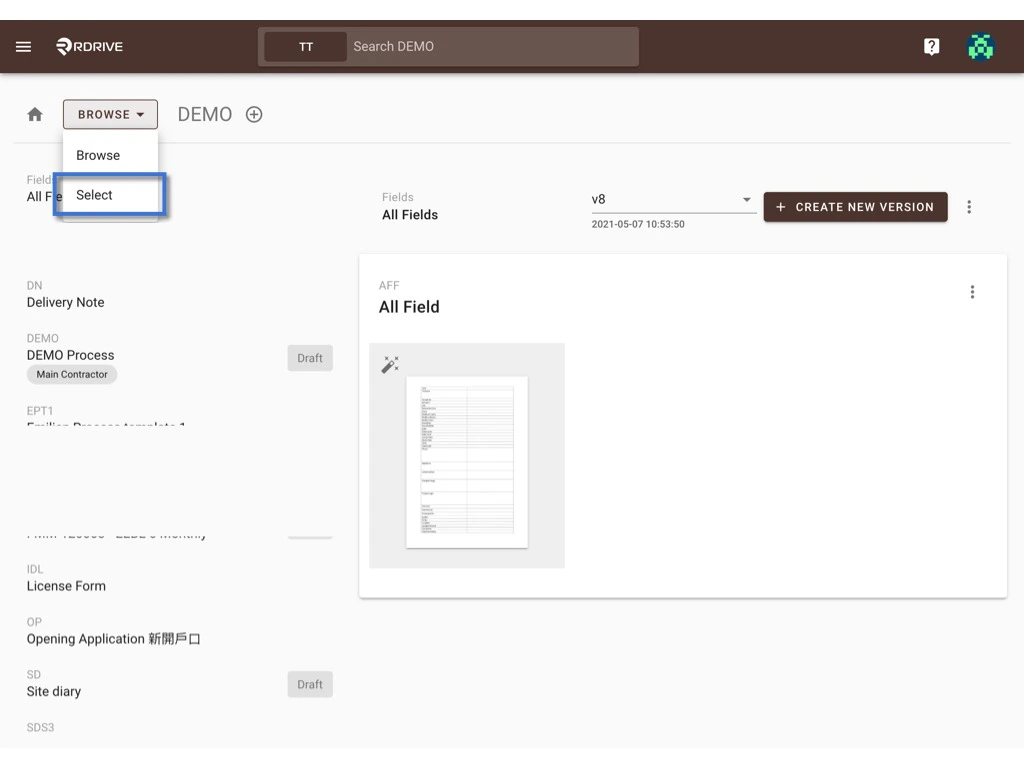
The selected item will be highlighted in grey.
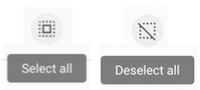
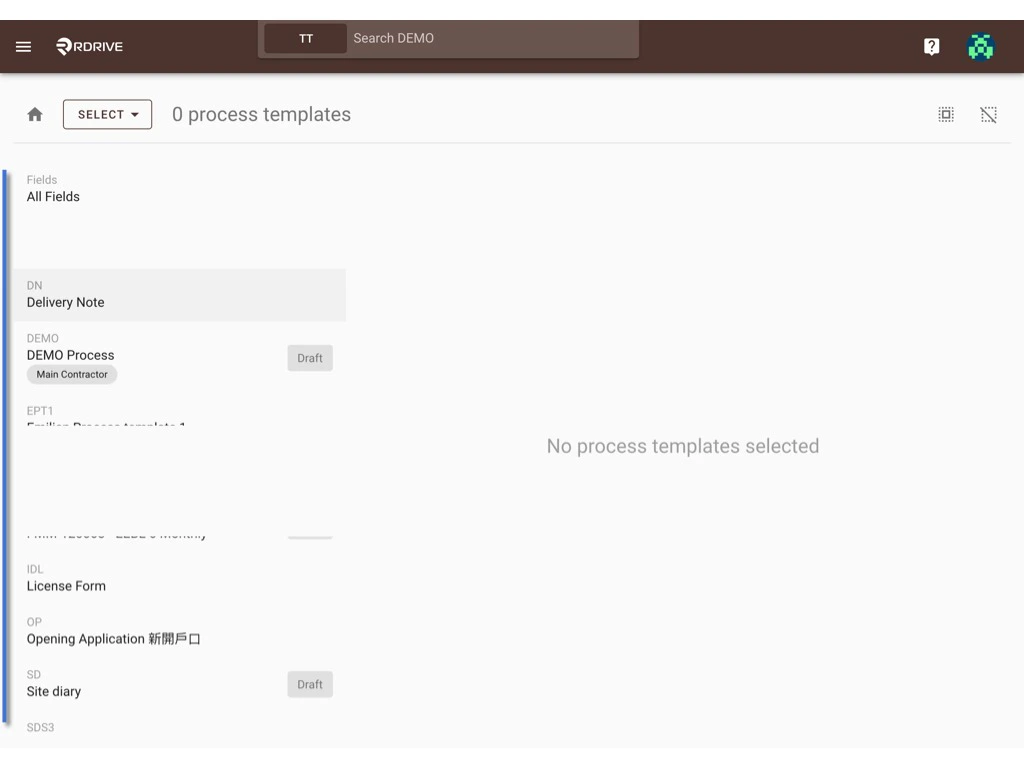
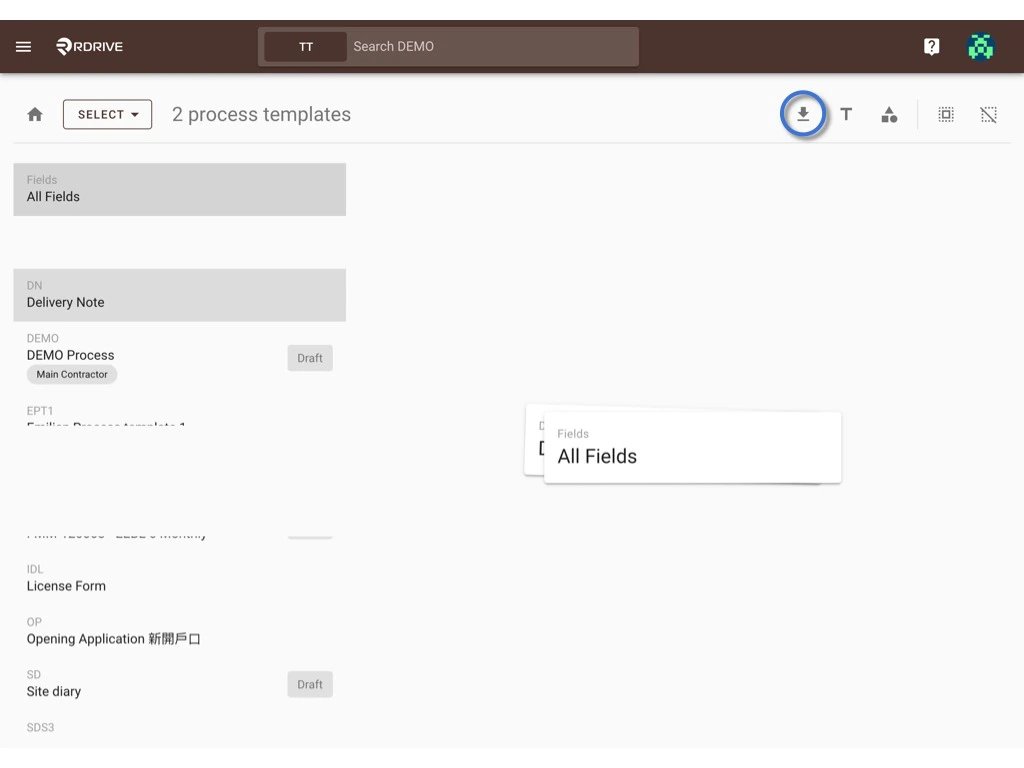
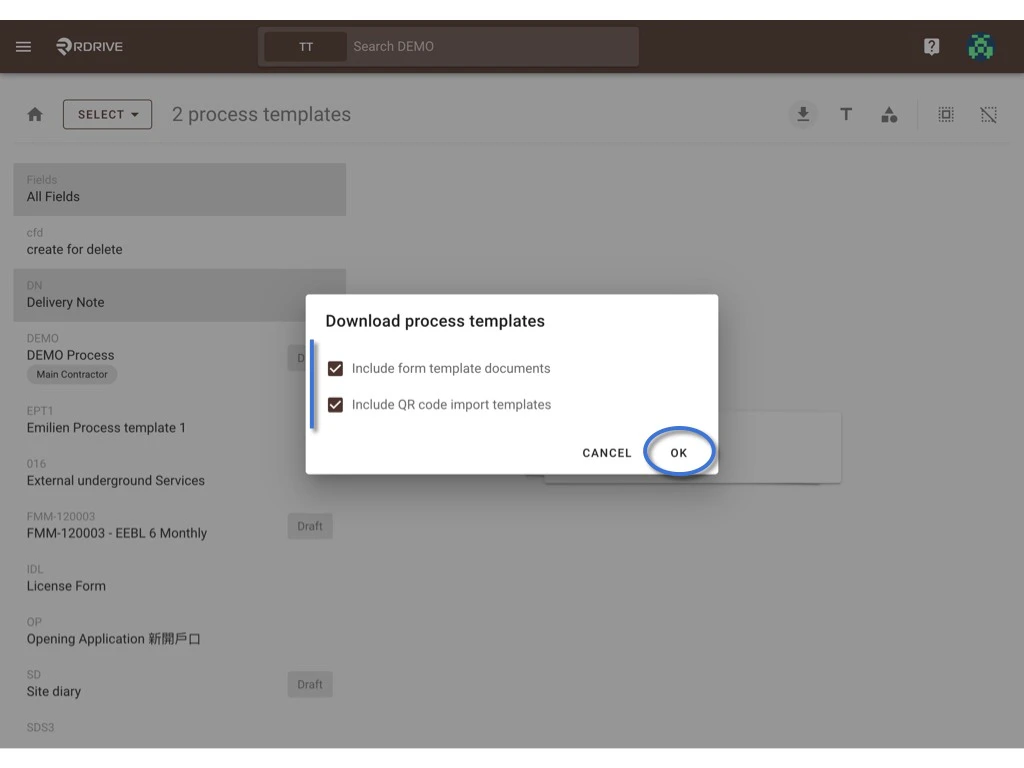
Rename
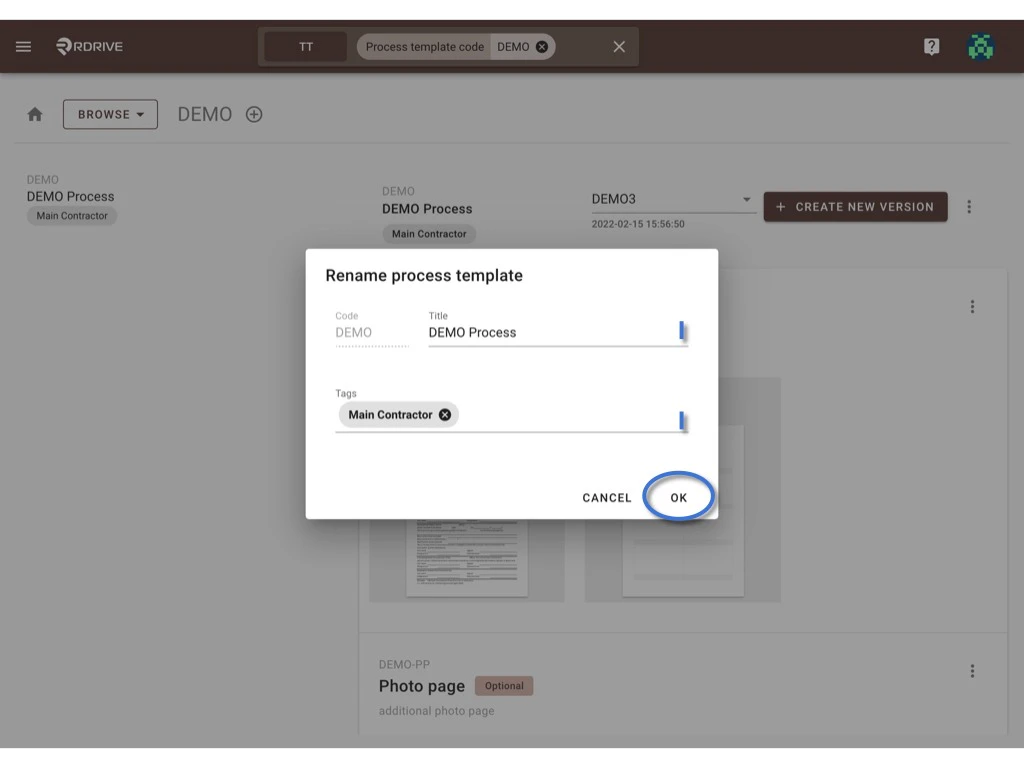
You can single edit the template title & template tag(s) on the BROWSE viewer and batch edit the tag(s) on the SELECT viewer.Single
Click the ⋮ button next to the Create new version button and select Rename.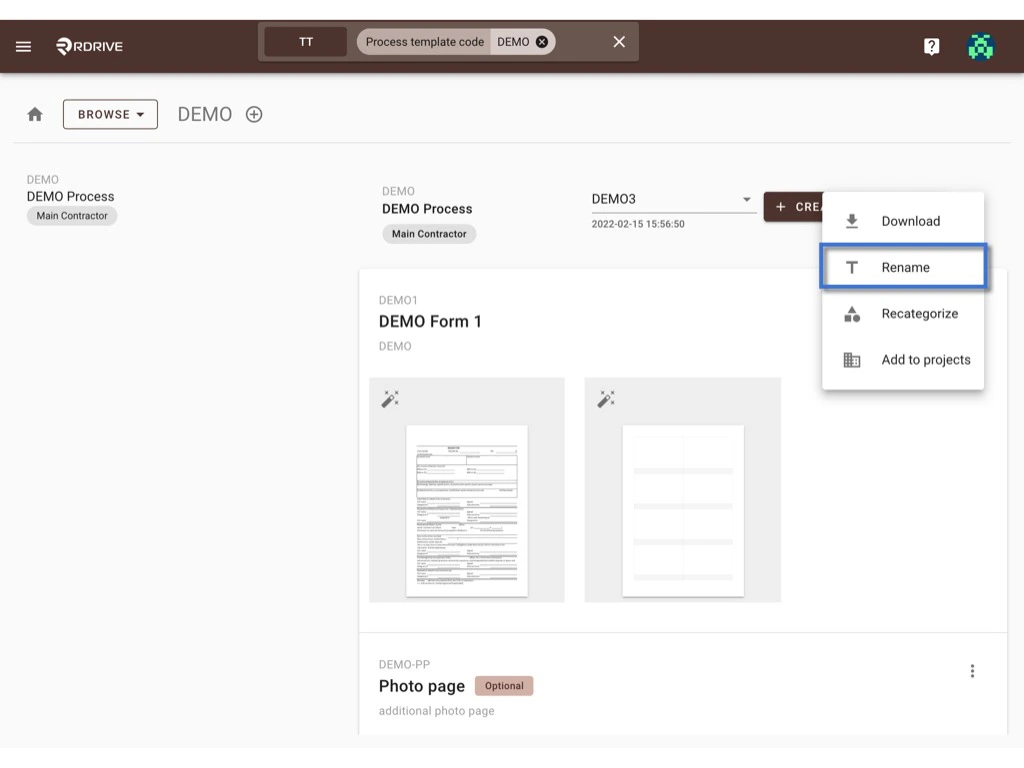
Press OK to confirm the change.
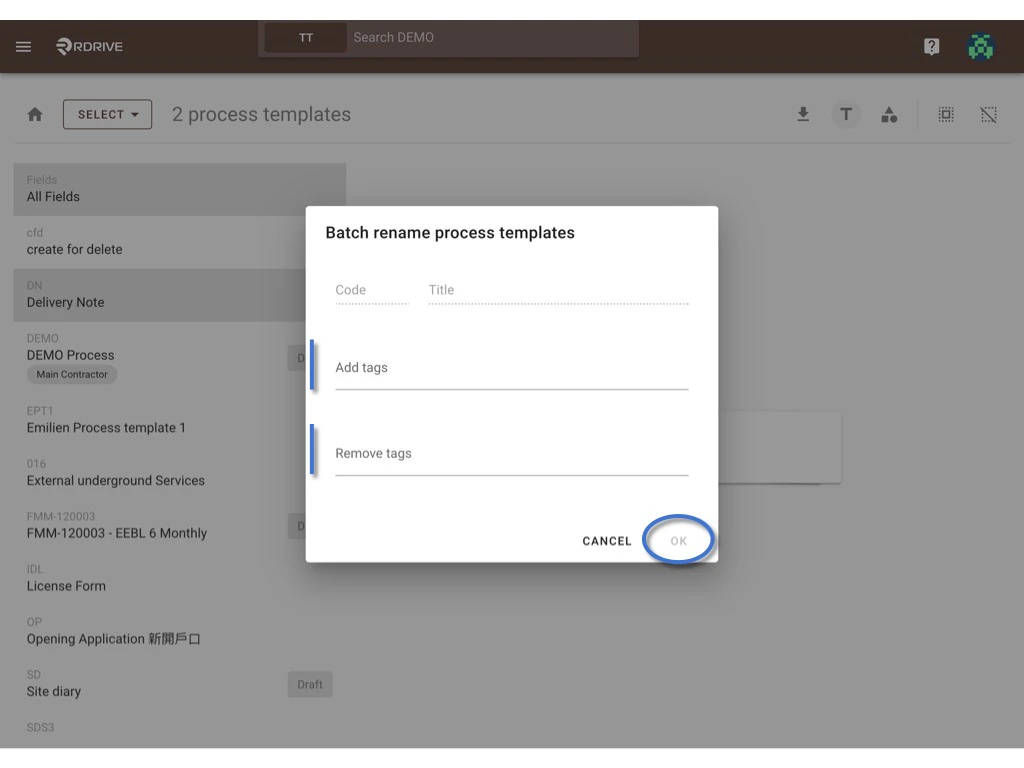
Batch edit tag(s)
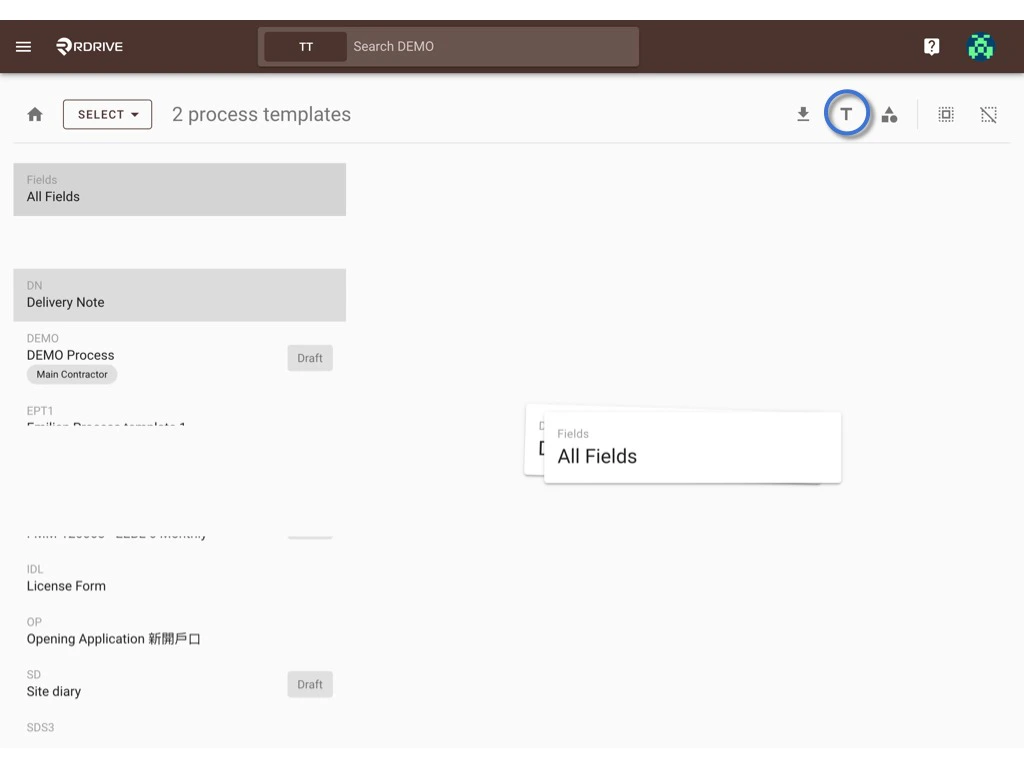
Switch the mode from BROWSE to SELECT.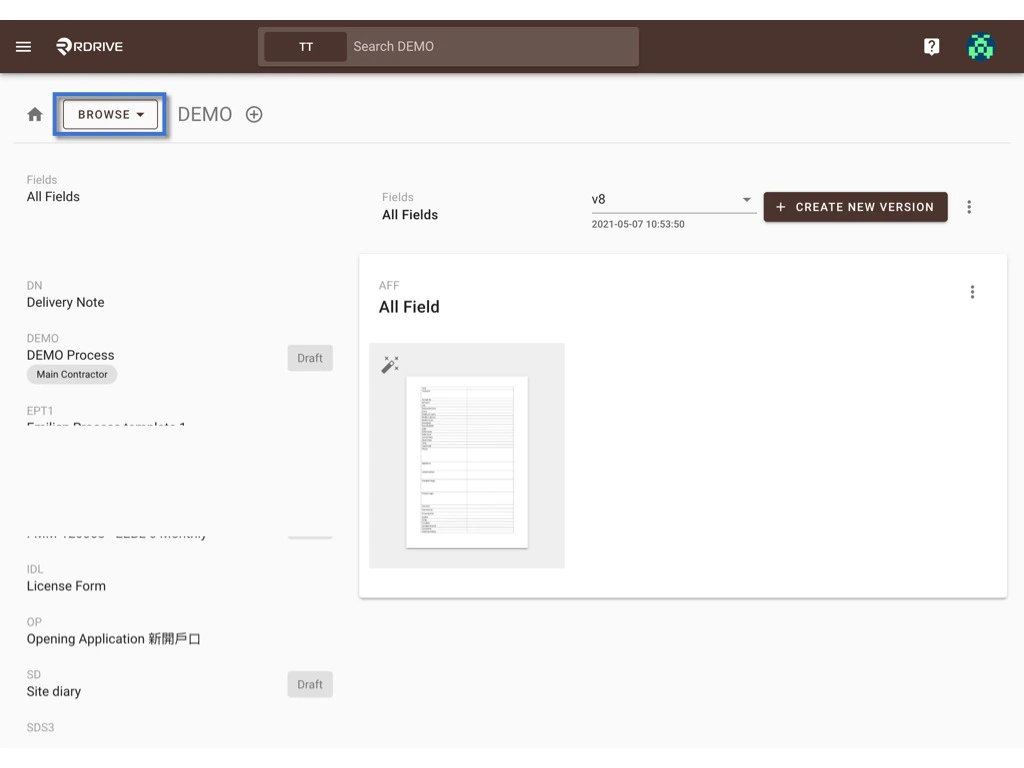
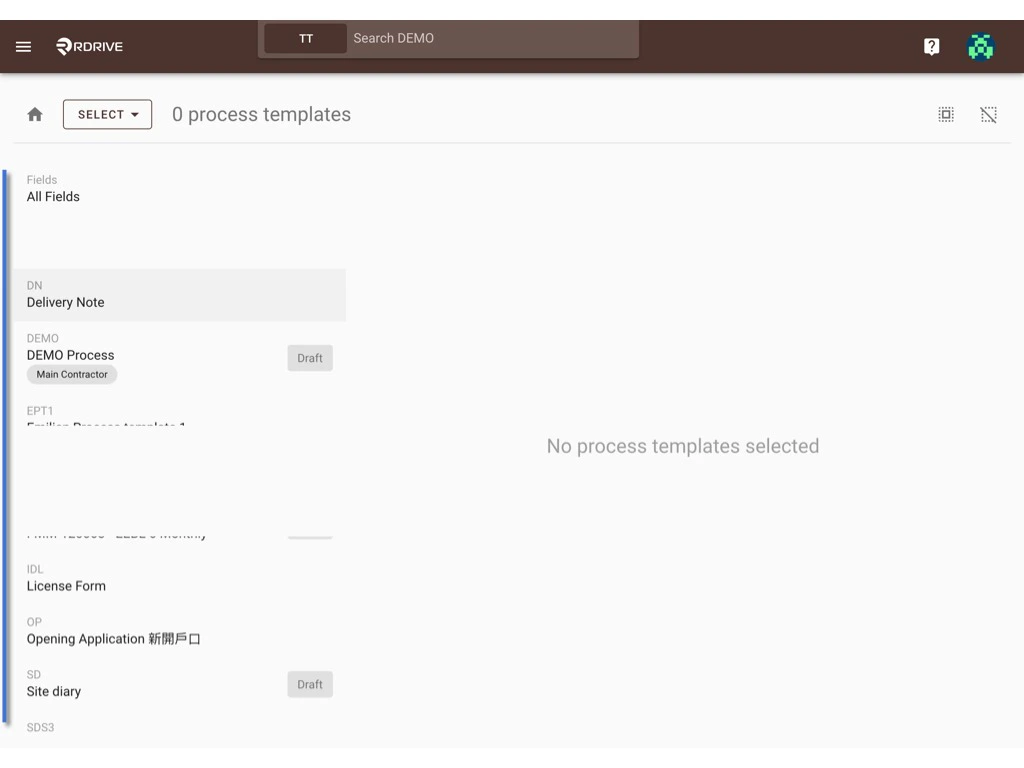
The selected will be highlighted in grey.
OK to confirm.
Edit Form template
- Access to form wizard
- Edit form image
- To change paper size
- To change the page image
- To delete page
- Add form page
- Edit form info
- Rules
- Reorder
- Delete
⚠️ Attention: Unless only editing tags or QRcode import template, you have to create new version to edit a form template and publish it as a new version after being changed. If you made a mistake on the new version accidentally, you are able to Rollback to the previous version anytime.
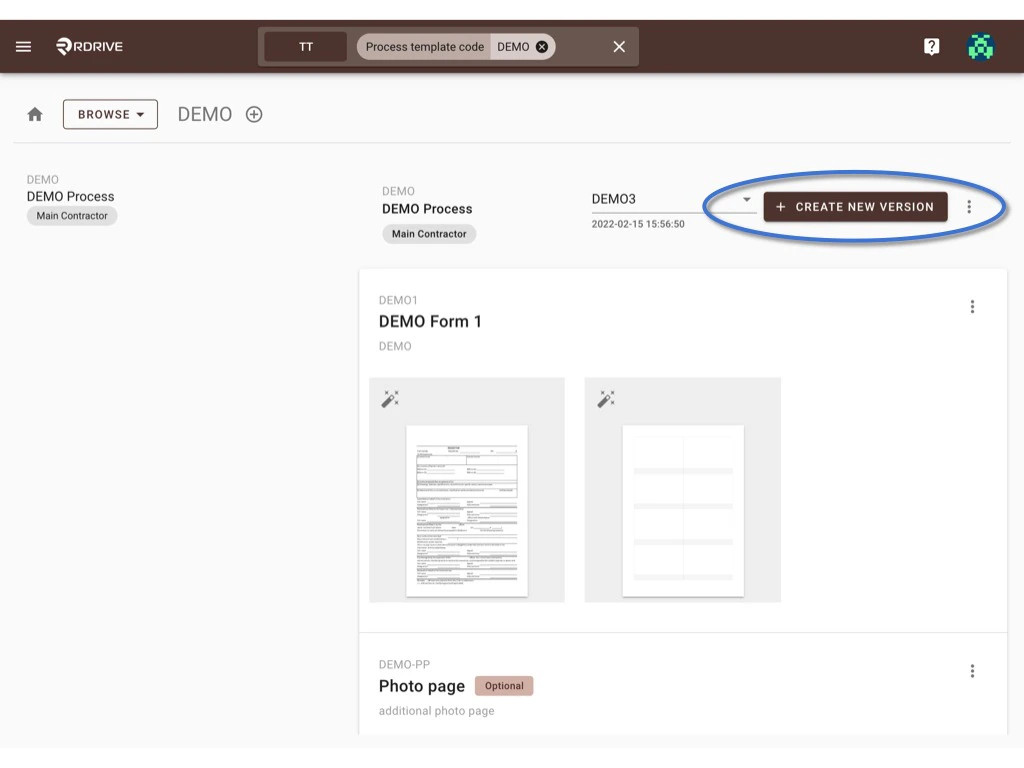
Access to form wizard
Click the button below to access the form wizard to edit the form content including form status, fields, etc. (no need to add new version if you only need to edit tags)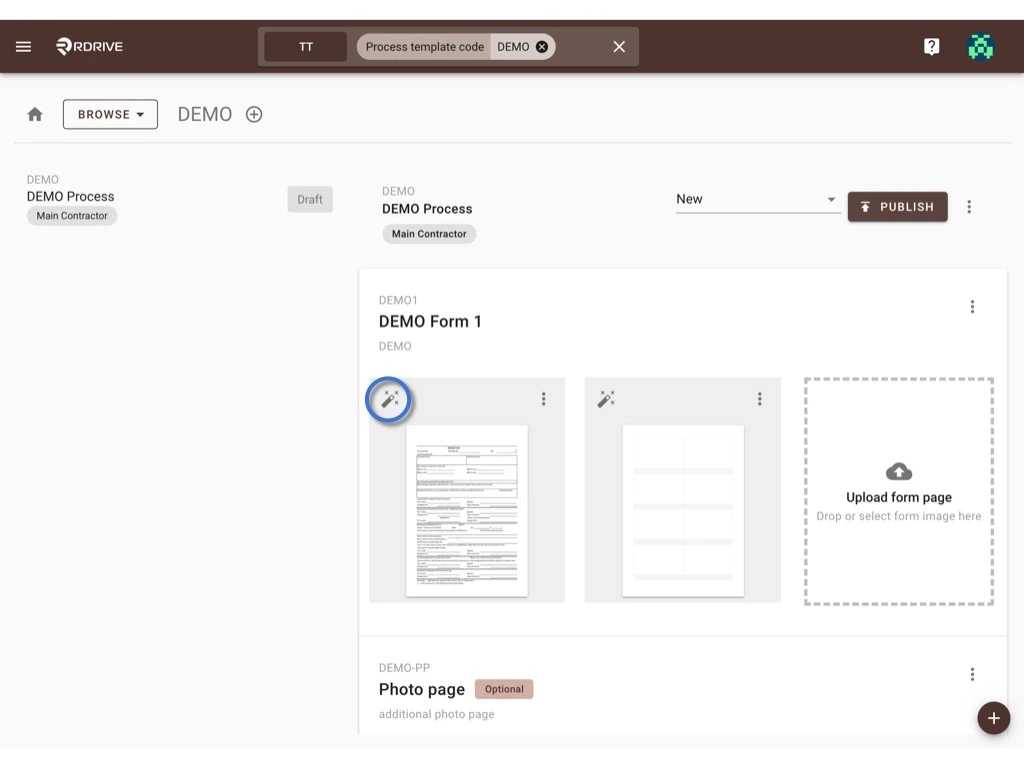
Edit form image
Click the ⋮ button at the top right corner of the form page, you may change paper size, change page image and delete the page from here.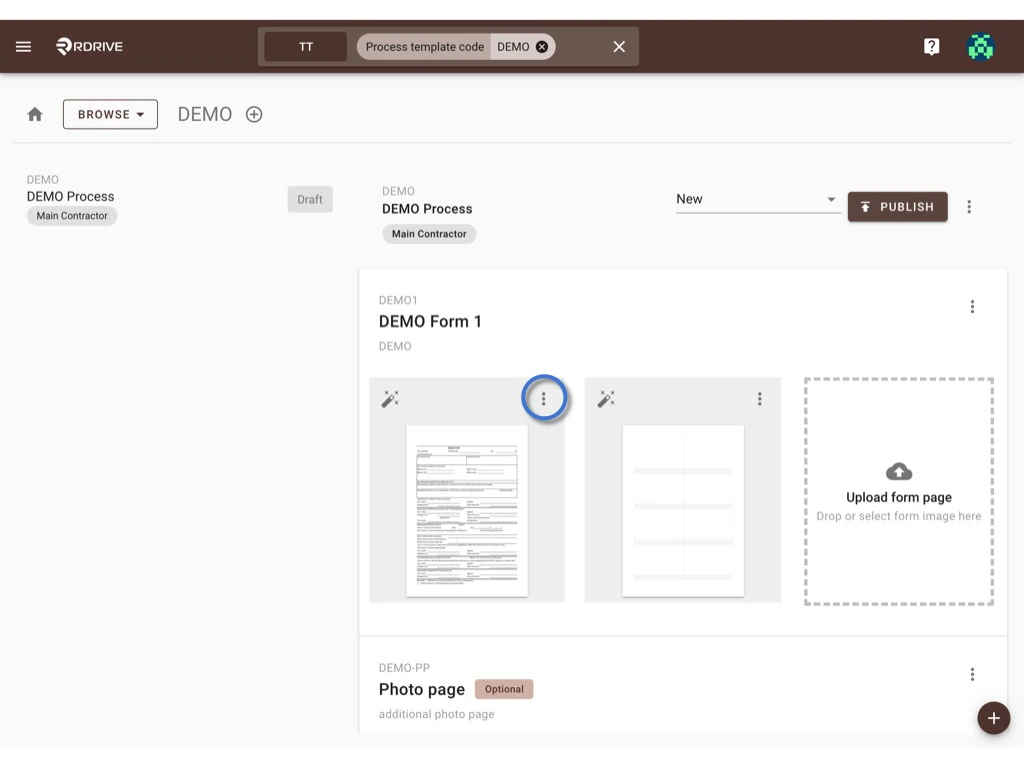
T****o change paper size
Click Change paper size to start. You may select change the page size by standard or custom.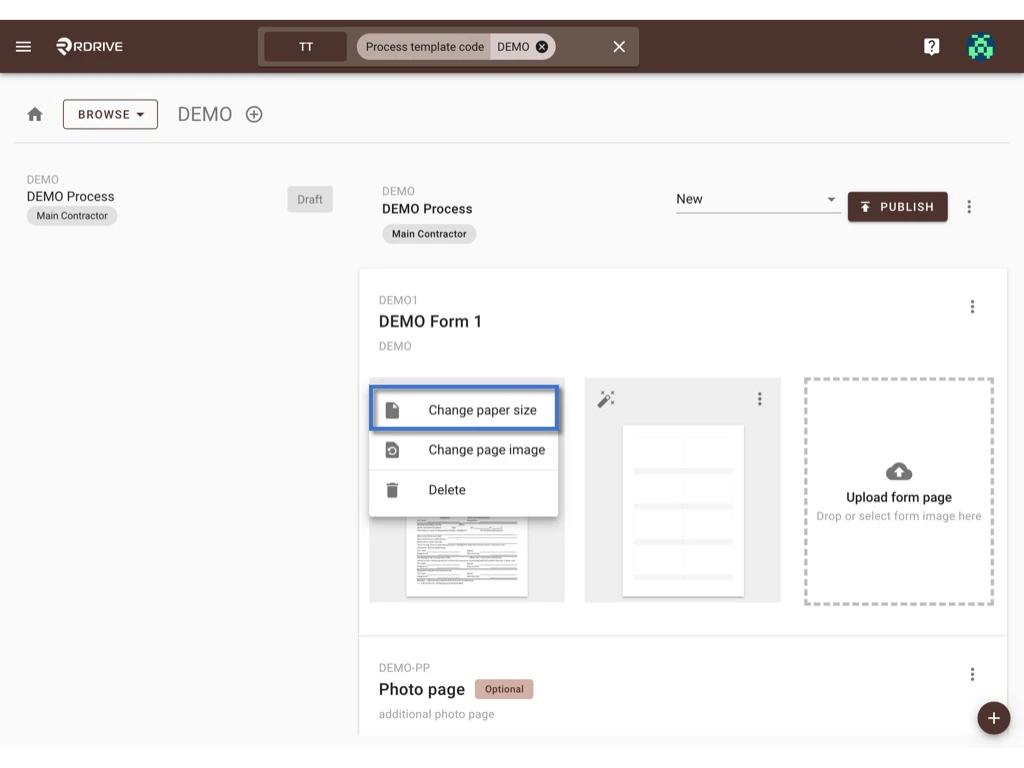
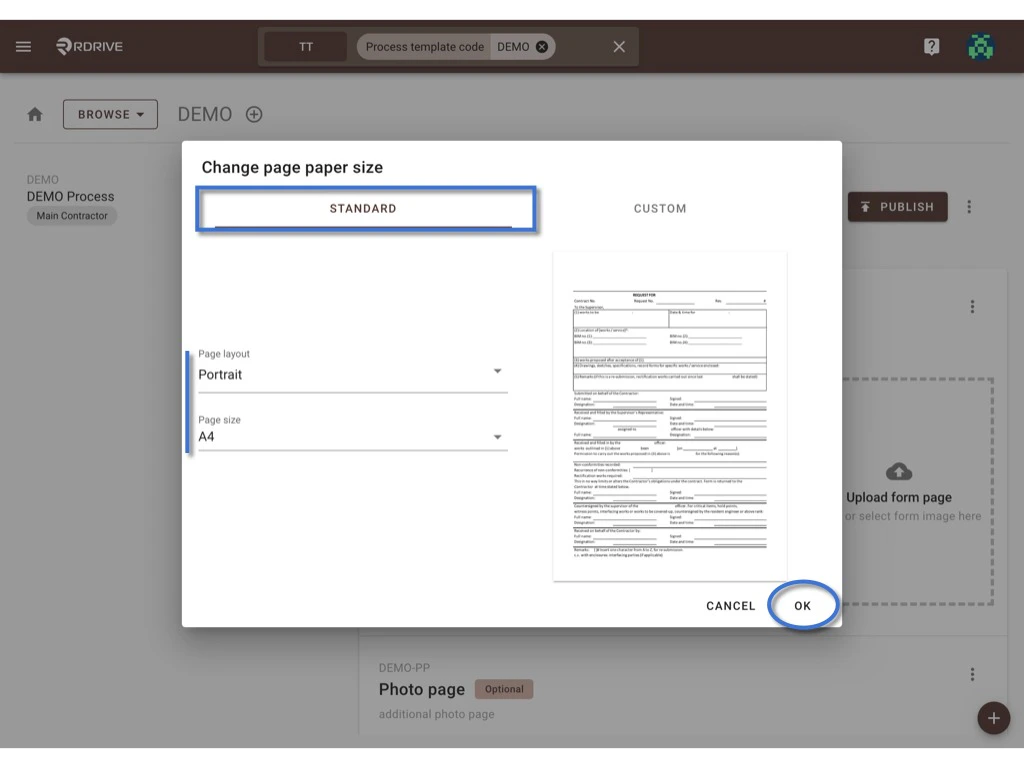
Standard
On Standard, you can select the page layout and page size to change.OK to confirm.
Custom
On Custom, you can according to the sample text size adjust the page size by zooming in & out. OK to confirm.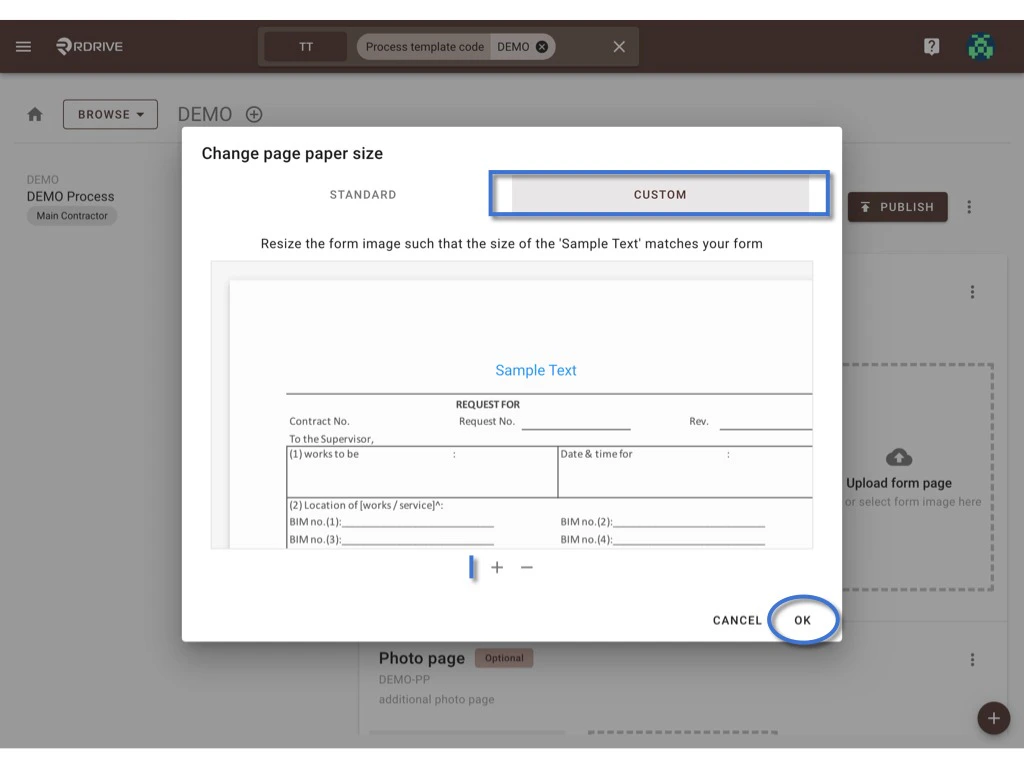
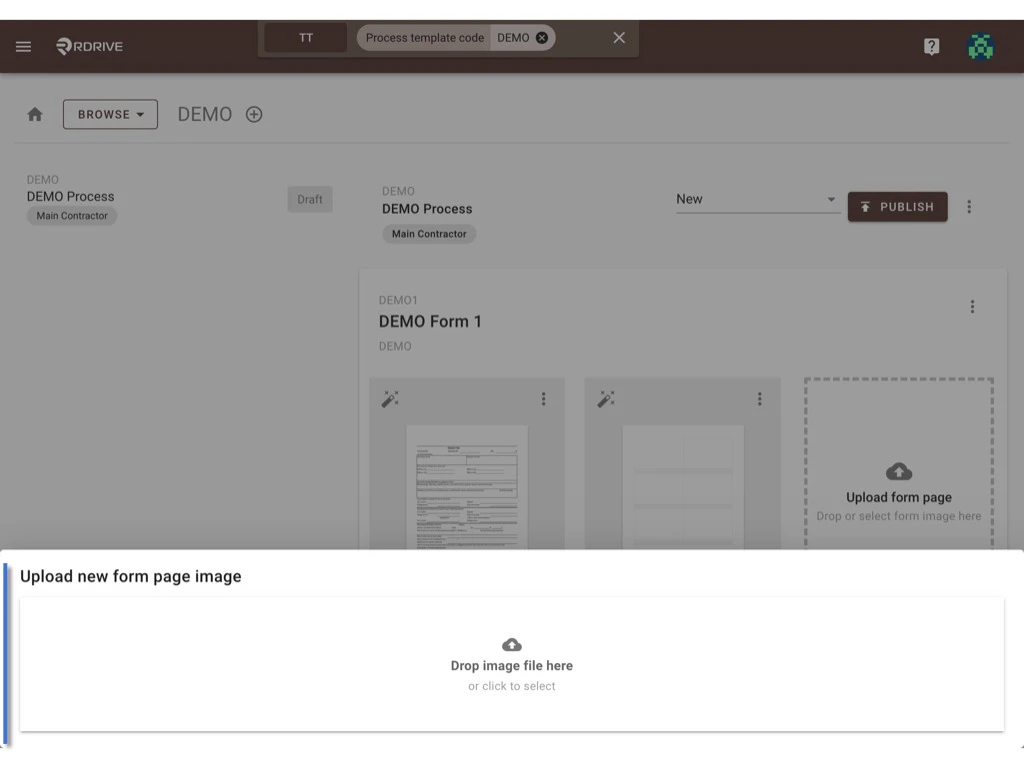
To change the page image
Click Change page image to start.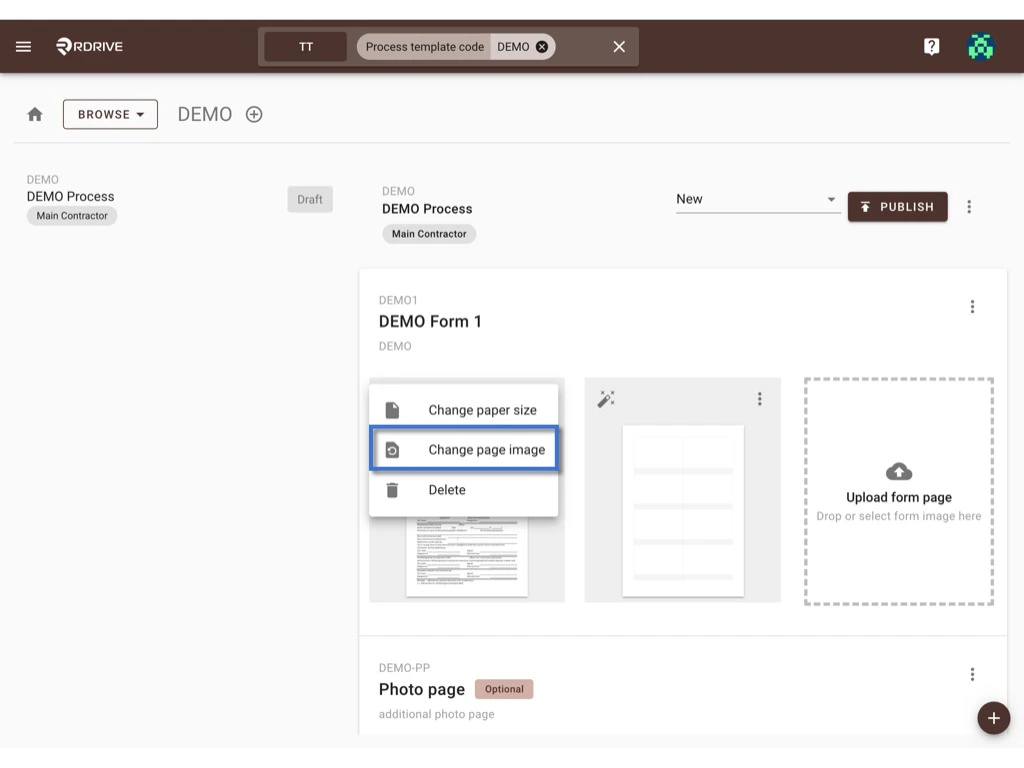
To delete page
Click the Delete button will delete that page immediately.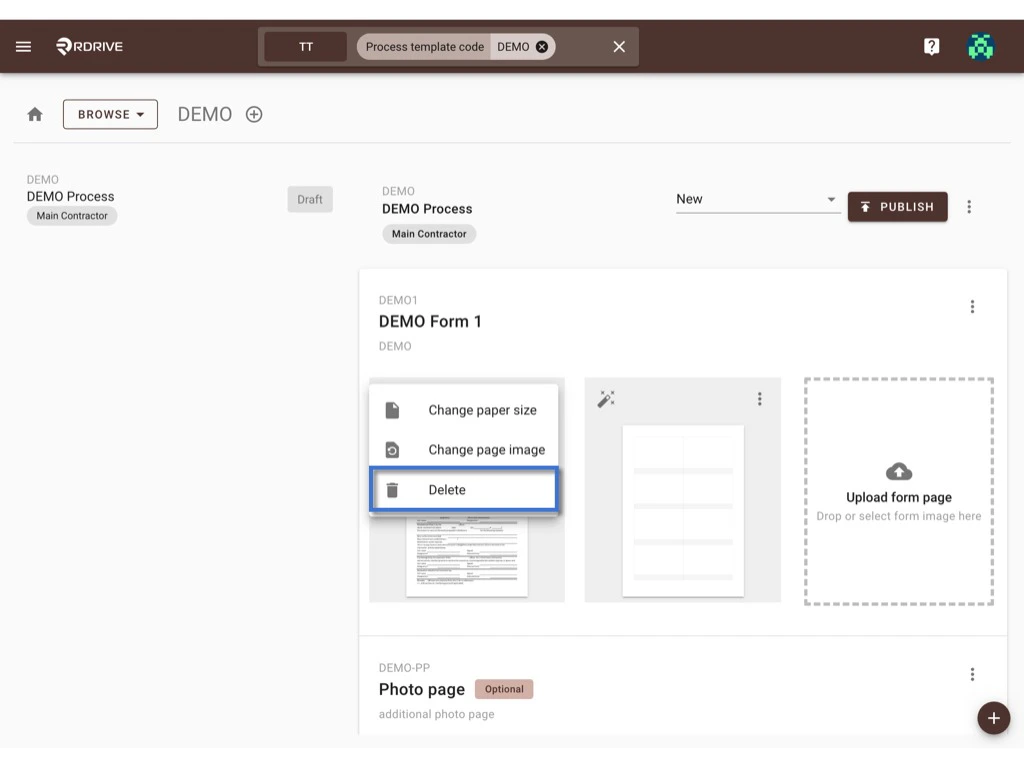
Add form page
You may drag and drop the image to the below area and click to select the image to upload for the new form page.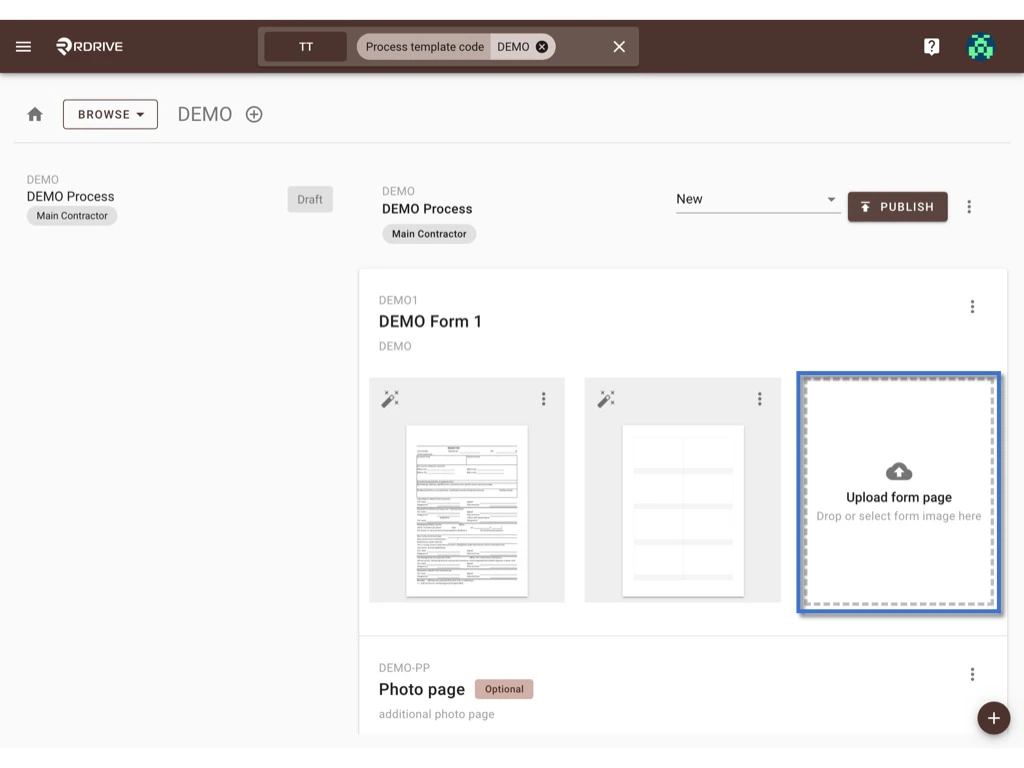
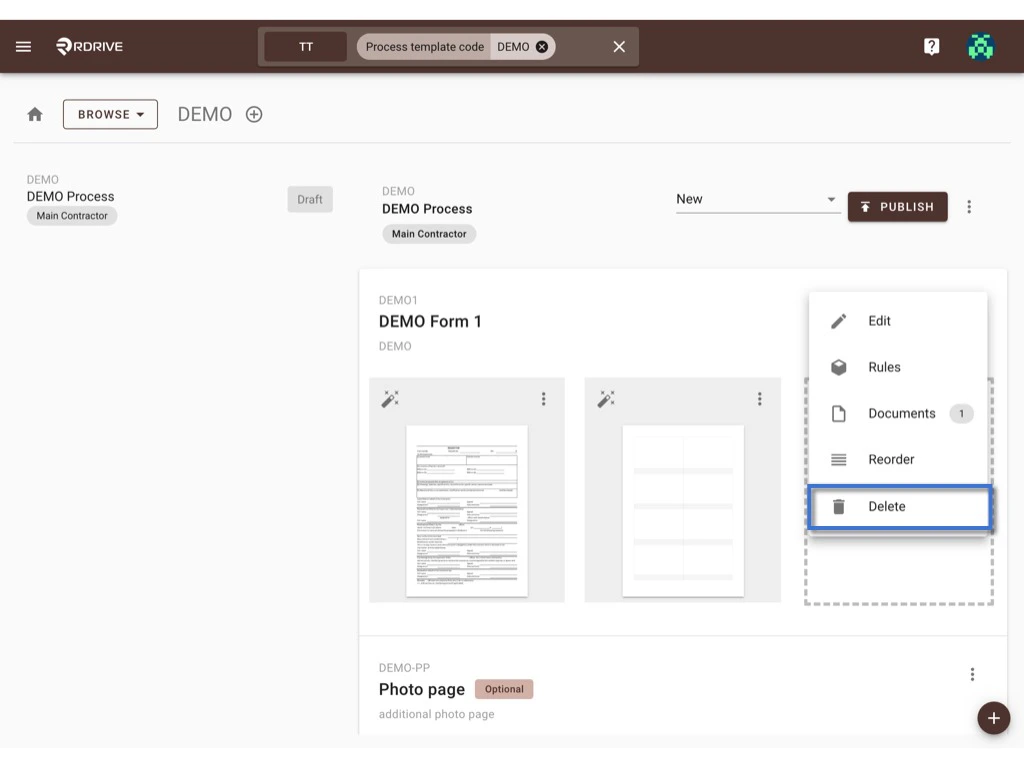
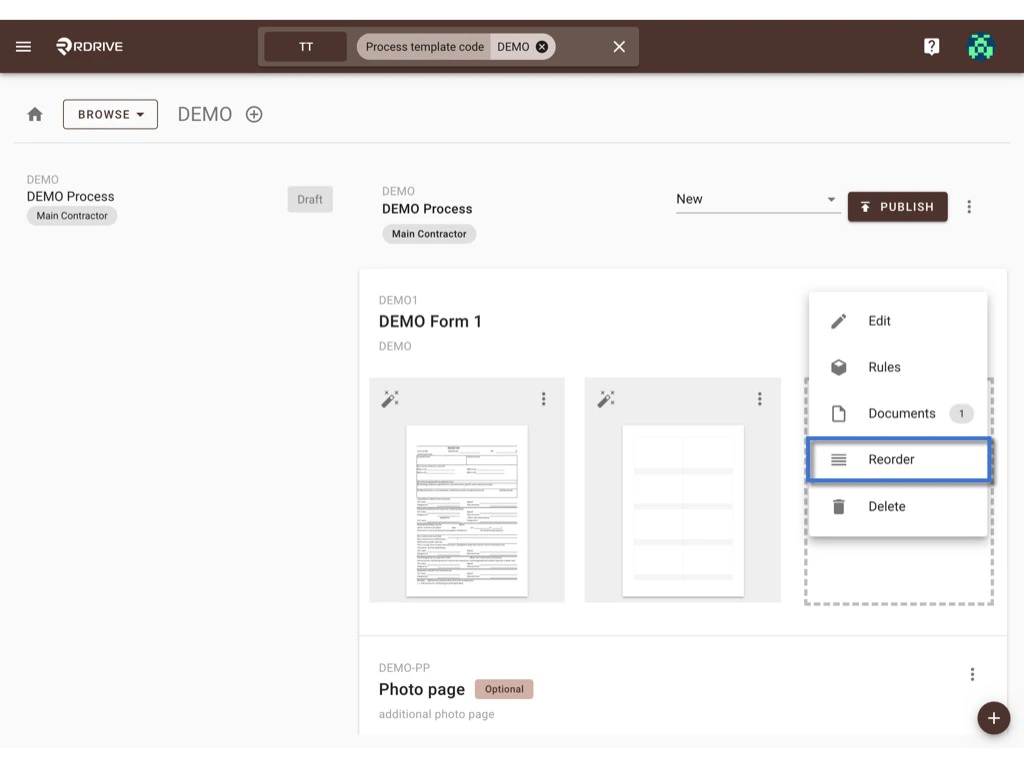
Click the ⋮ button at the top right corner of the form list, you may edit form info, set up the form overall assignment rule, add the form document, reorder the form, and delete the form from here.
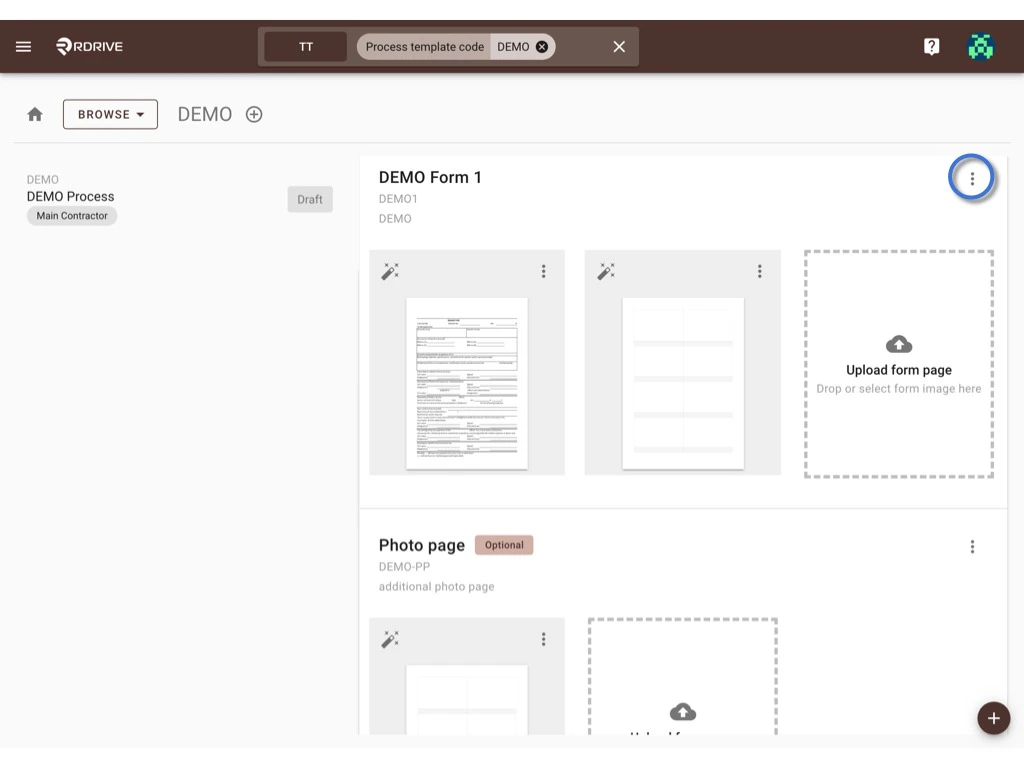
Edit form info
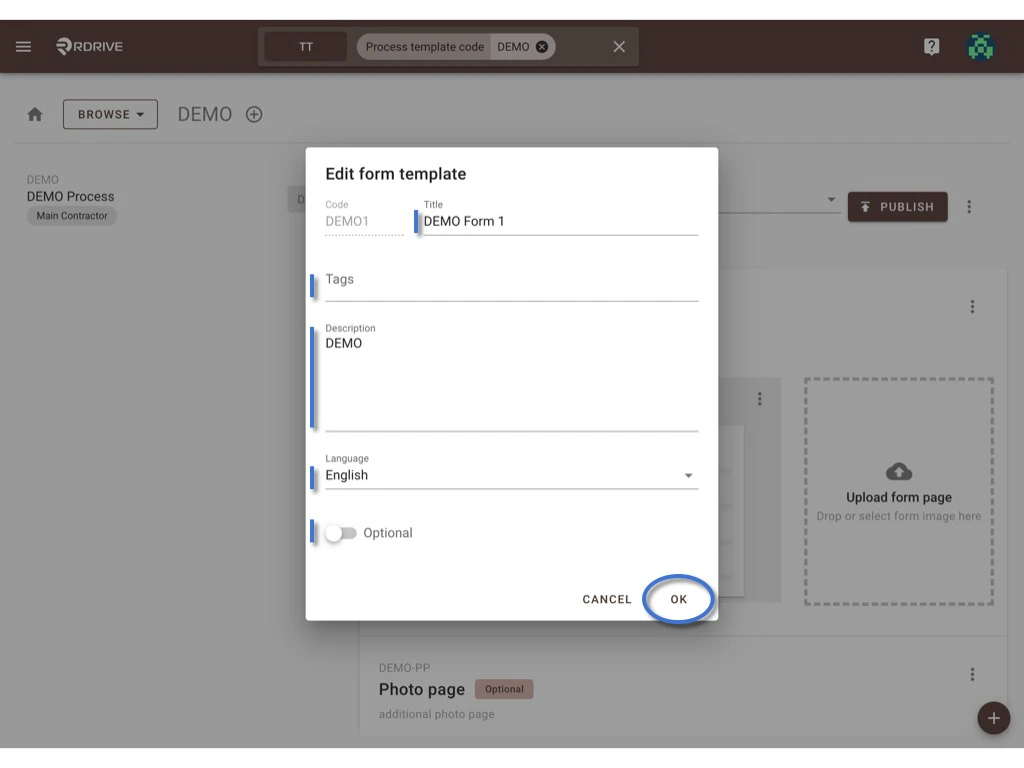
Select Edit to bring up the form information dialogue to edit the Form Title, Tags, Description, Language, and Default or Optional setting. OK to confirm.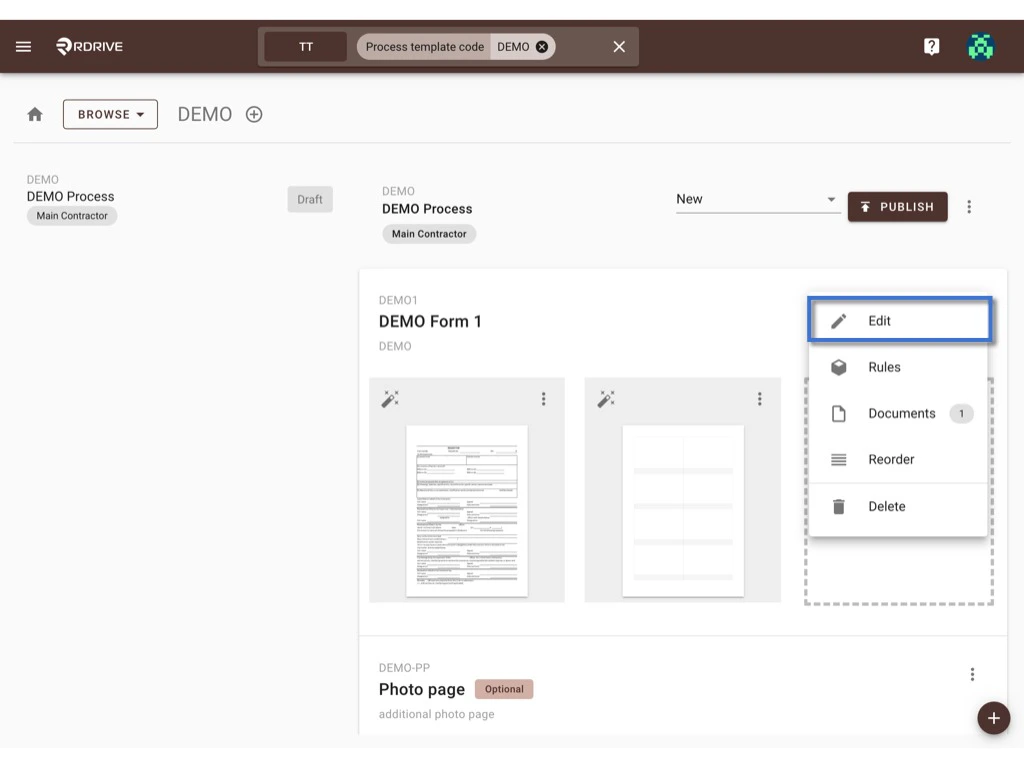
Rules
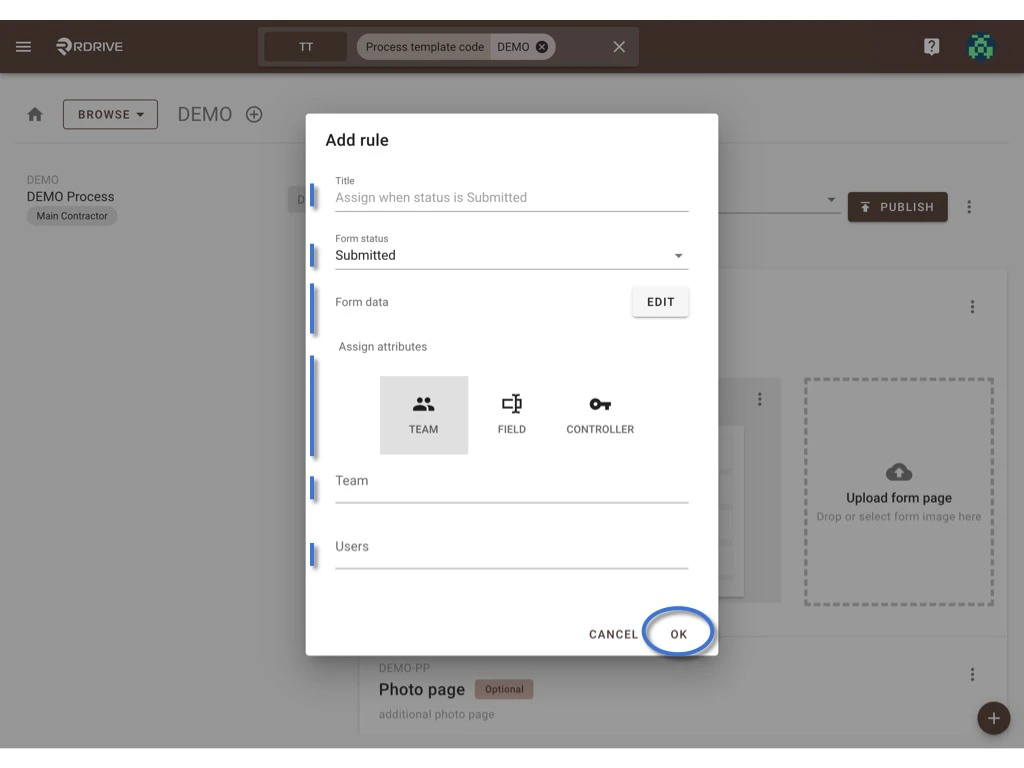
The assignment rule set from the company area will automatically appear to all project process profiles. Select Rules to open the dialogue.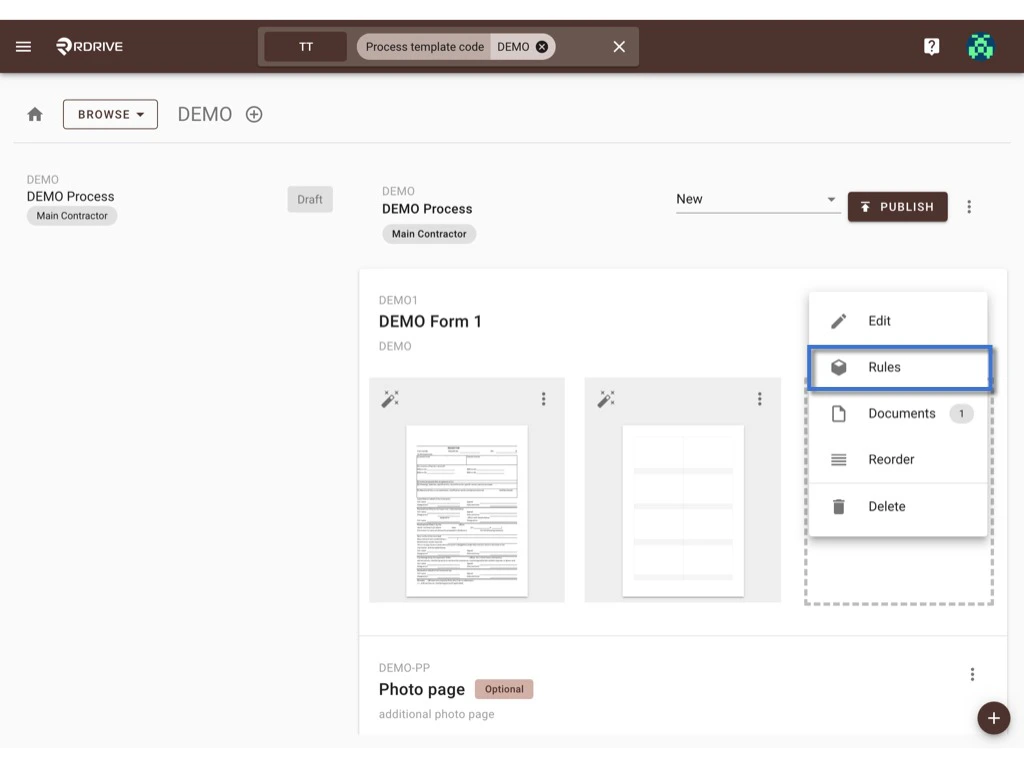
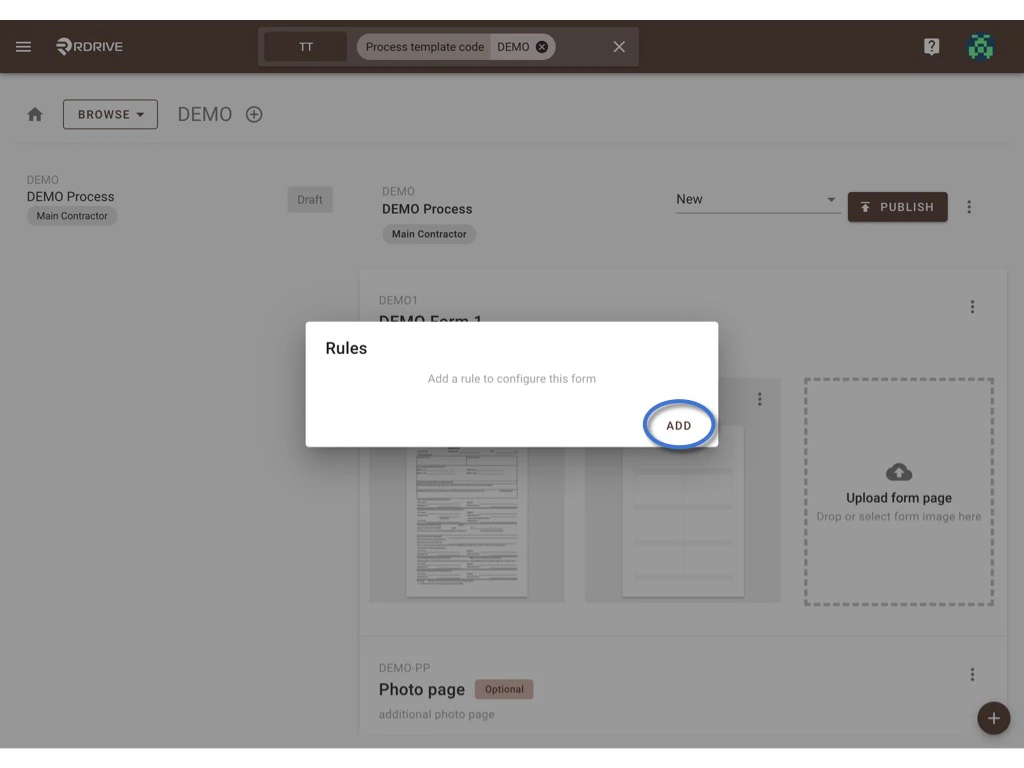
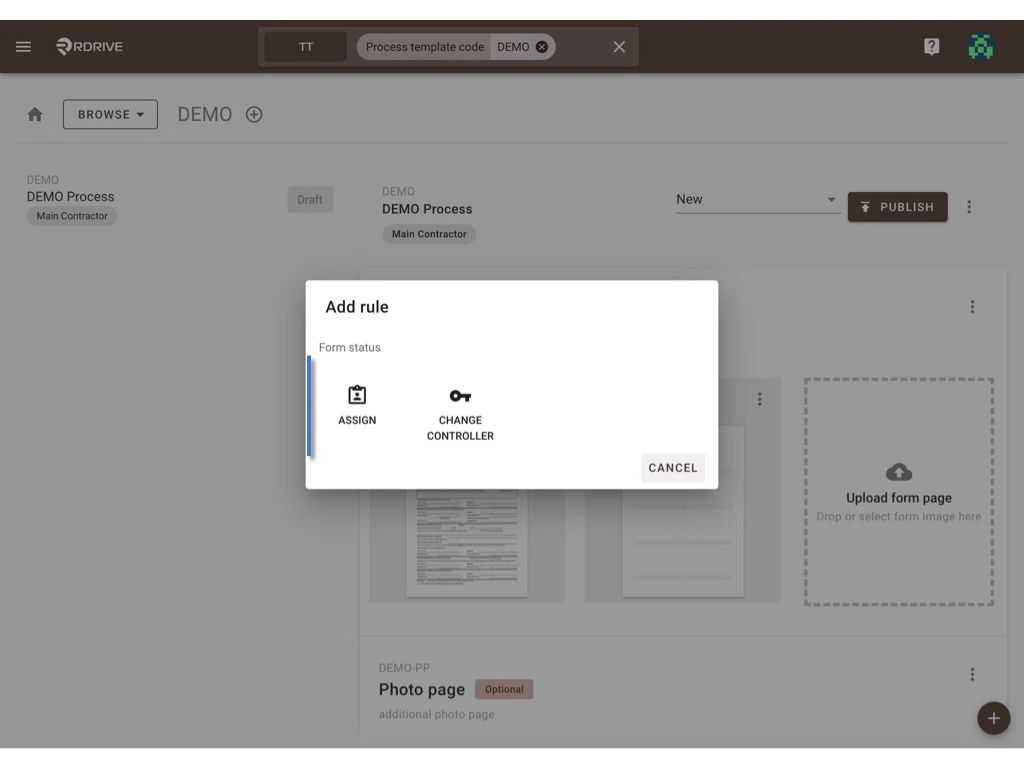
OK to confirm.
Reorder
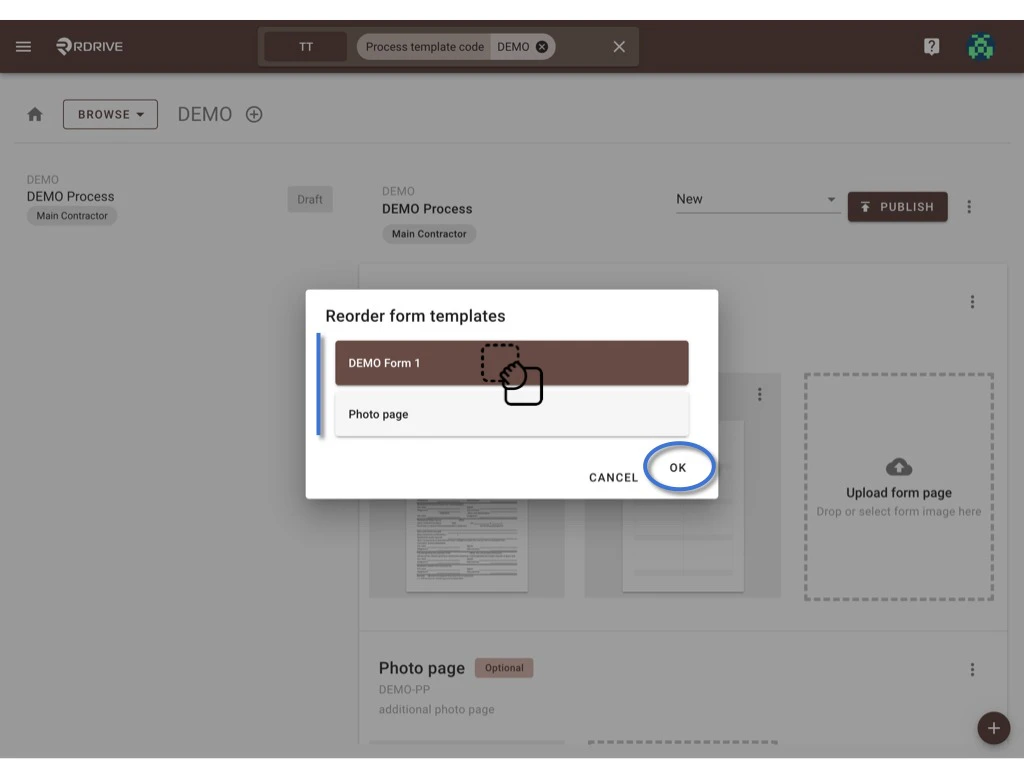
To reorder the form sorting, please click Reorder.Drag and drop the form to reorder at the pop-up window. OK to confirm.
Delete
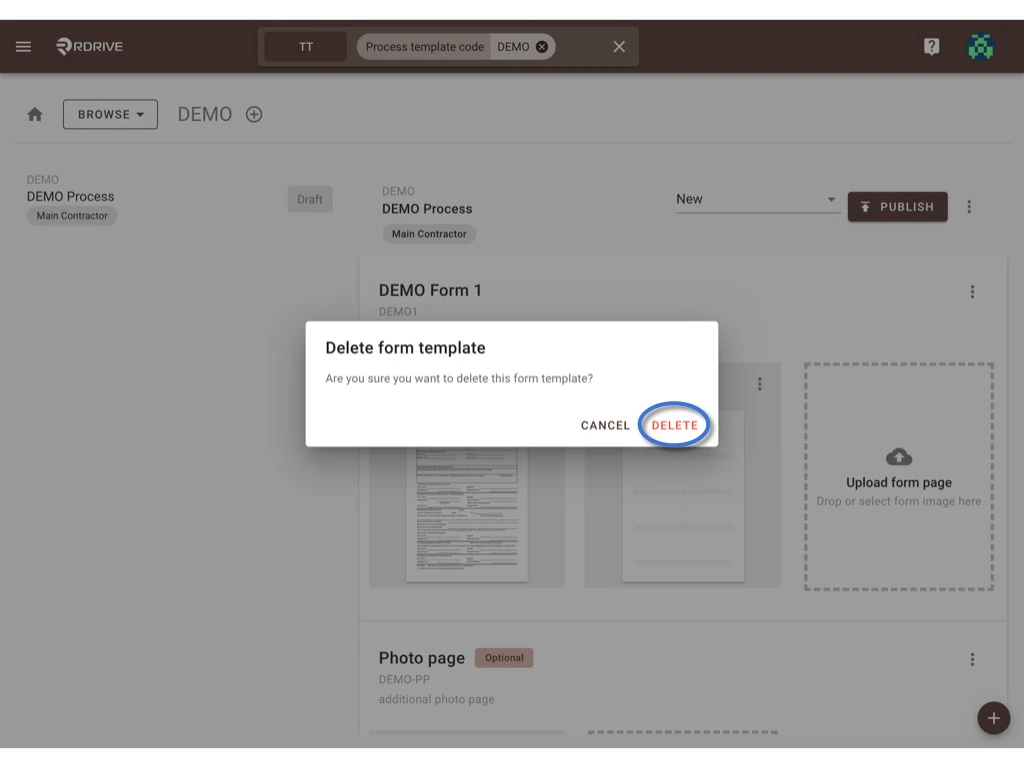
Click Delete to request to delete the form.