Workflow based conditional editing
You can divide a form into sections and decide which fields are editable on a particular state of the workflow. Consider the following form with 3 sections: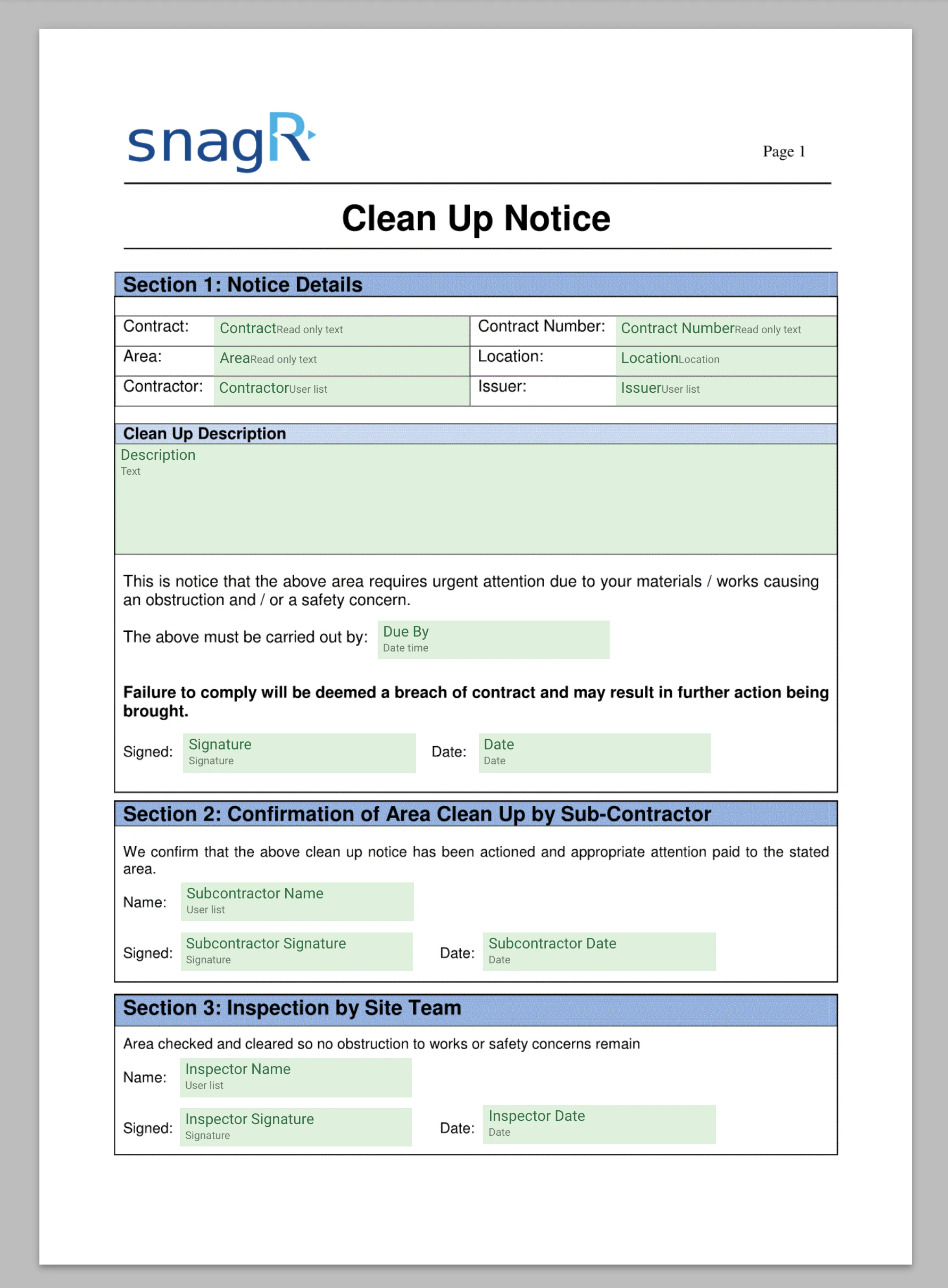
Tagging form fields
You can group the fields by sections by selecting all the fields of the respective section and giving them a tag. In the properties window, under the metadata tab, you can add tags to the form fields that are currently selected.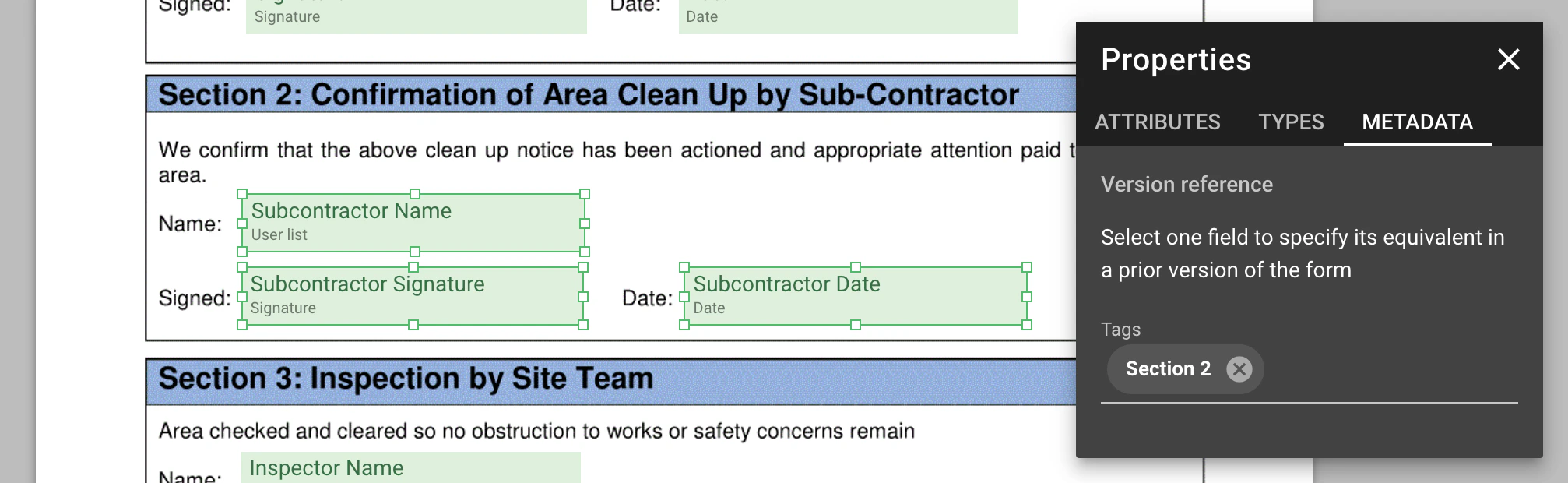
Setting up workflow
You should set up the workflow states so that each one correspond to its respective section of the form.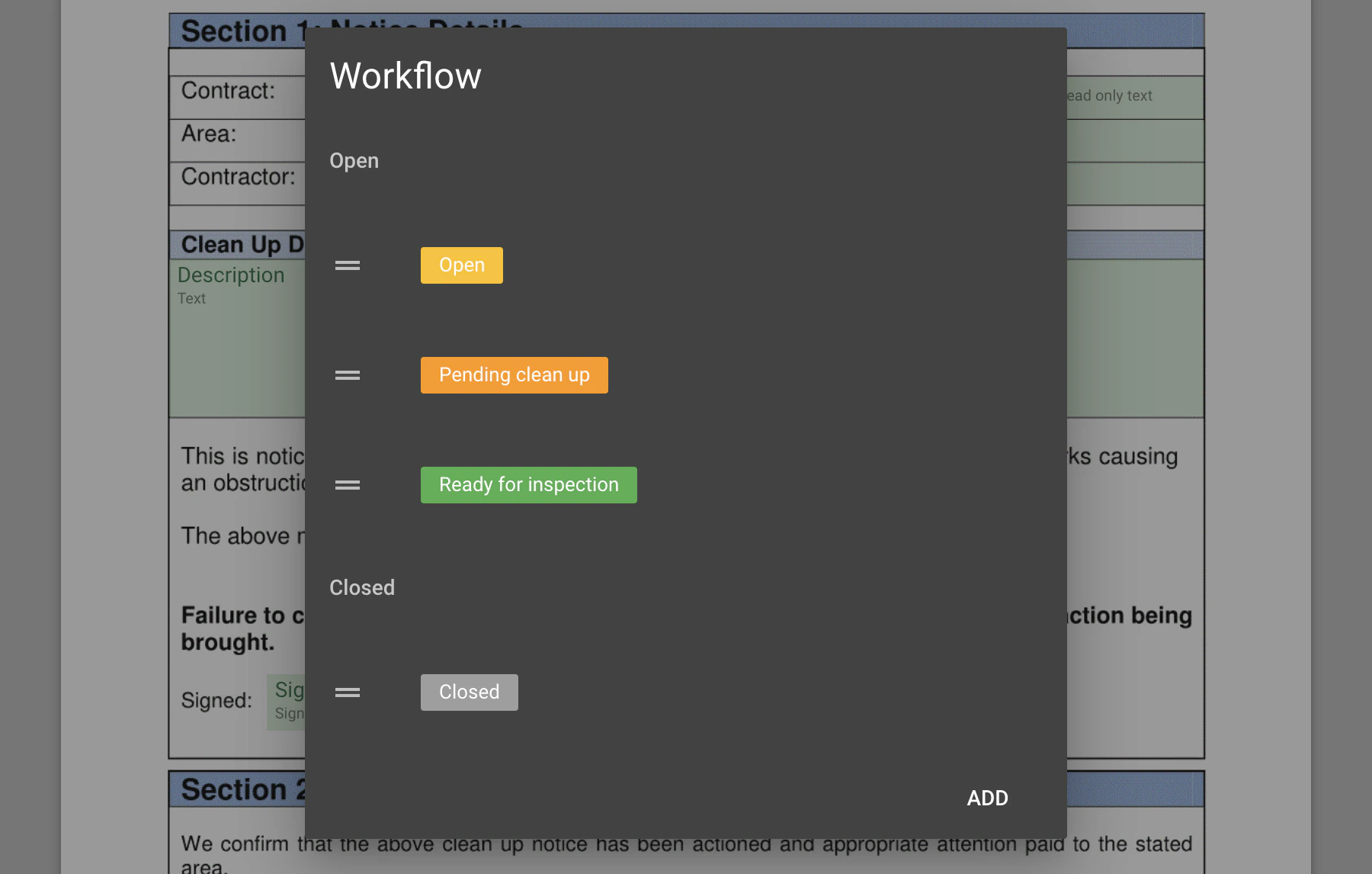
Enable conditional editing
In each workflow state, you can enable conditional editing and select the relevant tag to indicate which fields are editable under the current workflow state.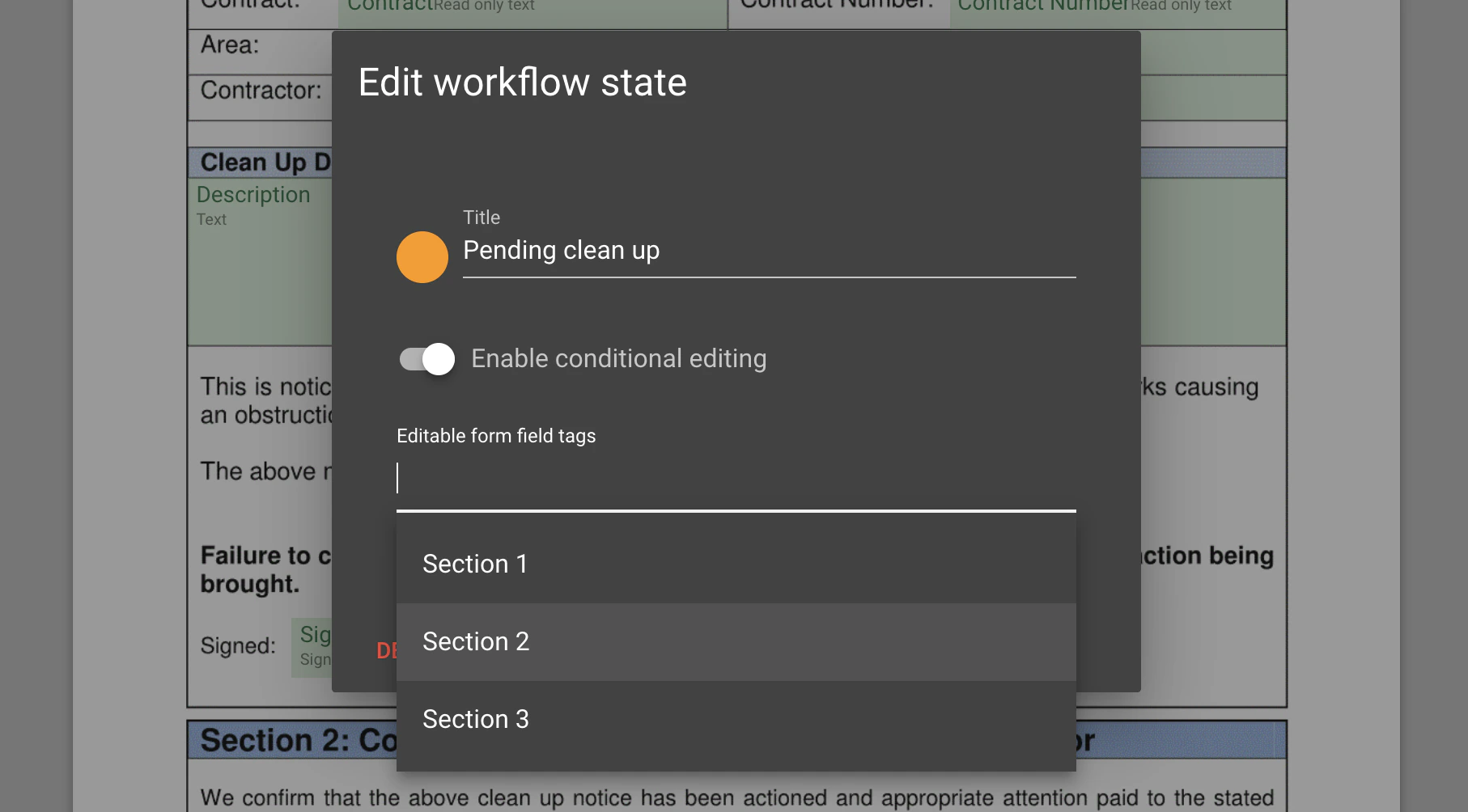
Form fields are disabled based on workflow state
Once the workflow of a form is changed, only form fields of the current section are editable. All other fields are disabled.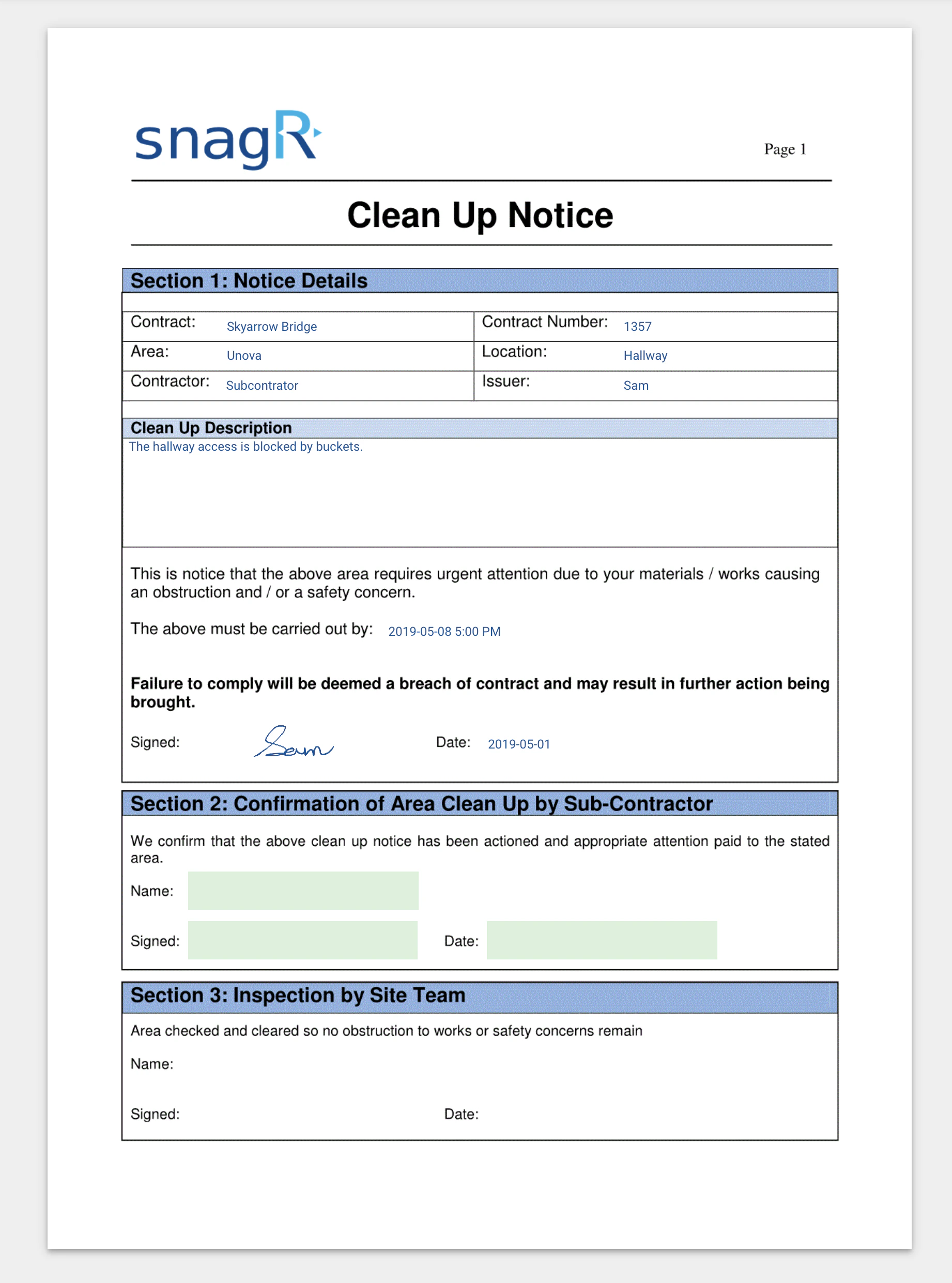
Prevent rolling back to prior workflow states
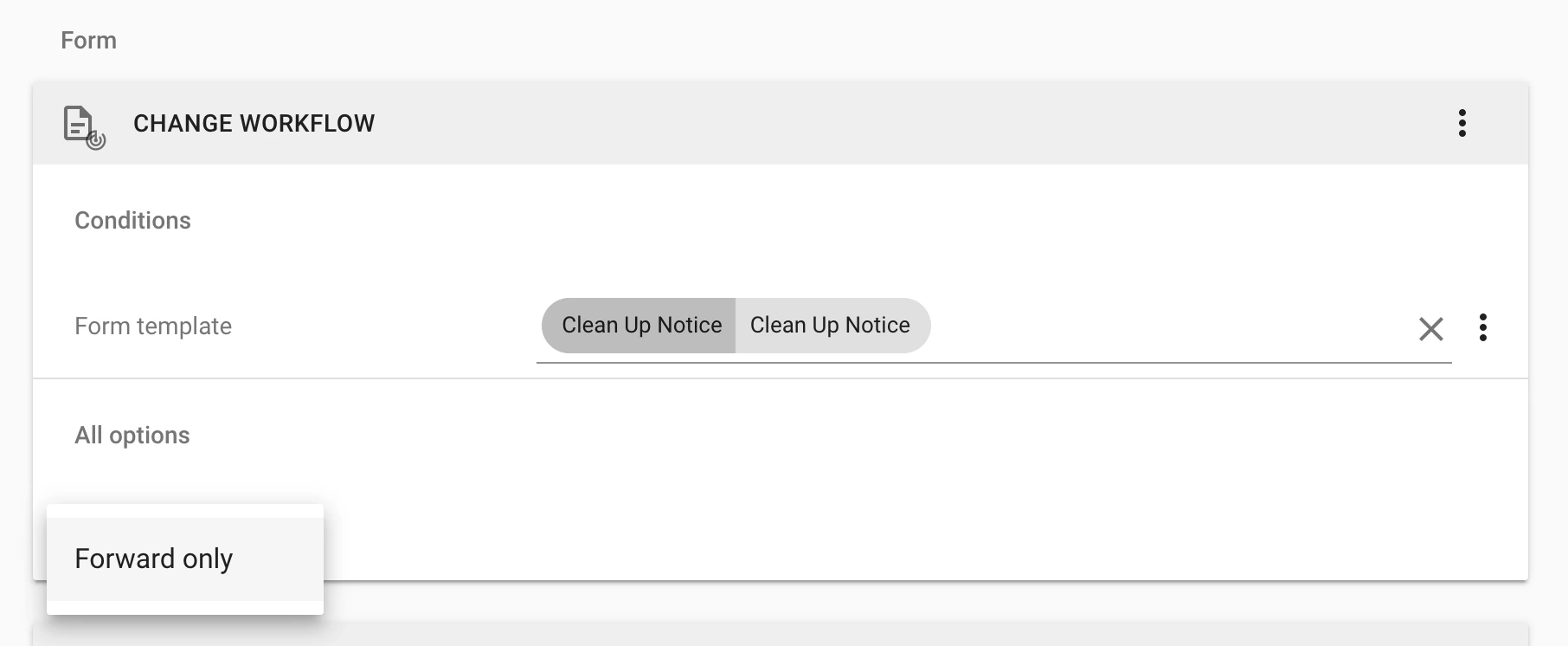
You can further limit form field edits by preventing users from changing to a prior workflow state to modify previously editable fields. Under form change workflow permissions, you can add the forward only option that disallow going back to prior workflow states.