
Have you ever noticed a yellow triangle with an exclamation mark while using software forms or issue wizards?

It might seem insignificant, but this symbol holds the key to maintaining your data’s integrity.  Let’s explore why this warning is crucial and how it can help you navigate through software changes.

Understanding the Yellow Triangle Warning

Imagine you’re assembling a jigsaw puzzle from two different sets. The yellow triangle acts as a signal, alerting you that certain pieces might not fit seamlessly together. This warning arises when the software detects a mismatch between new additions and existing components in an older version.

Taking Action: Bridging Old and New

When you encounter the yellow triangle warning, you have the power to mend the connection between old and new elements. This involves manual intervention, where you clarify the link between previously established fields and recently added ones. Usually, this can be done via settings > properties.\ Why have a Yellow Triangle Warning? Why have a Yellow Triangle Warning?
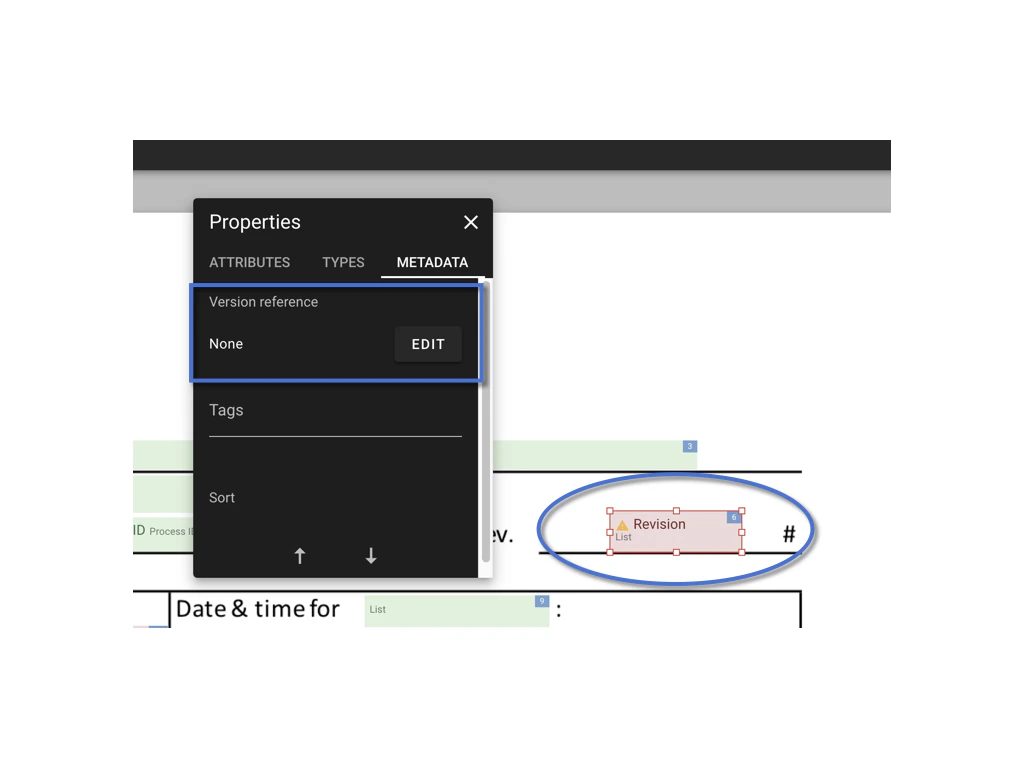
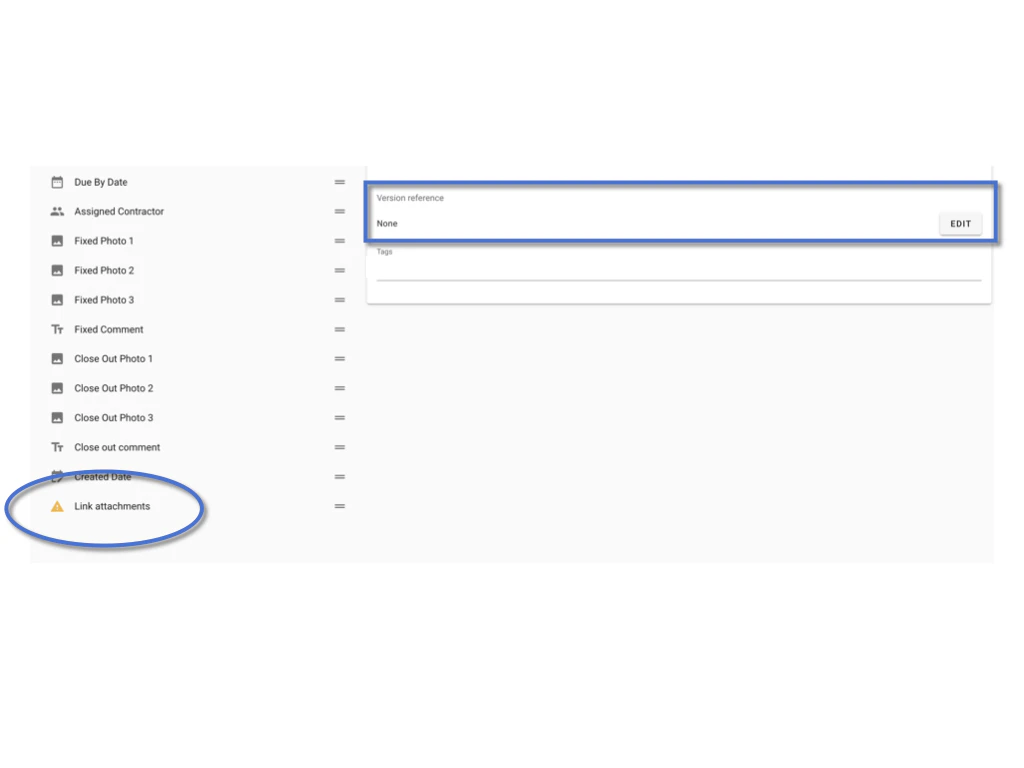
Maintaining Data Consistency

Consider a relay race where each runner passes the baton smoothly to the next. Similarly, the yellow triangle serves as a marker that prompts you to ensure data consistency when transitioning from one software version to another. This action prevents information from getting lost or distorted during updates.

Deciding When to Disregard

Not all yellow triangles demand immediate attention. Some discrepancies might have minimal impact on your work or data flow. In these cases, you can choose to disregard the warning. However, be cautious, as overlooking the warning might lead to complications later on.

Conclusion

Although it appears as a simple yellow triangle, this warning plays a vital role in your software experience. It safeguards your data’s journey across different versions and prompts you to maintain its accuracy. By heeding this unassuming symbol and addressing any mismatches, you ensure a seamless transition and a smoother user experience.