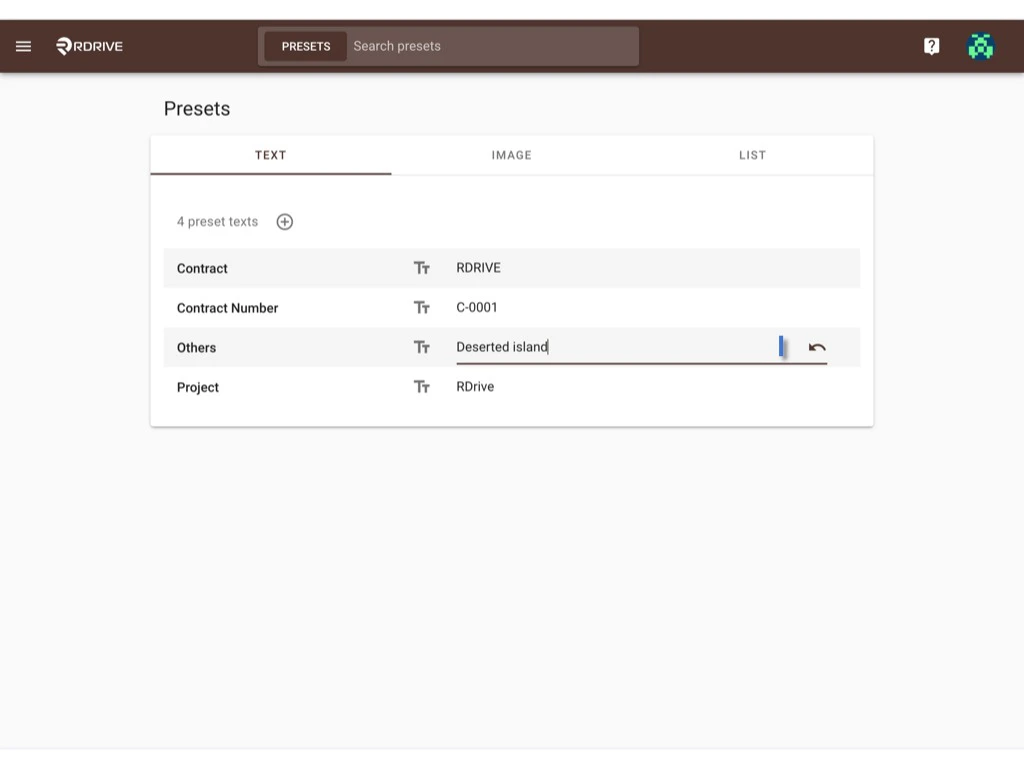
Changing the preset value at the company level
This will affects the preset value which is in default and the new projects that will be created in the future. New projects will adopt these values for their presets. This does not affect any preset values in any existing projects if have a project-specify value. If, the preset value has been changed as the project specified - Project specify values will retain; If, the preset value wasn’t edited by the project specify - Values will change with the company level.How?
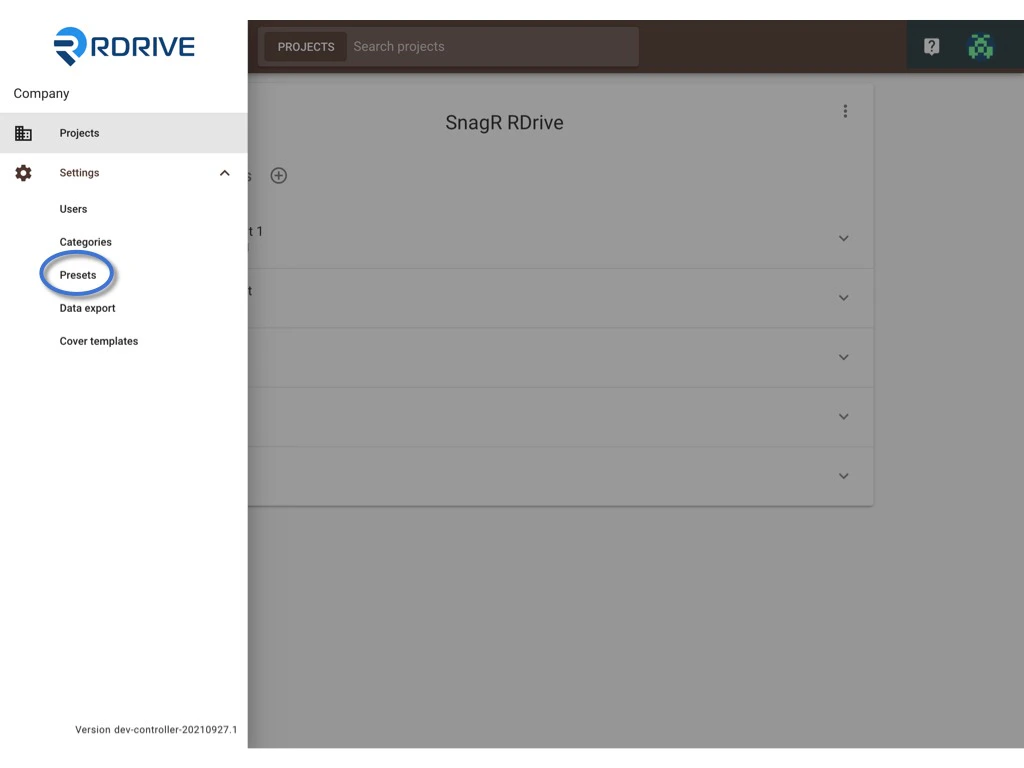
First, log in to Company Area. (Only the company admin can access this page.) Click Settings and select Presets. From here, you can ✚ add new or ✏️ edit preset text.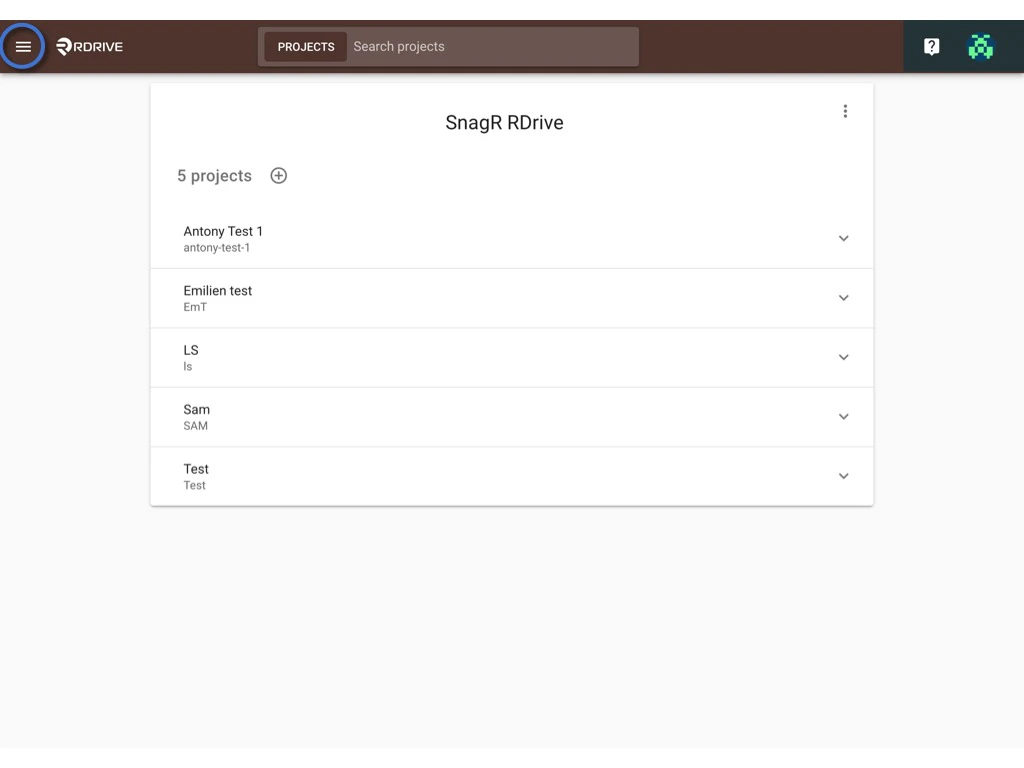
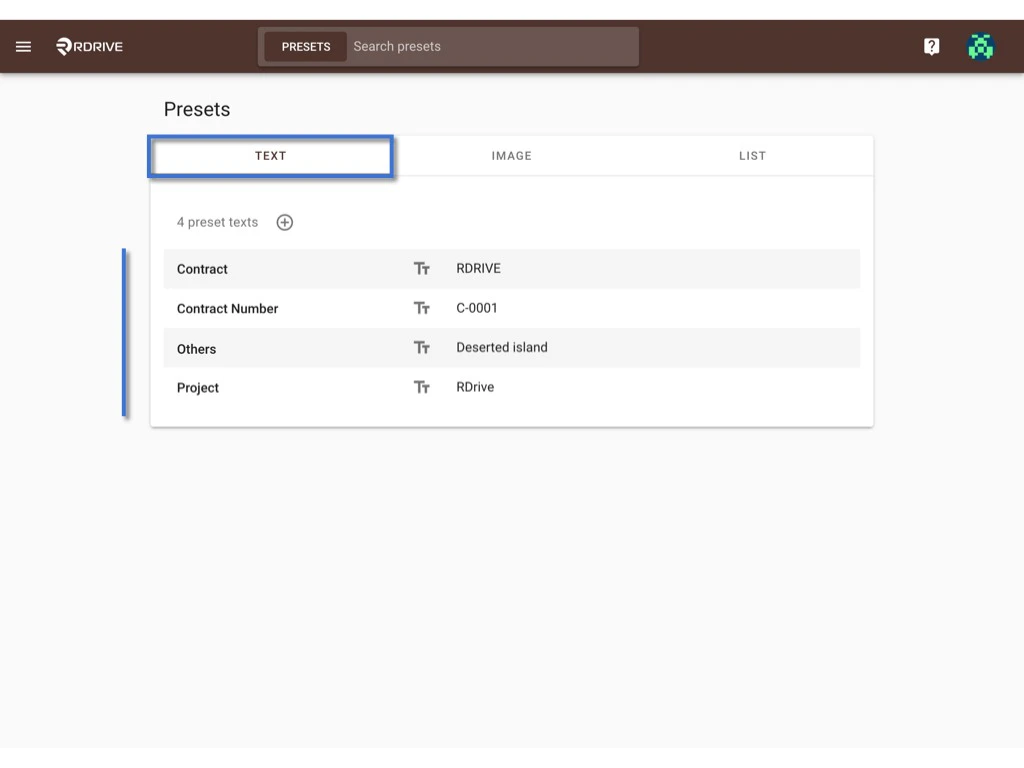
✚ ADD
You can create a new preset text box by clicking the + button.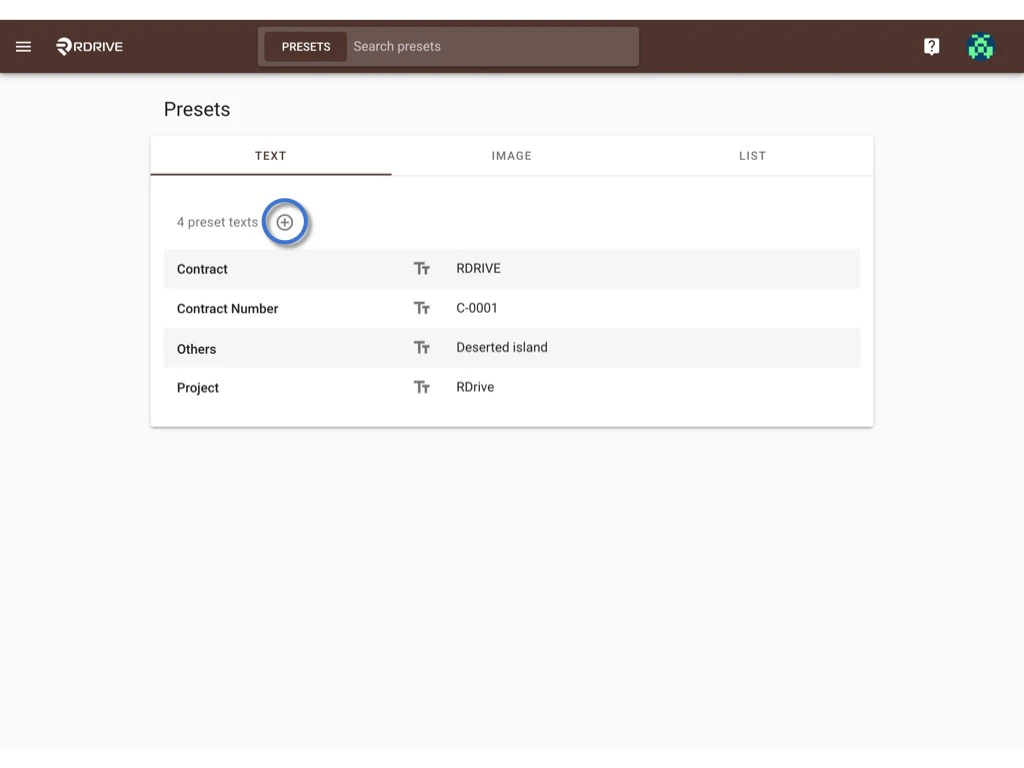
Click OK to save.
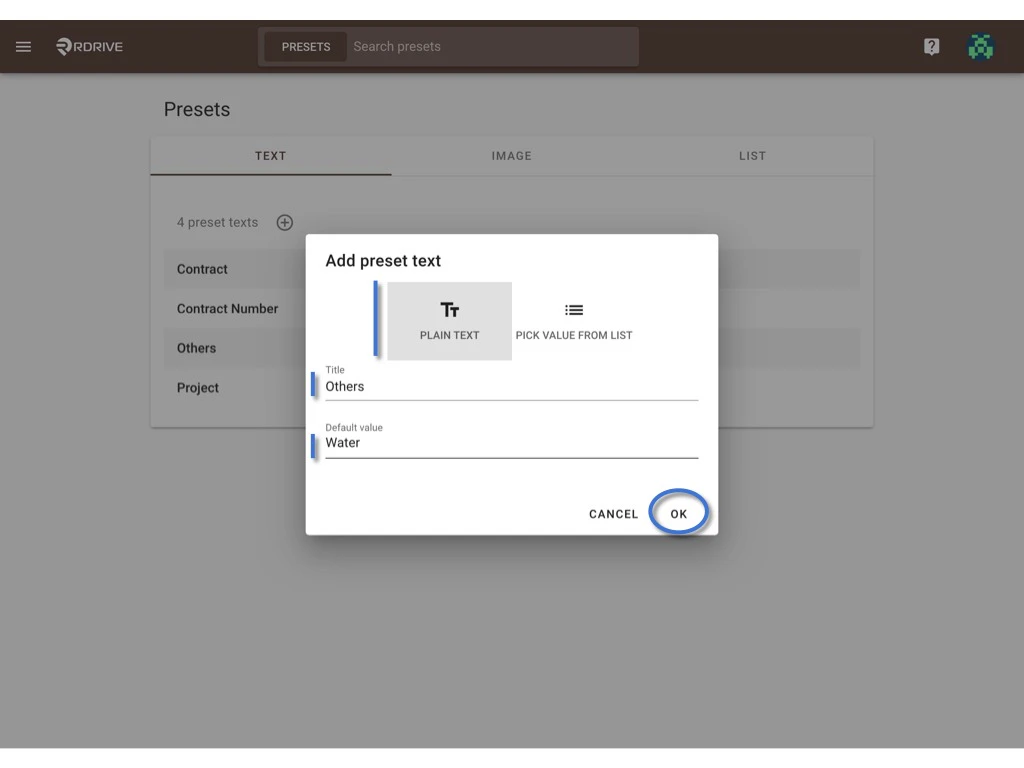
Click OK to save.
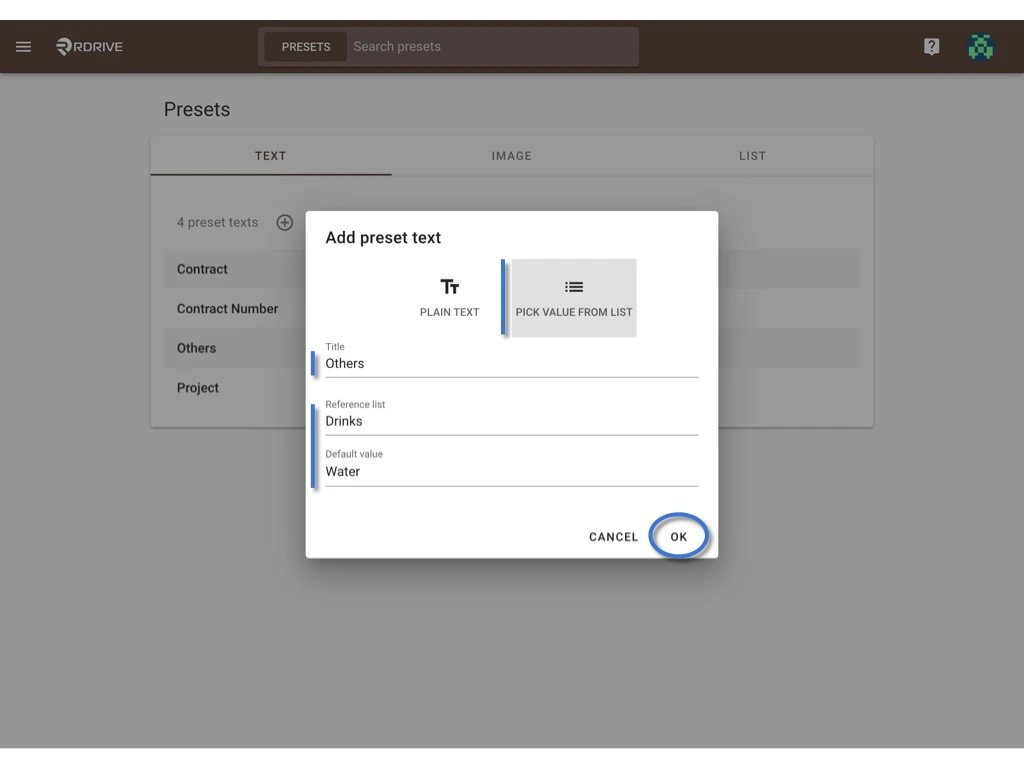
Select Read Only text field and you will see the preset text box you just set up will be available for selection. The preset text becomes the default value for all projects of the company. However, the preset text is available on the project level for editing according to the project needs.
✏️ EDIT
If you are a company admin, you can edit the preset text at the company level to place the changes to all the projects in one go. However, if the preset text is already changed to a project-specific text on the project level, any change made at the company level will not affect the current preset text on the project level. If you are a project admin/a user who is given the edit permission to edit preset items, on the project level, you can edit the preset text which is set on the company level according to your project needs. HOW?Just need to click on the value to edit directly.