

Overview
This guide explains how to manage Drilldown buttons on drawings in RDrive. Drilldowns allow you to create interactive links between drawings, helping users navigate from a high-level overview to more detailed layouts.- Purpose: To enable users to link drawings together using Drilldown buttons
- Who It’s For: Project admin
Prerequisites: Access to the Plan Viewer and sufficient permissions to manage Drilldown links
TABLE OF CONTENTS
1. What is a Drilldown Button?
A Drilldown is an interactive icon placed on a drawing that links to another drawing. It allows you to “drill down” from one layout or section to a more detailed or related drawing, such as linking a floor plan to a room layout.2. How to Add a Drilldown
-
Open the drawing in Plan Viewer.

-
Click the Add (+) button at the bottom right corner.

- Select Drilldown (this option only appears if you have permission).
-
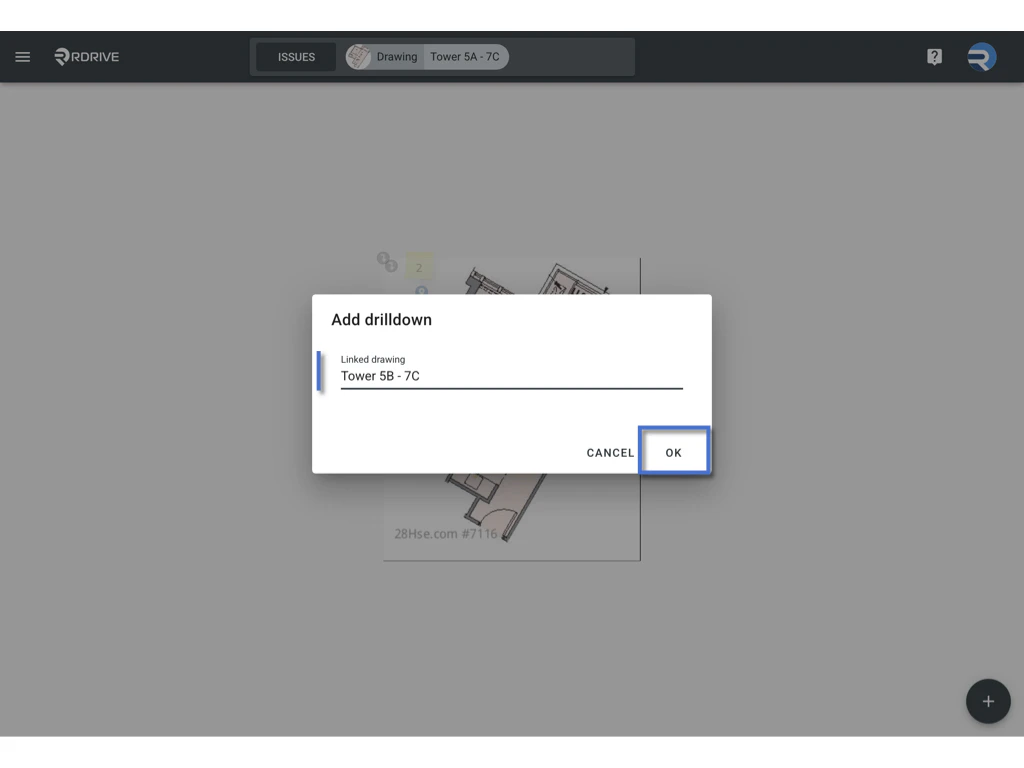
Drag the drilldown to change its position, OK to confirm.

- Select the Linked Drawing you want to associate.
-
Click OK to confirm.\
3. CHOOSE to Add Drilldowns in One Go
If you want to add multiple Drilldowns quickly:- After opening the drawing, click the Add (+) button and select Drilldown.
-
In the dialog, click CHOOSE.

-
A list of all drawings in the project will be displayed.\
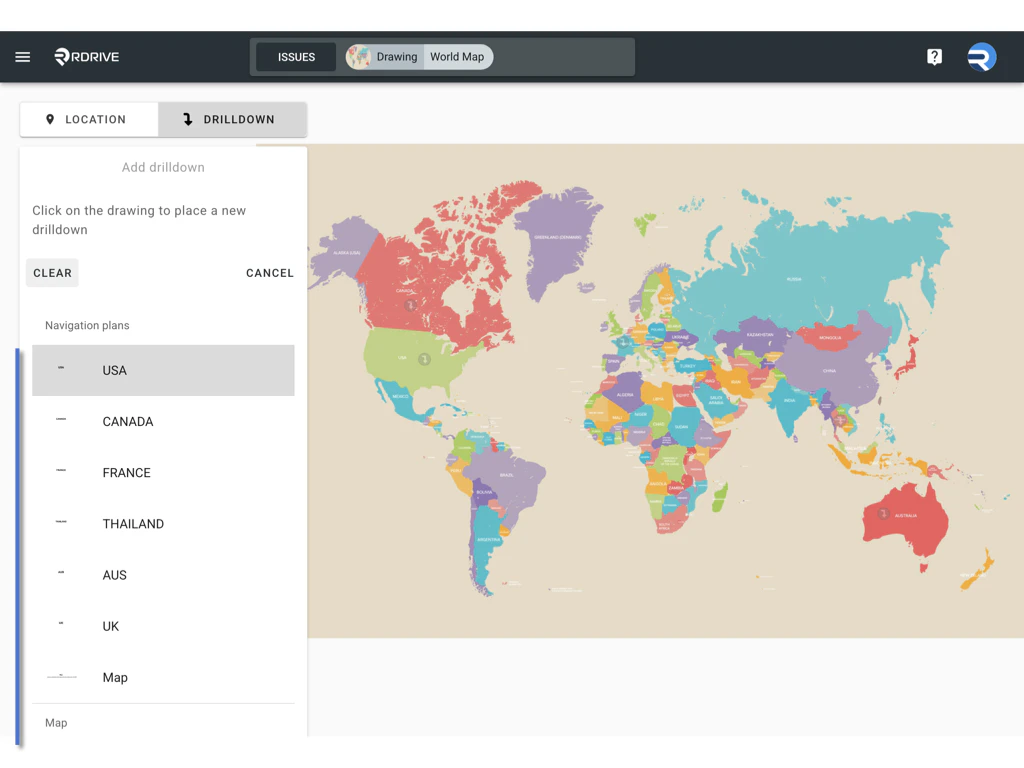
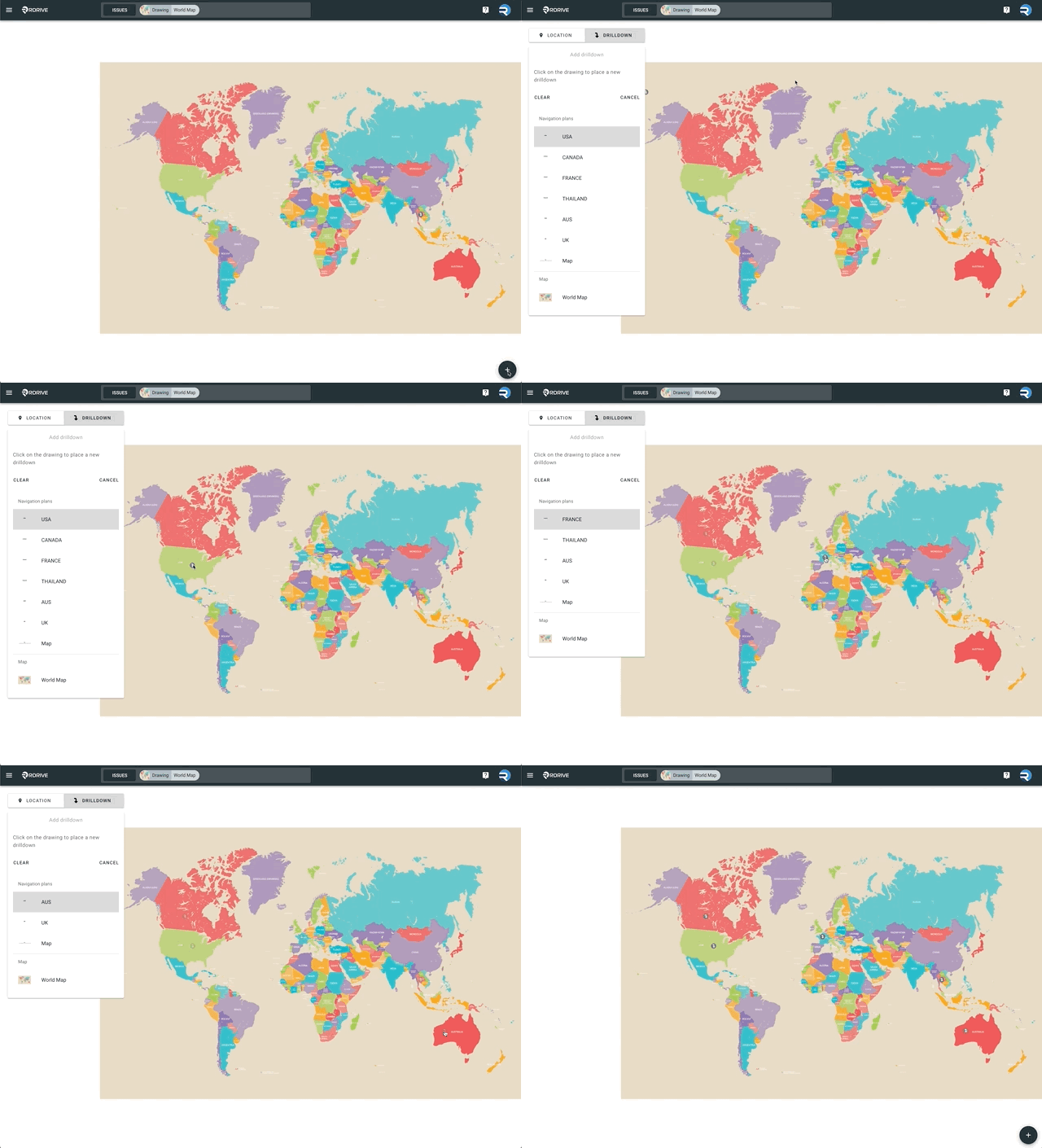
- Select a drawing and place the Drilldown on the current drawing.
- The next drawing in the list will appear — continue placing Drilldowns as needed.
- Click Cancel to finish the process.
4. How to Edit a Drilldown
-
Long press on the existing Drilldown button.

- A dialog box will appear in the top left corner.
-
Click the three-dot icon (︙) in the dialog.

-
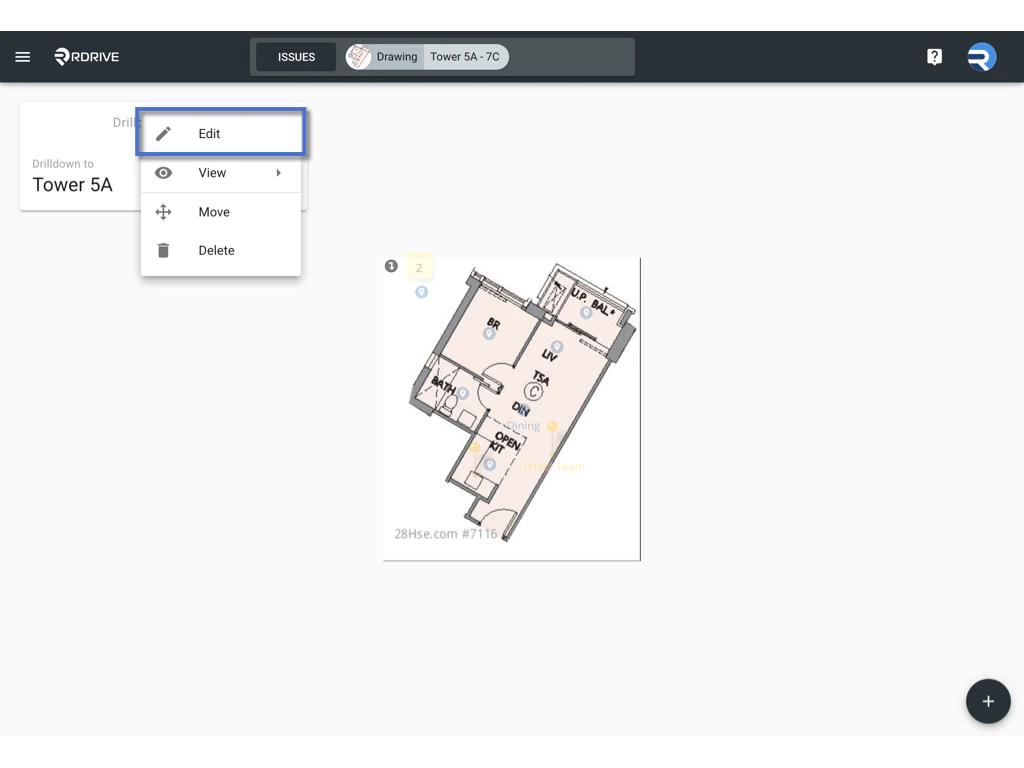
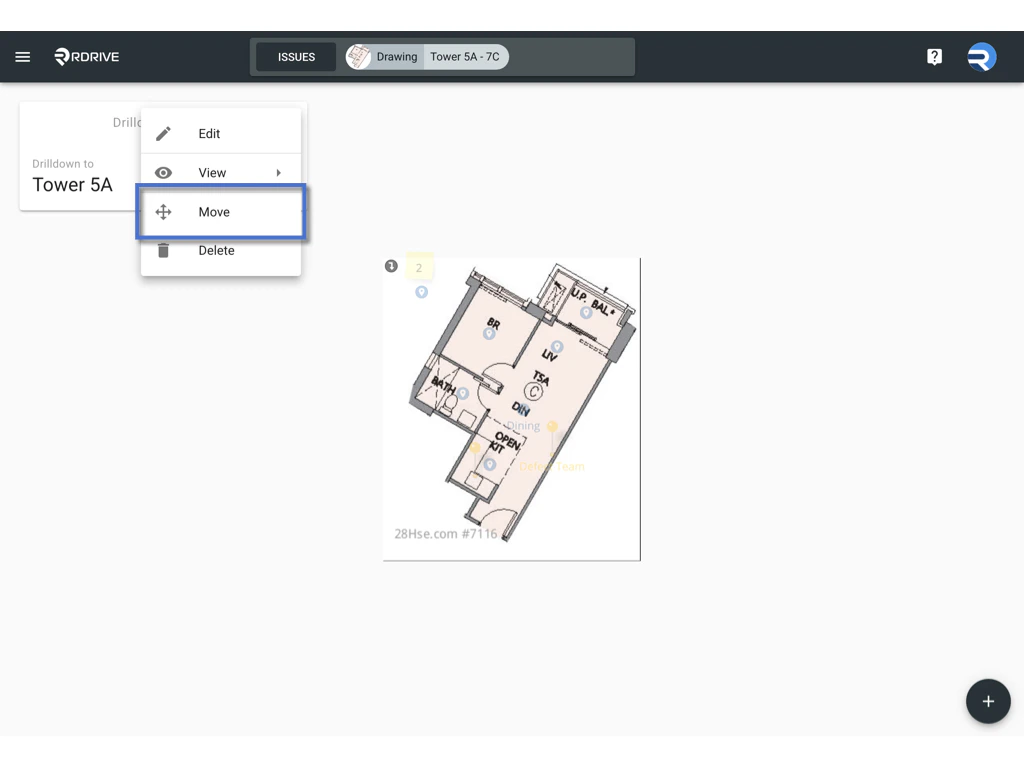
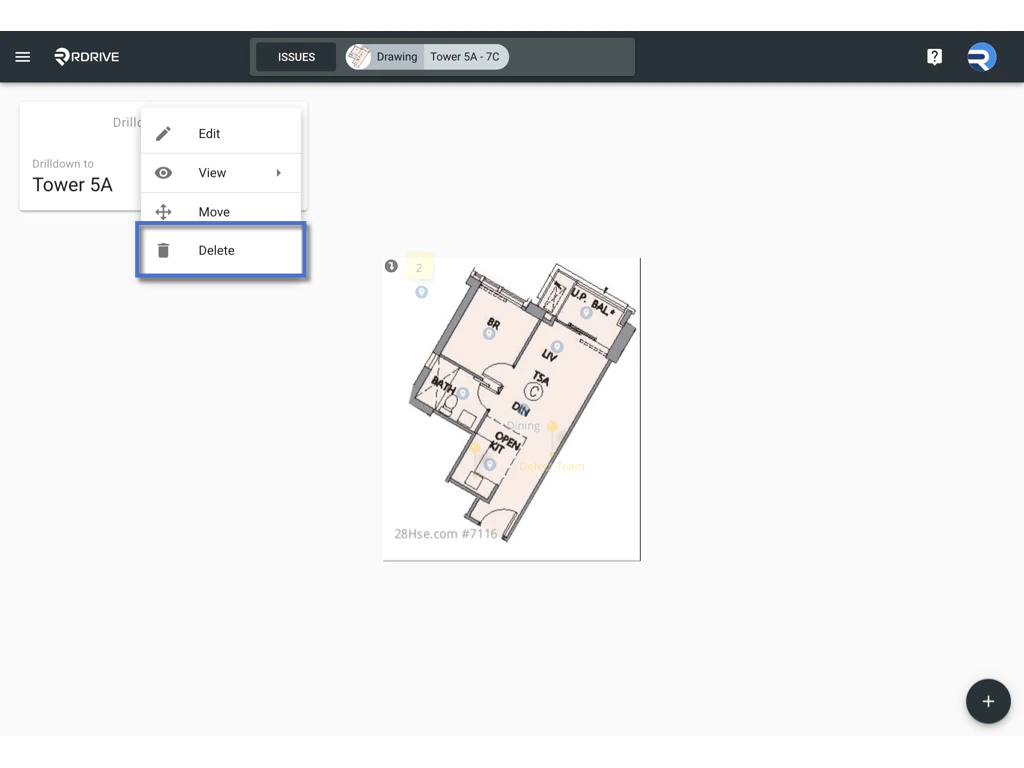
A menu will appear with options:
-
Edit: Change the linked drawing.

-
Move: Reposition the button on the drawing.

-
Delete: Remove the Drilldown from the drawing.

-
Edit: Change the linked drawing.
5. Tips & Reminders
- Drilldown options only appear for users with edit permissions.
- Be mindful of the placement to avoid overlapping with important drawing content.
- Use meaningful linkages to improve navigation efficiency for your team.