Remove attached documents from an issue/defect/record.
Sometimes a document is no longer valid to a form as time progresses. Alternatively, a form may have the incorrect documents attached to it.What To Do In This C
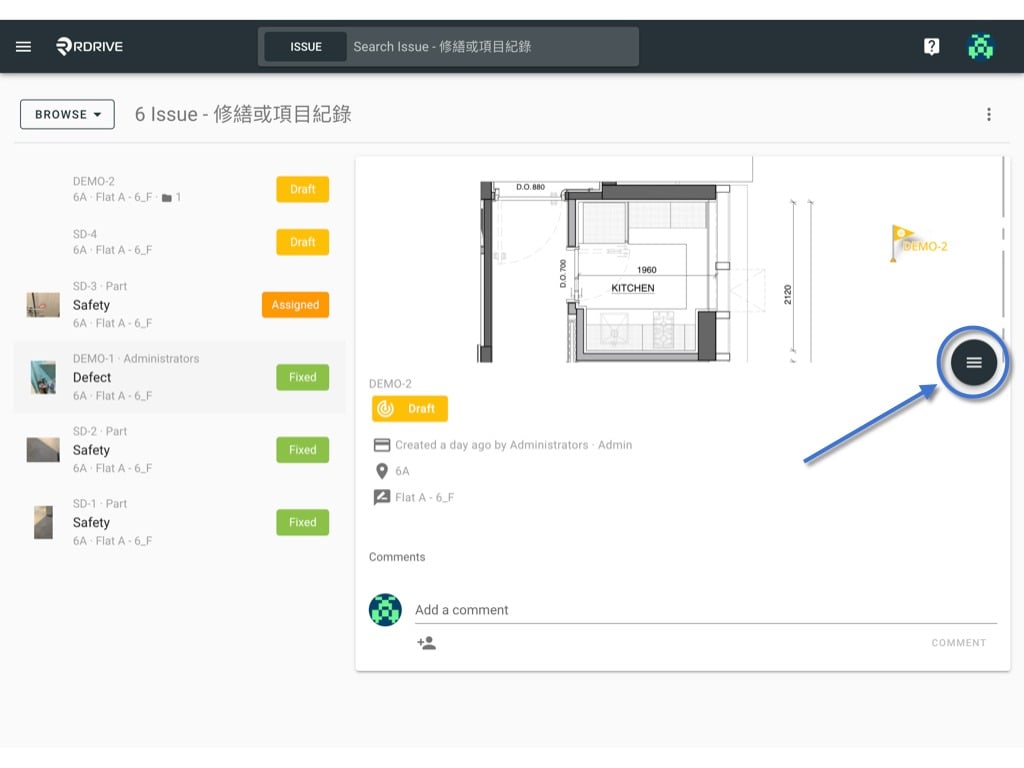
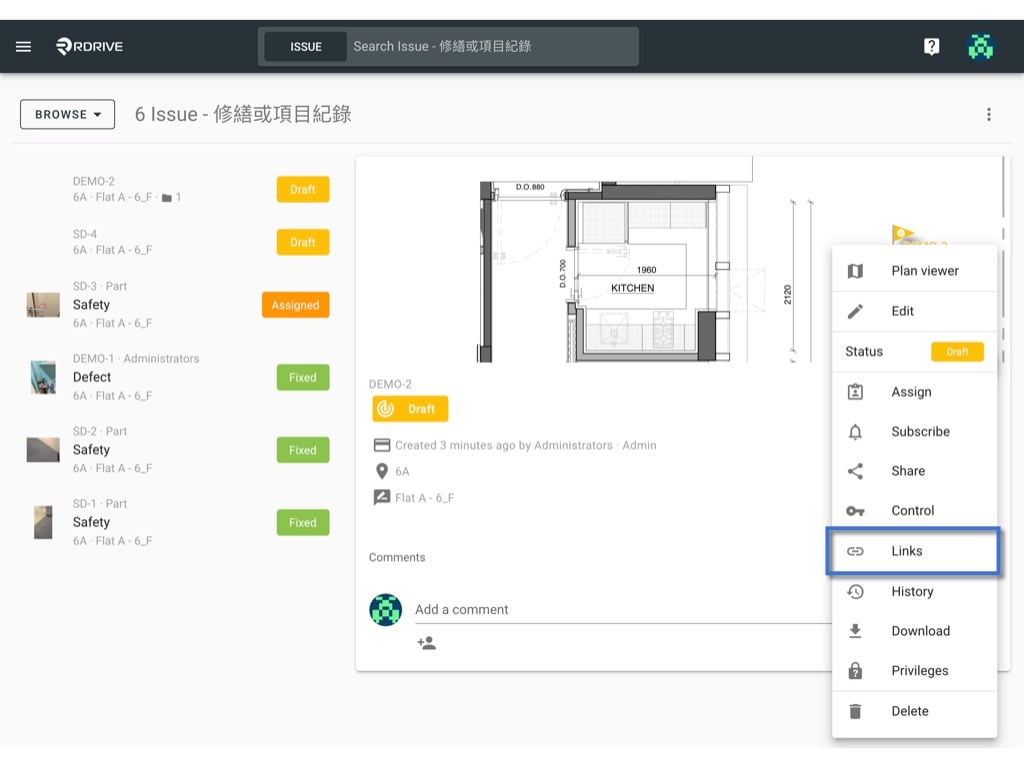
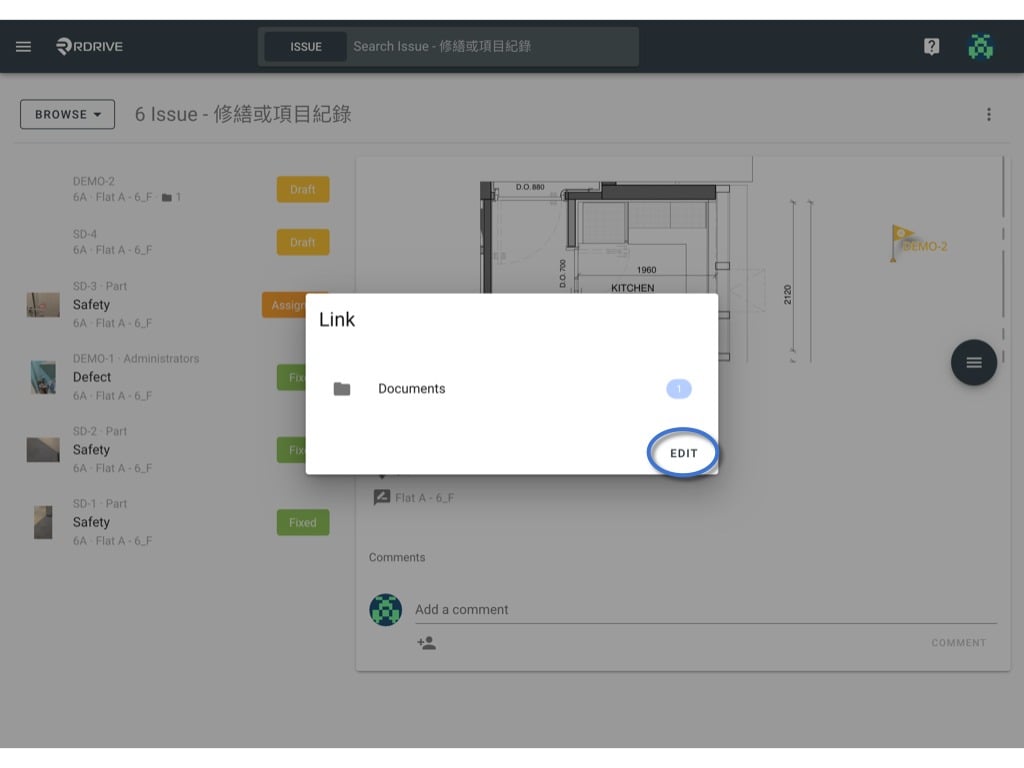
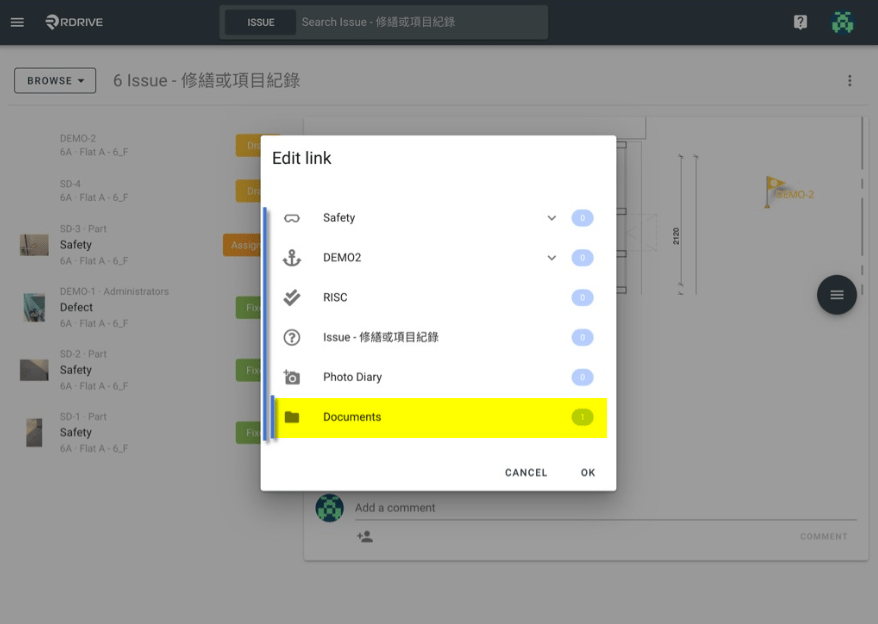
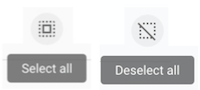
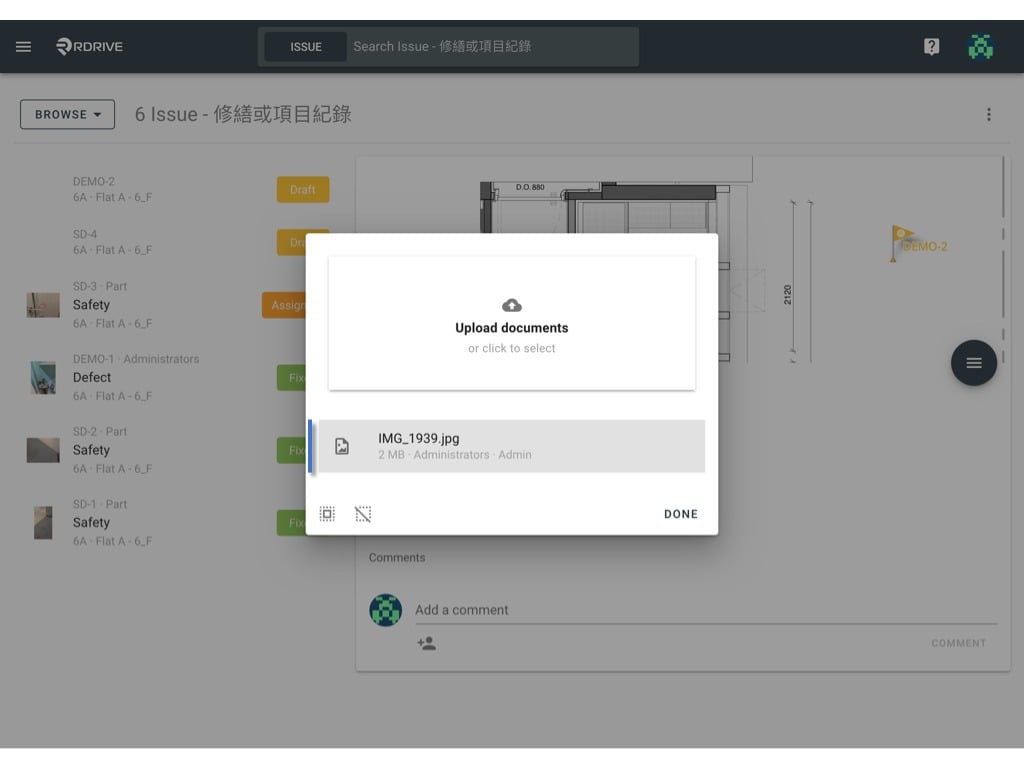
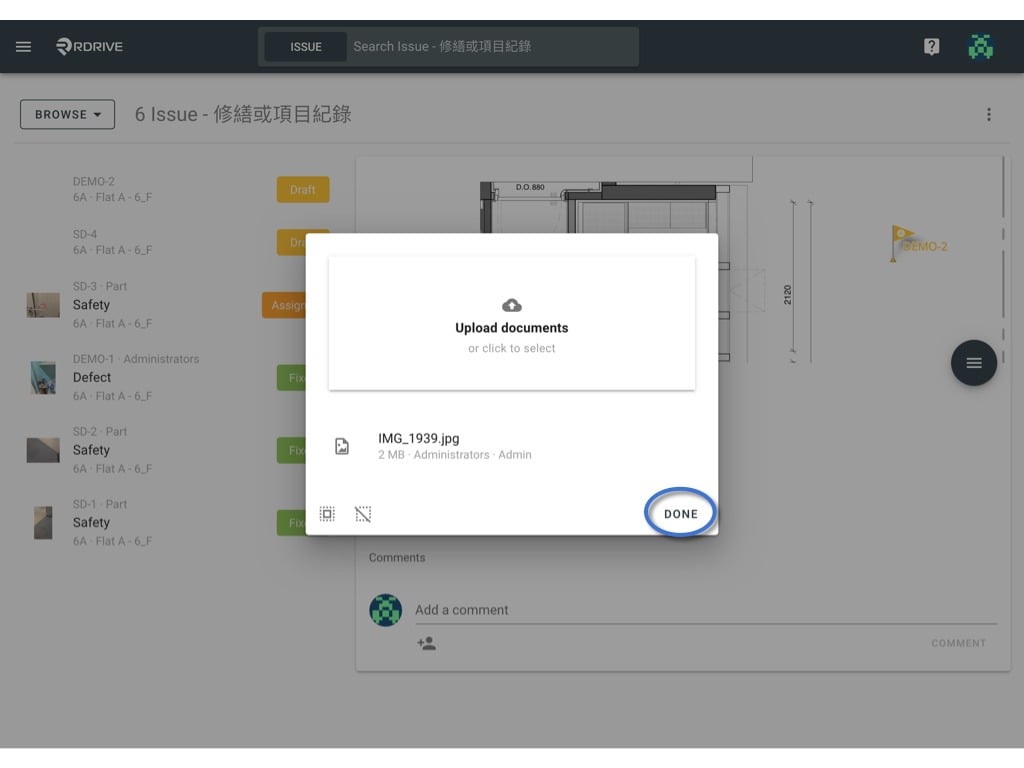
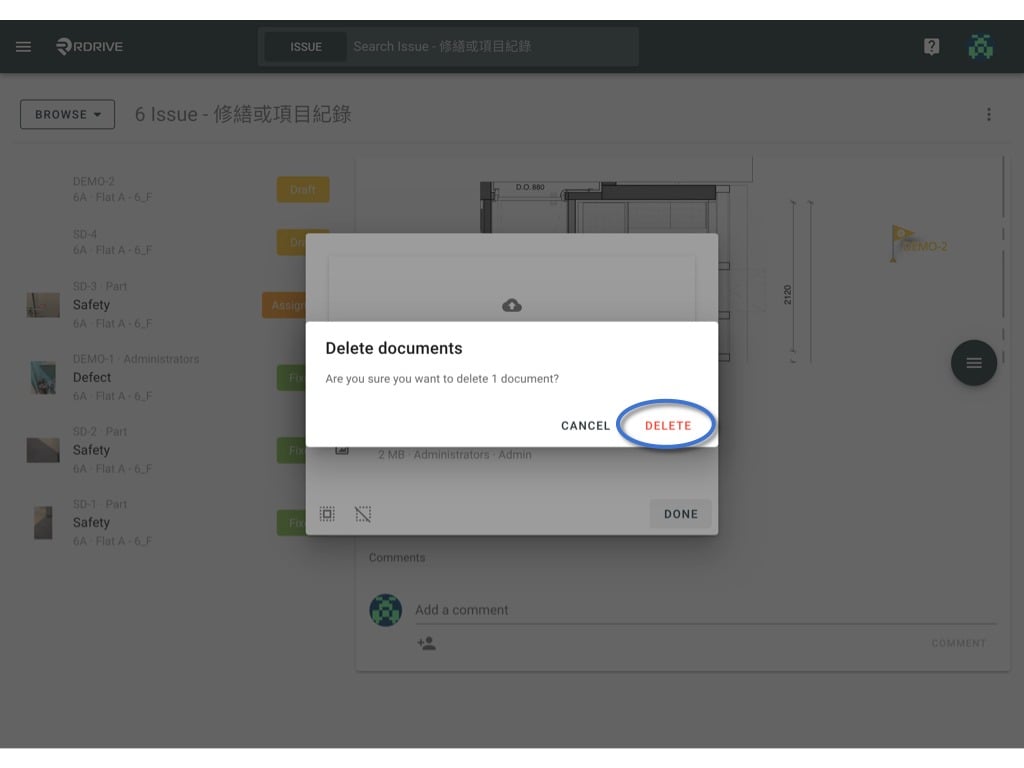
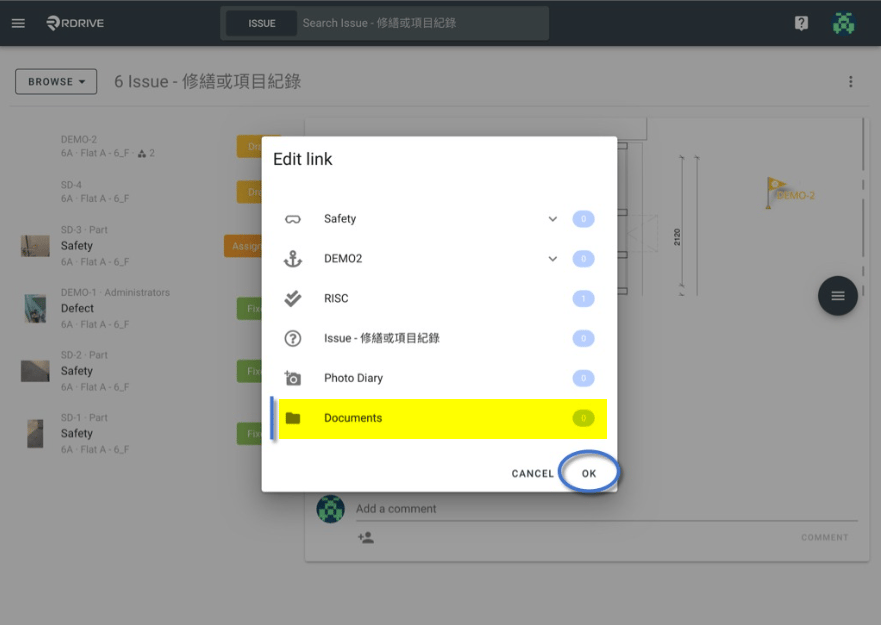
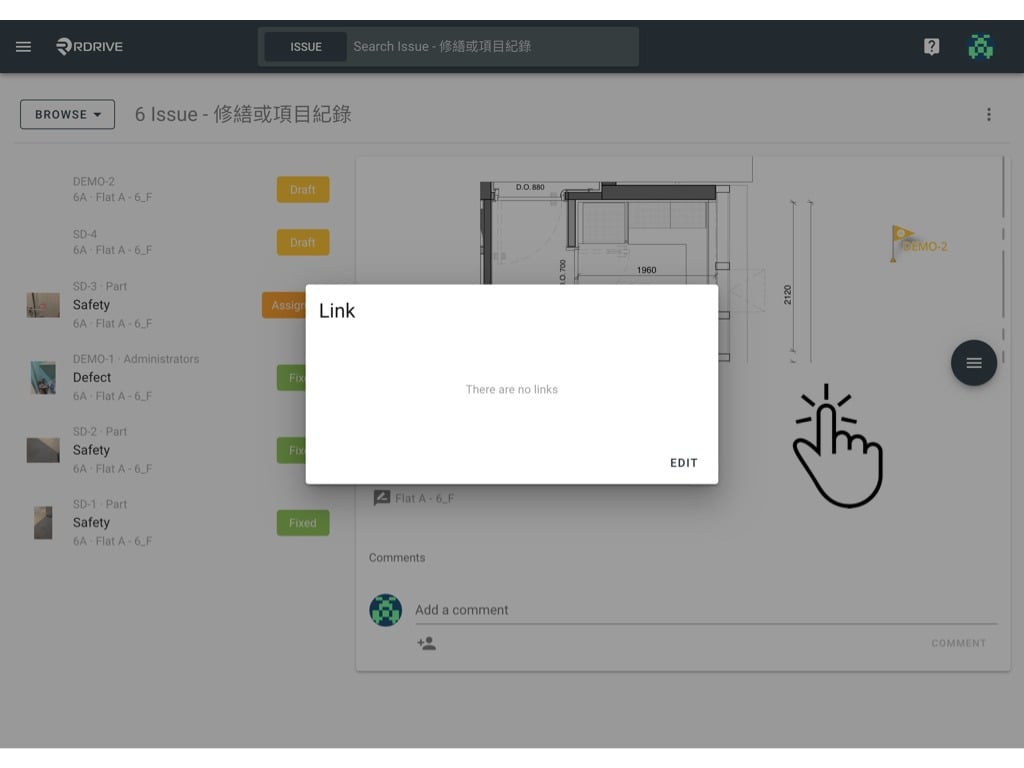
Sometimes a document is no longer valid to a form as time progresses. Alternatively, a form may have the incorrect documents attached to it.What To Do In This Circumstance?You can unlink the unwanted documents from the issue/defect/record. Please note that when this is done, it will not be removed/deleted due to data dignity. The user is still able to download the unlinked document from history.You will not be able to unlink the documents to the issue/defect/record when it is at closed status.Or sometimes, edit documents are only available at certain status. It depends on the settings.Ho to unlink a document:Simply press the Menu icon ≡ in the top left corner of your screen to unfold the Menu and gain access to the Issue page by selecting the category and subcategory as shown below.Click the ≡ button to expand the menu and select Links.Any items that are linked to the issue/defect/record will then be shown in a window in the centre of your screen. Simply select the relevant linked item and press “EDIT” as below.For the purposes of this example, we will select the linked attribute titled “Documents” as highlighted below.To remove a linked document, simply click on it.If you have multiple linked documents, you can press the “Select all” icon to select all if necessary. There is also a “Deselect all” icon, please note the icons below for clarity.You should no longer see a grey background for the item once selected. Then you simply press “DONE” which will prompt the confirmation window to open as below. Press “DELETE” and the item will be unlinked from the issue/defect/record. .The document is no longer linked to the issue/defect/record.You can now see the quantity of the document is updated in the highlighted area below. To finish, simply press “OK” to save and complete.All done! The item is no longer linked to the issue/defect/record!