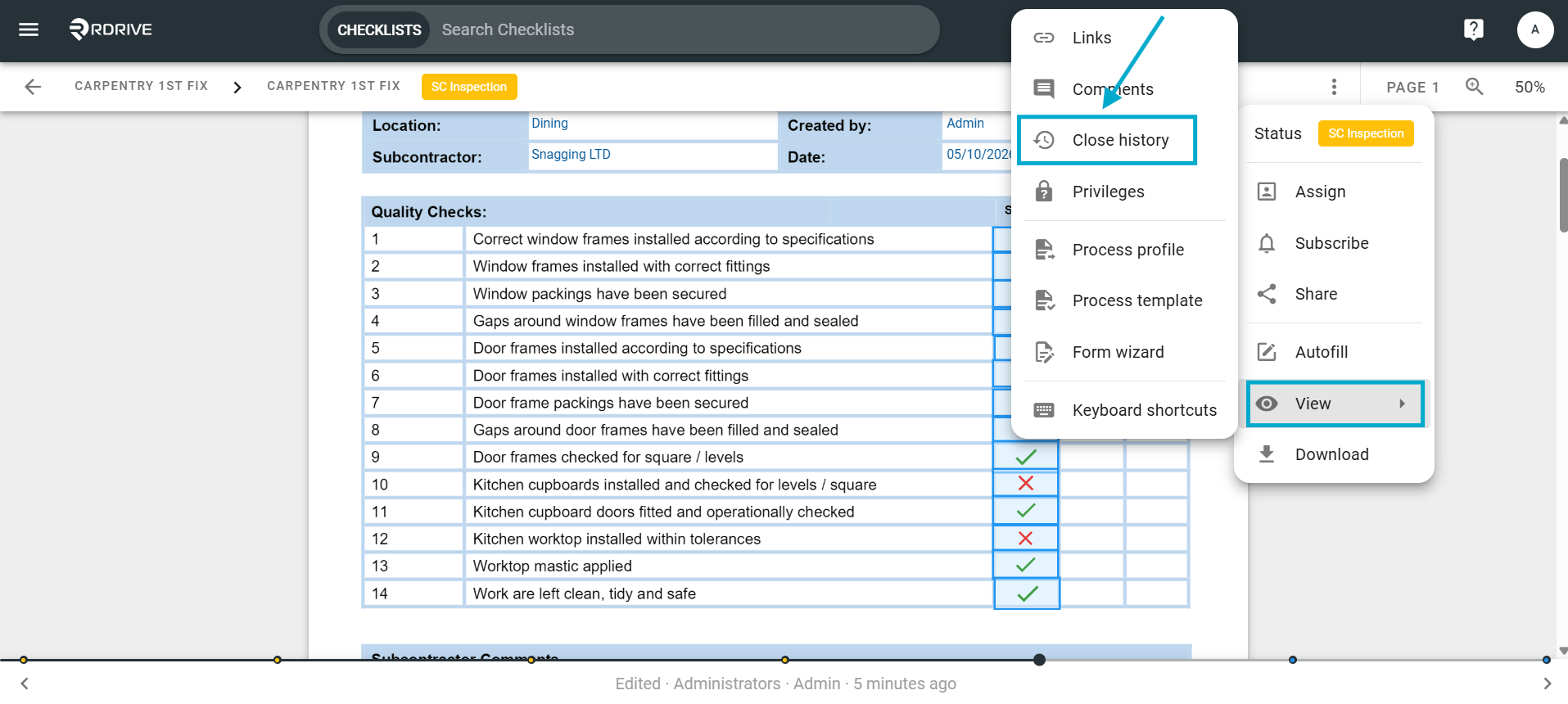
How to access the history of a form while viewing on the web
Purpose: See and access a processes history timeline
Who It’s For: General users
Prerequisites: Able to read the item
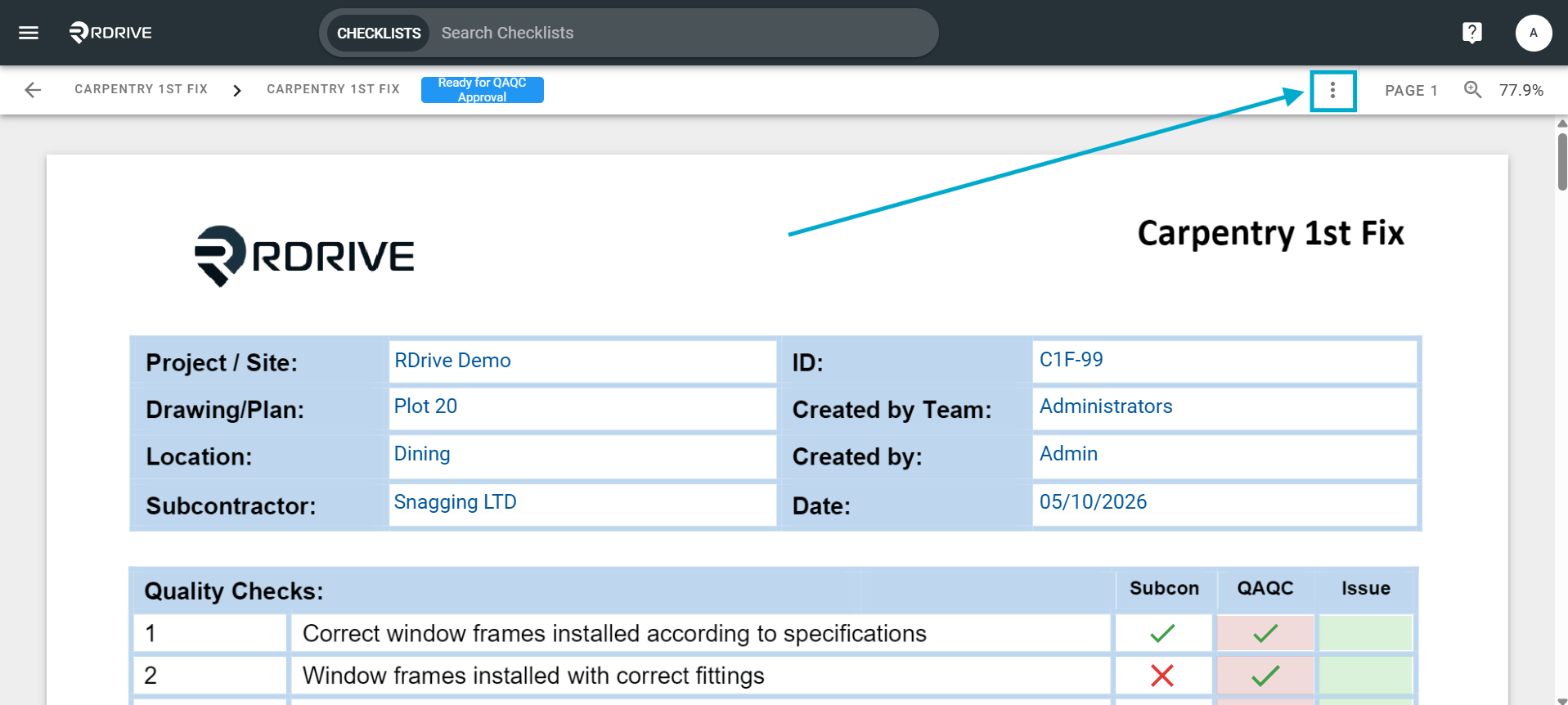
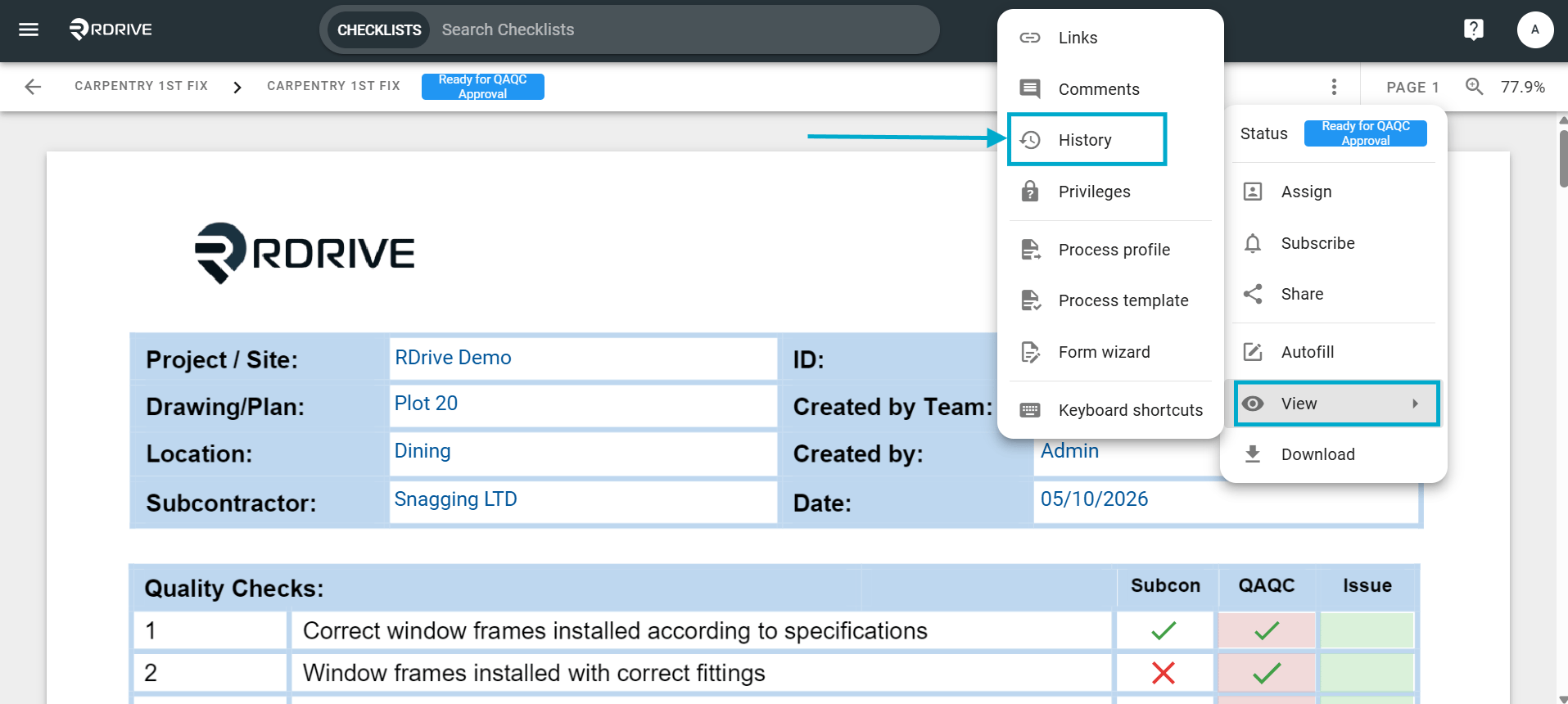
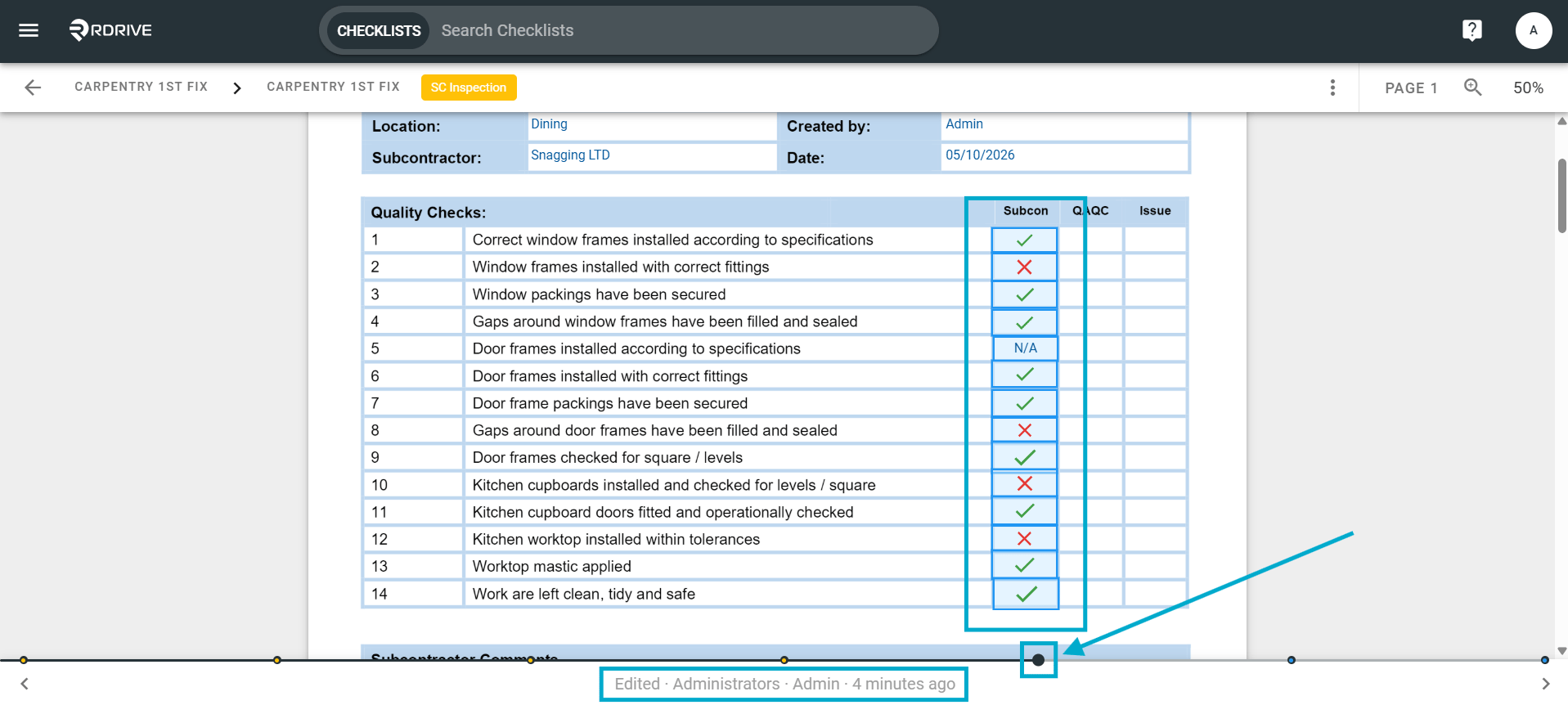
In RDrive, you can track the editing history of the form and also the person responsible for any changes made to the form throughout it’s history.To track the changes/history of a form, you will first have to navigate to the relevant form. Once on the form page, simply press the 3 dot menu in the upper right corner of your screen to unfold the Menu.Select the “History” via the “View” option on the unfolded Menu as shown below.You will see a history timeline at the bottom of your screen as shown below.Each dot on the timeline represents a timestamp. Click on every dot to see the changes made/the person who made the changes.Please note: Changes in the history will be highlighted in blue as you move through the history dots showing what was added any who by at each stage.To close the form history timeline, just simply click the dropdown menu again and select “Close History”