
Overview
How to navigate and find processes within RDrive on the desktop/browser- Purpose: How to find processes using searches and process finder
- Who It’s For: General users
Prerequisites: Able to read the item
You can search the process/checklist forms via the unified search bar on the finder page.
Via Process Finder
Step-by-Step Instructions
-
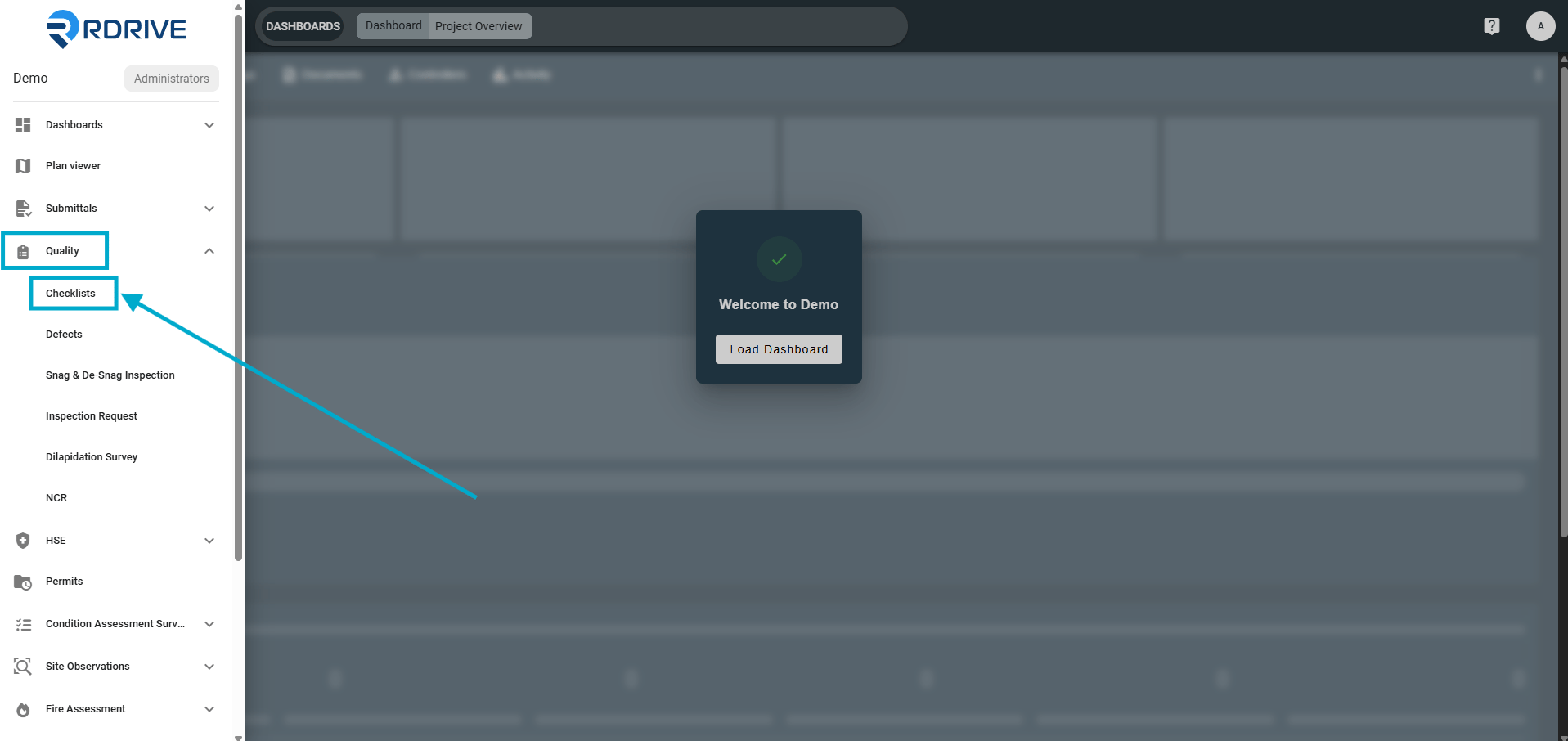
From the main Menu icon ≡ in the top-left corner.

-
Choose the relevant Category and Subcategory.
After selecting a category, you will see all related processes and checklists within that area.
Example:
categories may include:- Checklists
- Defects
- Snag & De-Snag Inspections
- Inspection Requests
- Dilapidation Surveys
- NCRs In this example we will choose “Checklists”
Navigating with the Search Bar
Utilize the unified search bar at the top to locate process/checklist forms efficiently.
Apply filters based on various criteria, including:- ID
- Location
- Discipline (profile)
- Created date range / Created by user
- Status
- Form data, etc
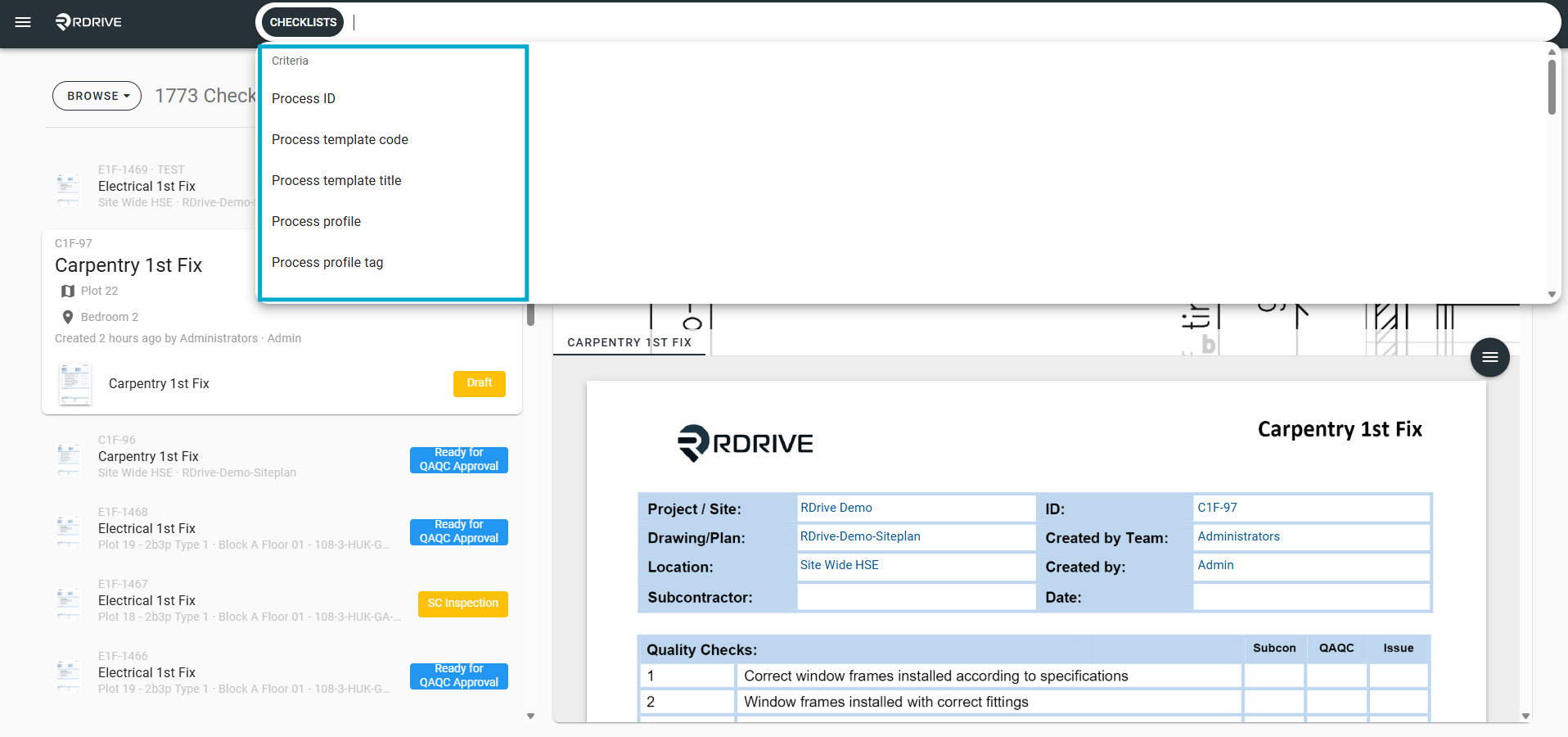
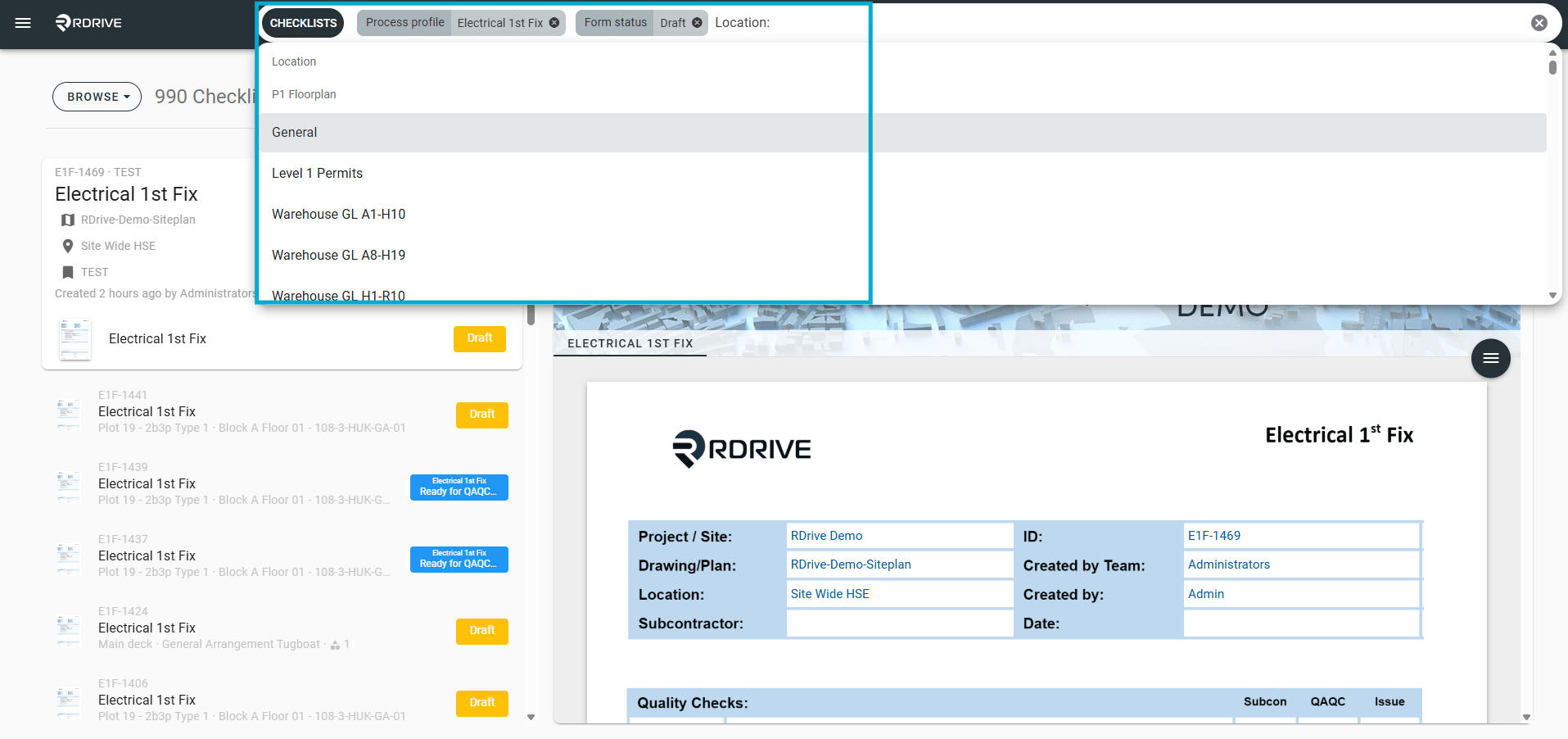
Use the search bar at the top of the page to quickly find specific processes or checklists.
You can filter through many options for example:
- ID
- Drawing
- Location
- Discipline / Profile
- Created By
- Created Date
- Form Status
You can combine filters to narrow down results.
Example
Search for:
- Status = Open
- Drawing = Level 02
- Created = from 01/01/2026
- Use filters to quickly locate specific inspections, defects, or checklists.
- Combining filters helps narrow large result sets.
- Date filters are useful for reviewing recent activity.