
Overview
How to add a reusable signature to your account within the app- Purpose: Adding a digital signature within the app to reuse on items within RDrive.
- Who It’s For: General users
Prerequisites: RDrive Access
Step-by-Step Instructions
✅ Step 1: Accessing your Account Settings
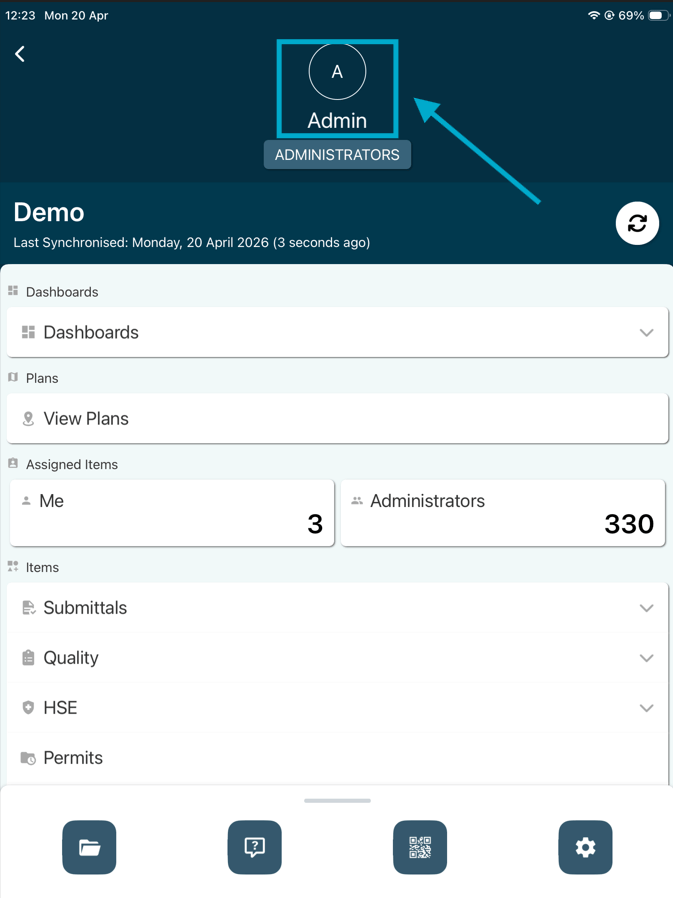
- Once logged into the app, click your name at the top of the screen
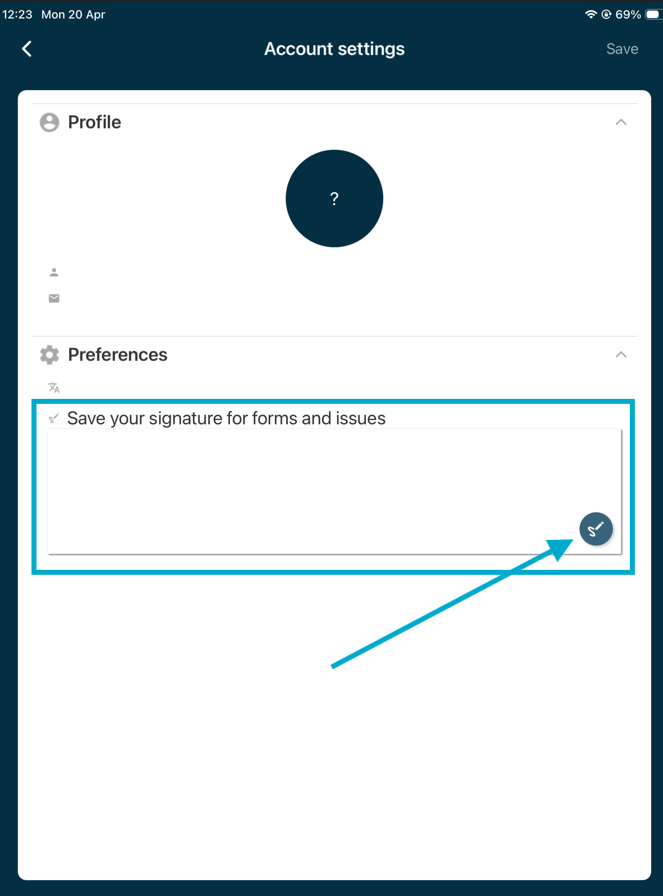
- From the preference tab, click into the signature box or press the pen icon to add your signature.
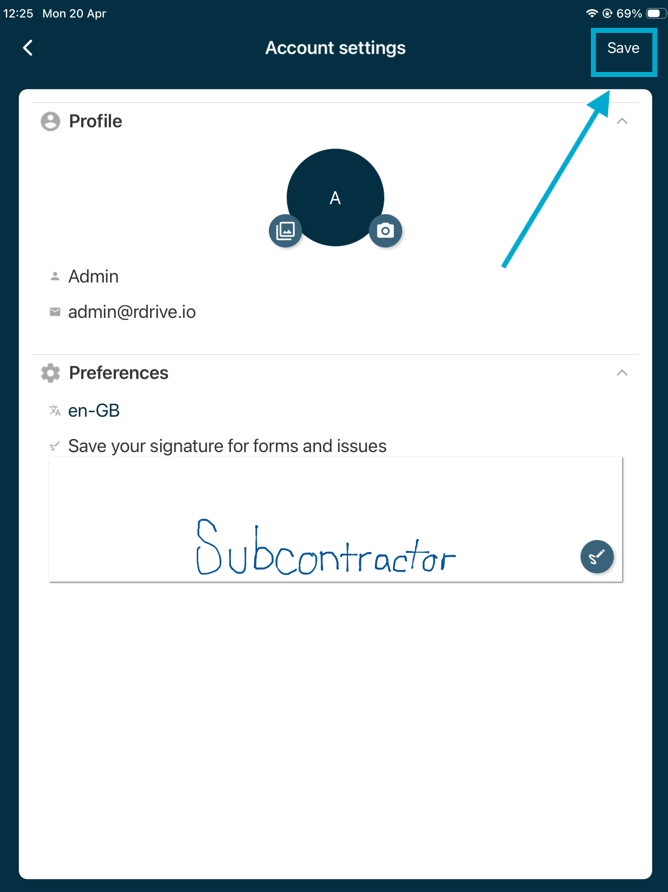
- Add your signature by dragging on the screen then click “Save” in the top left corner. You will now be able to use this signature repeatedly from now on.