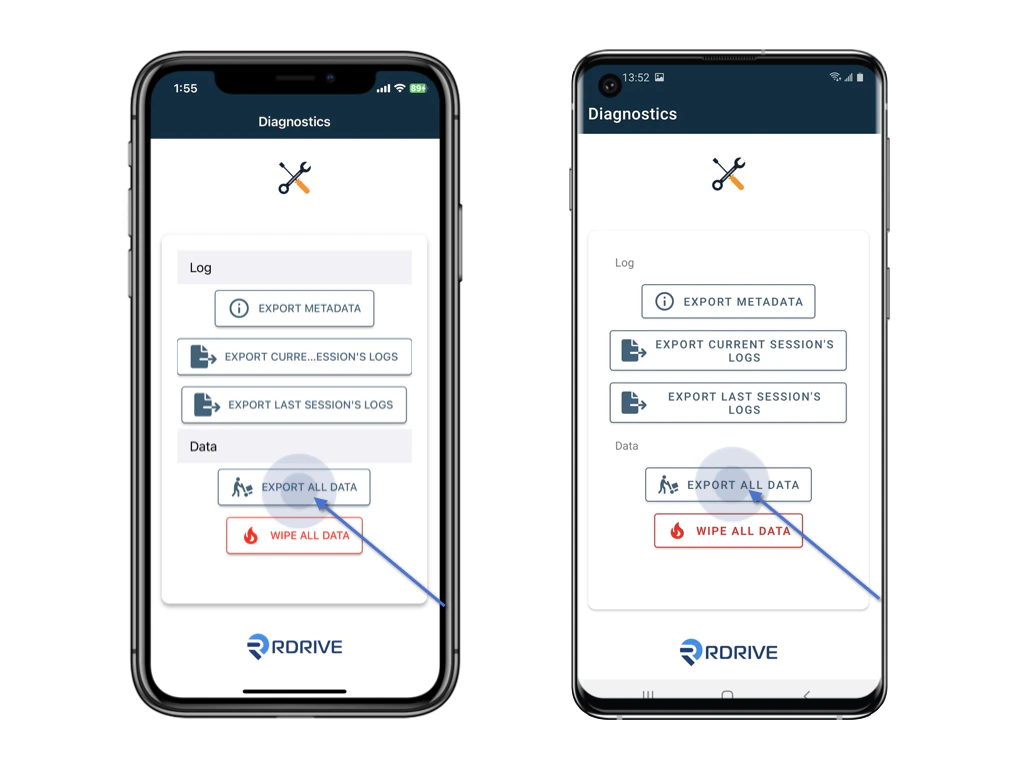
Introduction to App Diagnostics
App Diagnostics is a tool that provides insights into how an application is performing, essentially acting as a health check-up for apps. It aids both users and developers in pinpointing problems, understanding resource utilization, and making informed decisions for enhancements. In essence, App Diagnostics offers a comprehensive view of an app’s behavior to ensure it operates smoothly and efficiently.The Core Aim:
Our primary objective with App Diagnostics is clear-cut: to promptly identify and rectify any technological glitches on your device. Furthermore, in scenarios demanding utmost caution, we prioritize the protection and recovery of your invaluable data.Your Entry Points:
- Failed App Launch: If you’re staring at a non-responsive app icon, it’ll redirect you here;
- Special Recovery Mode: Users can manually initiate a “recovery mode” by following these steps:
- Halt the app’s operation.
- Long-hold on its icon.
- Dive into “App diagnostics.”
Steps for App Stumbling at Start:
- Killing the app
- Long-hold on its icon.
- Dive into “App diagnostics.”
- Opt for the “Export all data” button.
- Reach out to RDrive support, detailing your experience, and don’t forget to include the exported data.