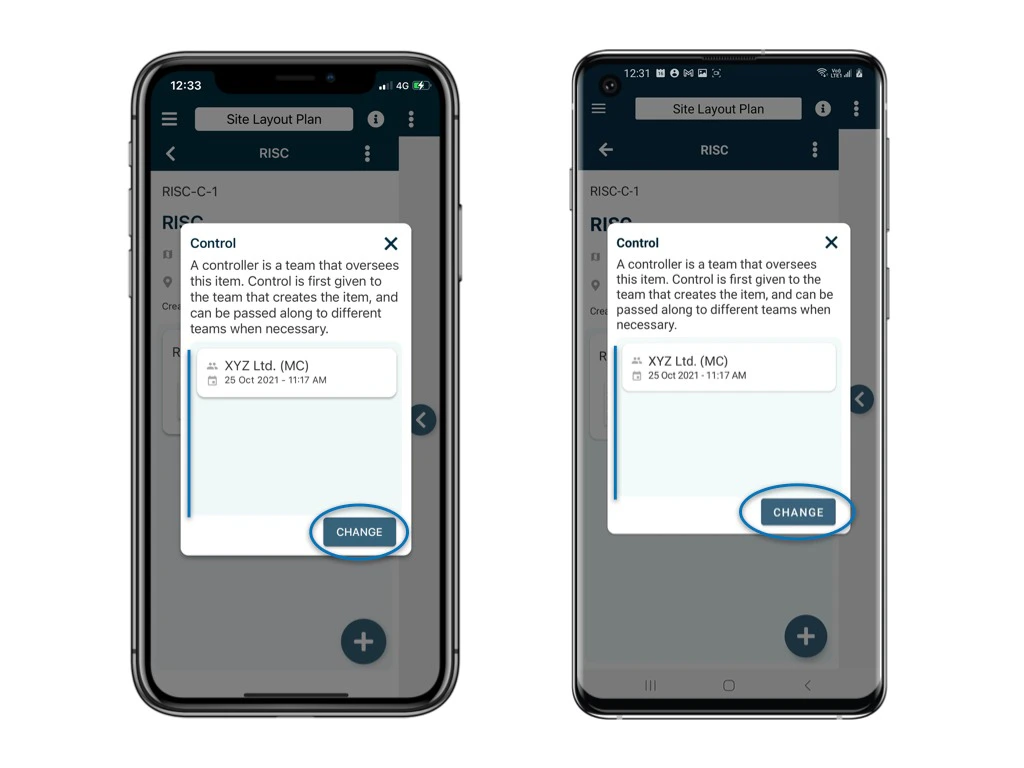
A controller is a team that oversees this item. Control is first given to the team that creates the item, and can be passed along to different teams when necessary.
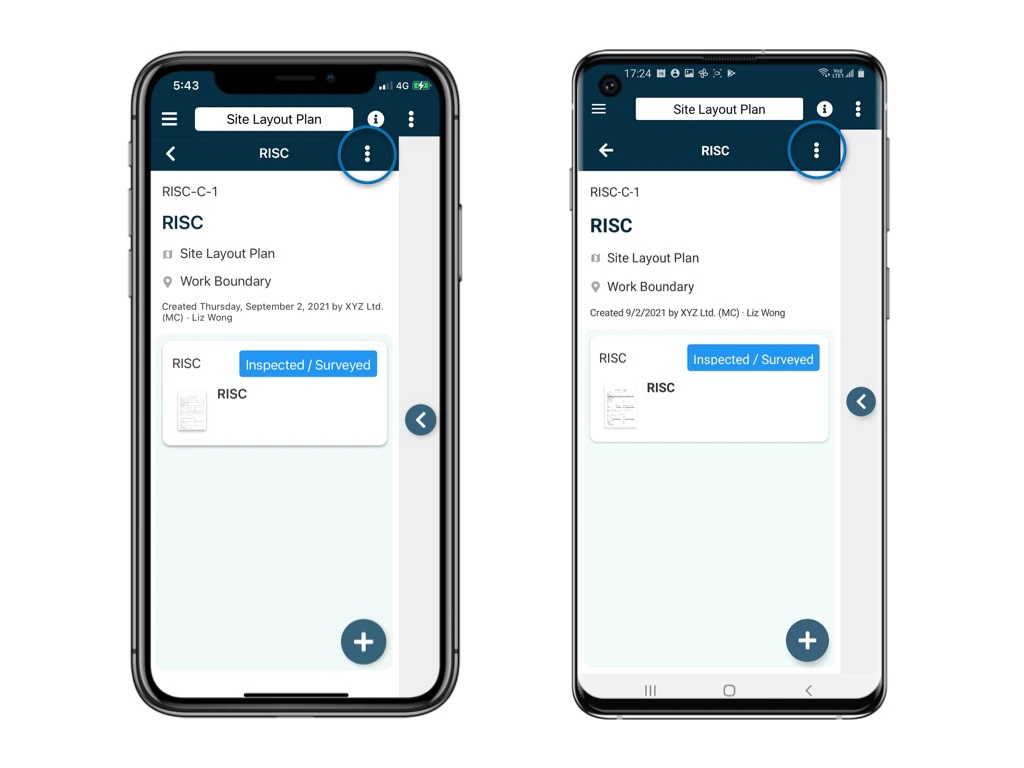
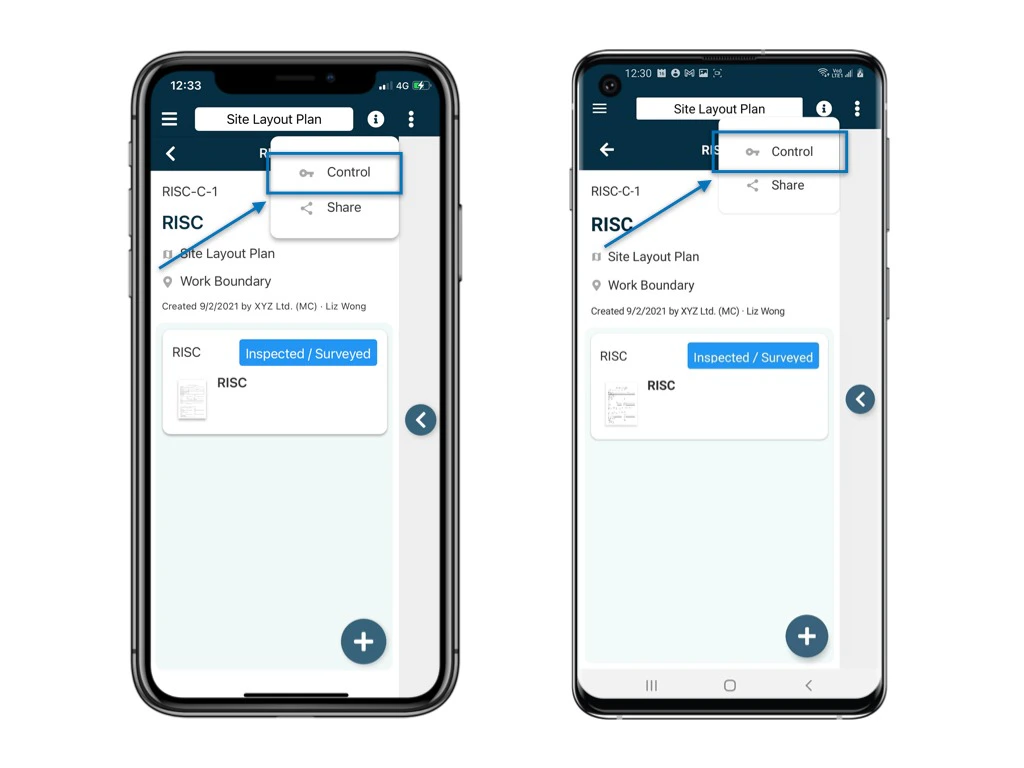
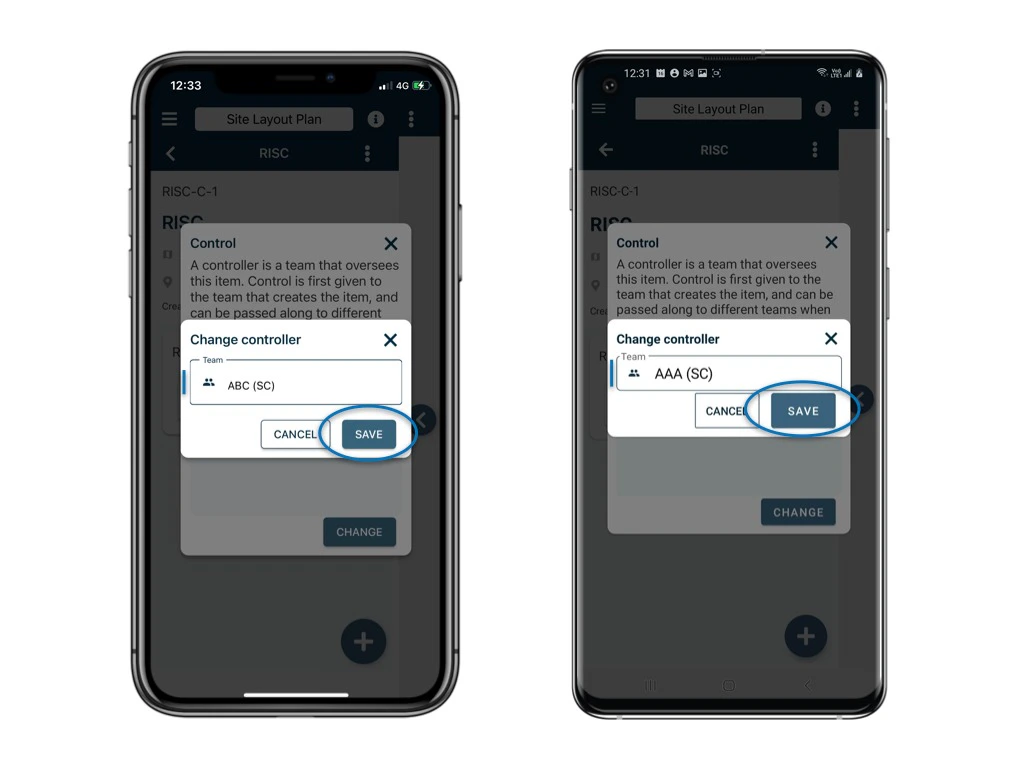
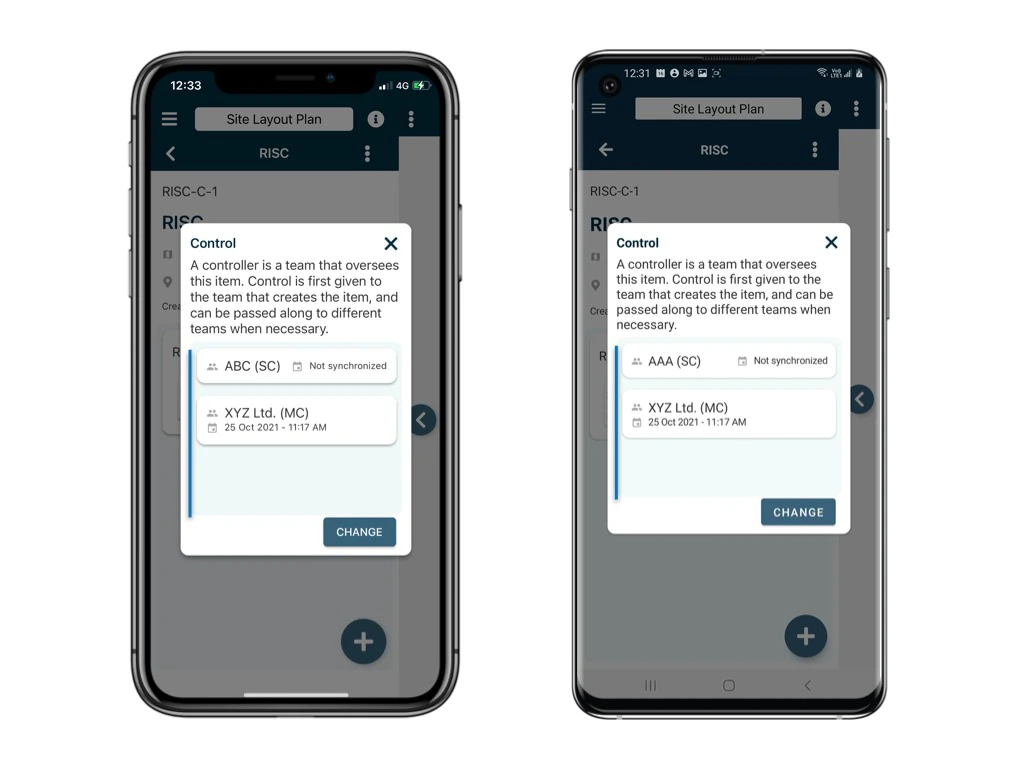
Change the controller of the process Click the  on the top right corner of the detail page and select Control. Change the controller of the process Change the controller of the process The current controller will be shown. By default, the created by team will be the first controller. Click CHANGE to change the controller. Change the controller of the process Select team.
SAVE to confirm.
Change the controller of the process Updated. Change the controller of the process
⚠️ After completing your onsite work, don’t forget to synchronize. This action ensures data backup and updates for your project team.