-
Click the Sync button to synchronize (you can skip synchronization if not necessary) or use the Back button to go to the Project page.

-
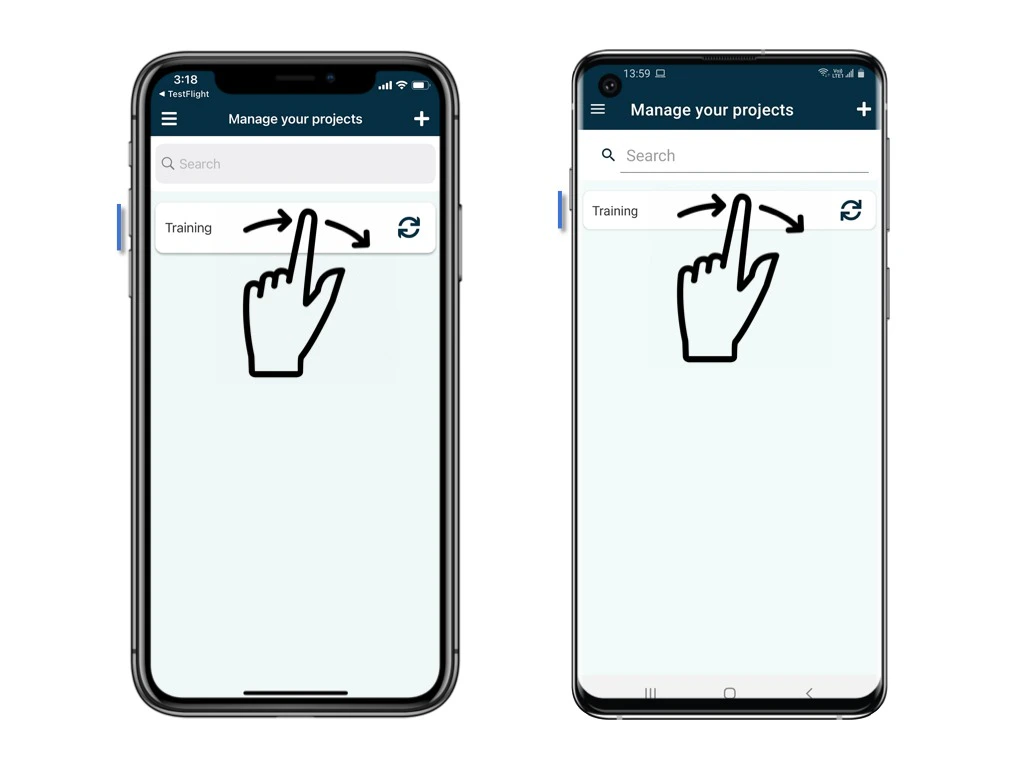
Swipe right on the current project title to reveal the export option. You can either swipe all the way right or click the button to Export the database.

-
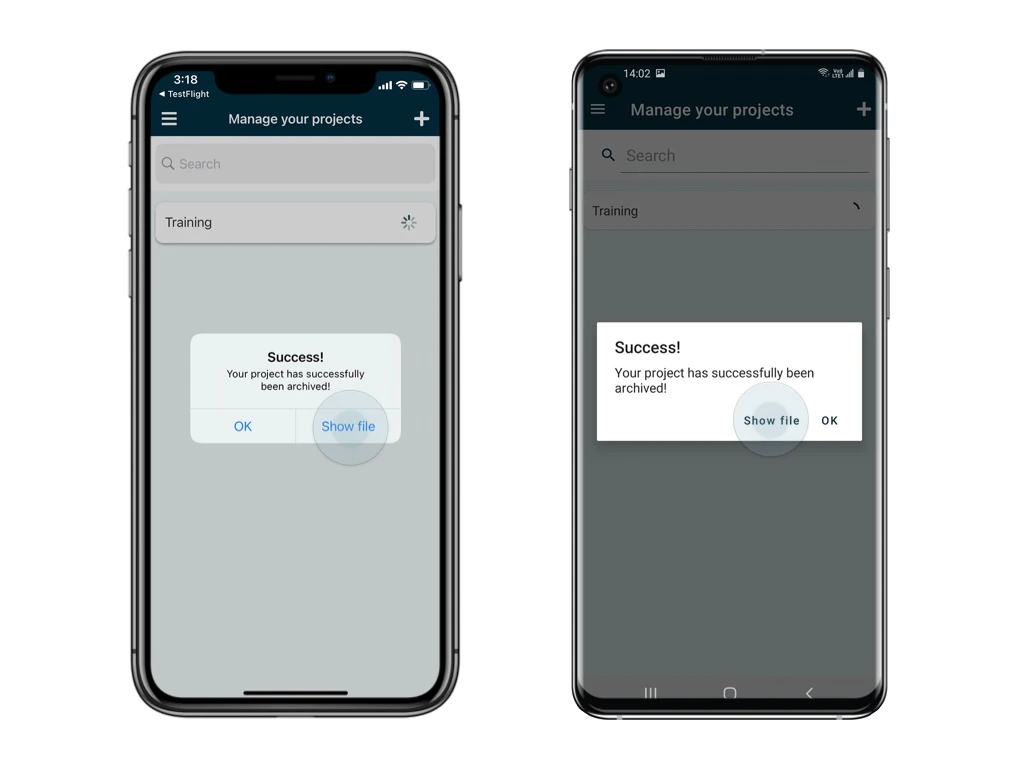
OK to confirm to start the export process.

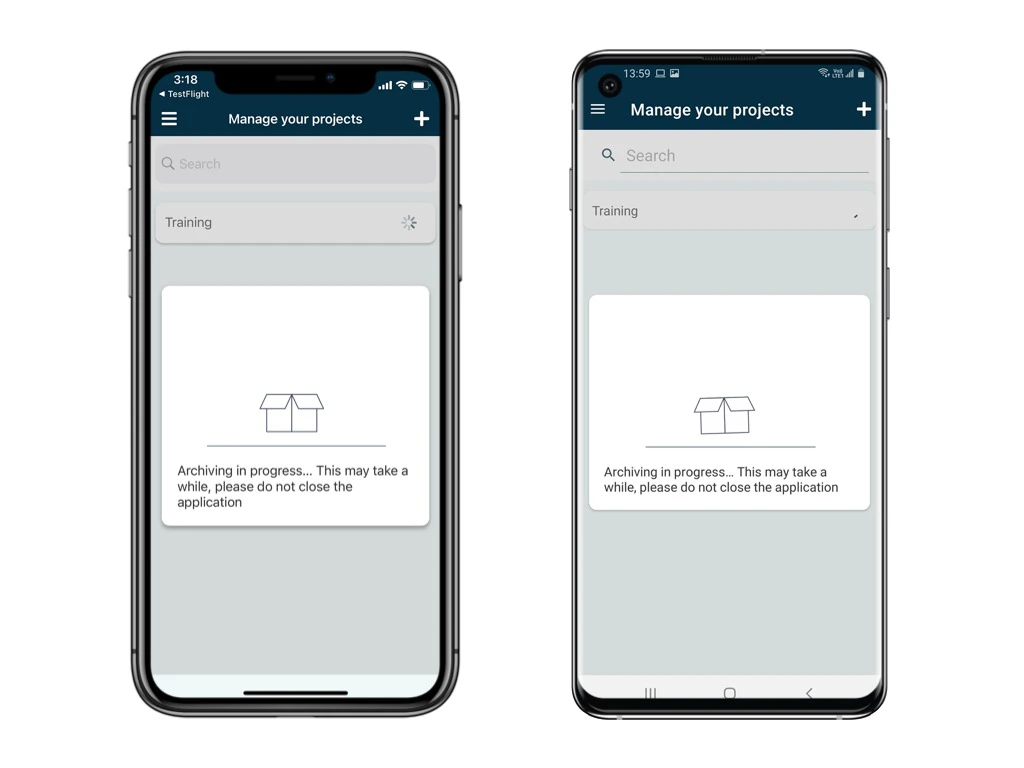
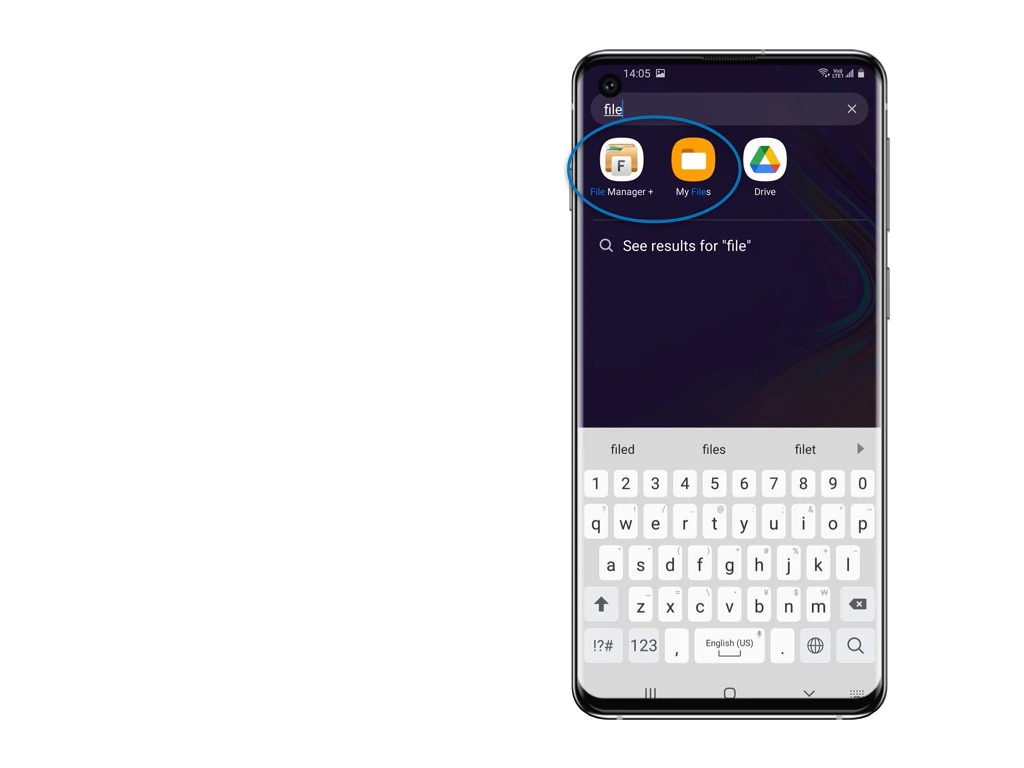
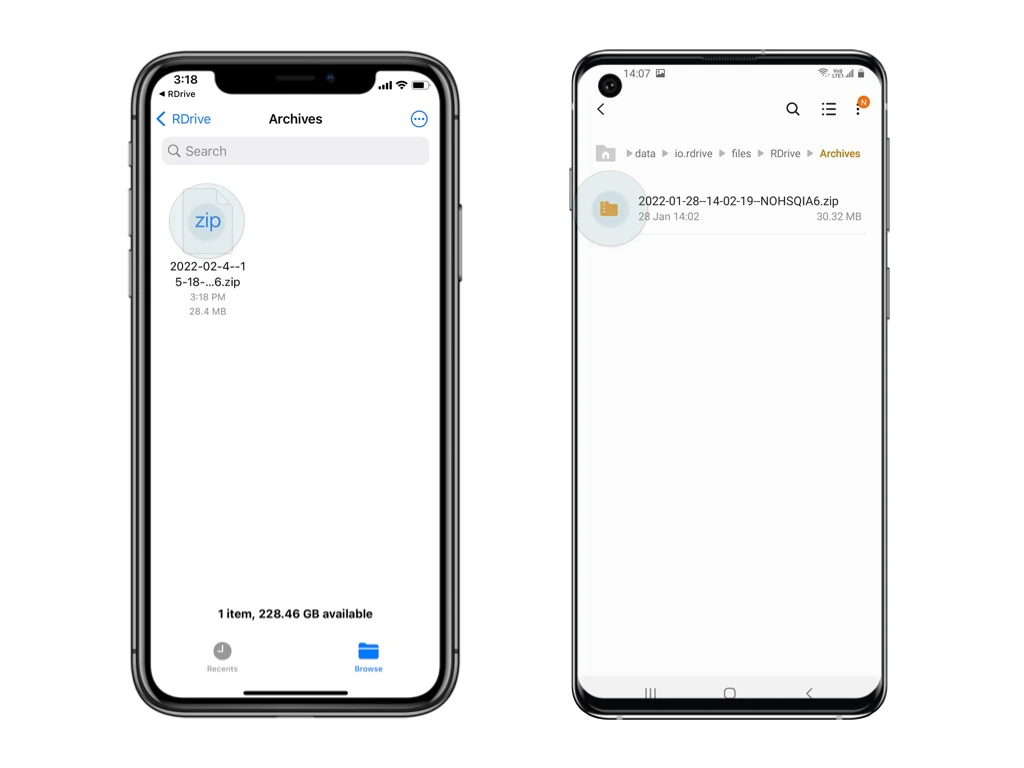
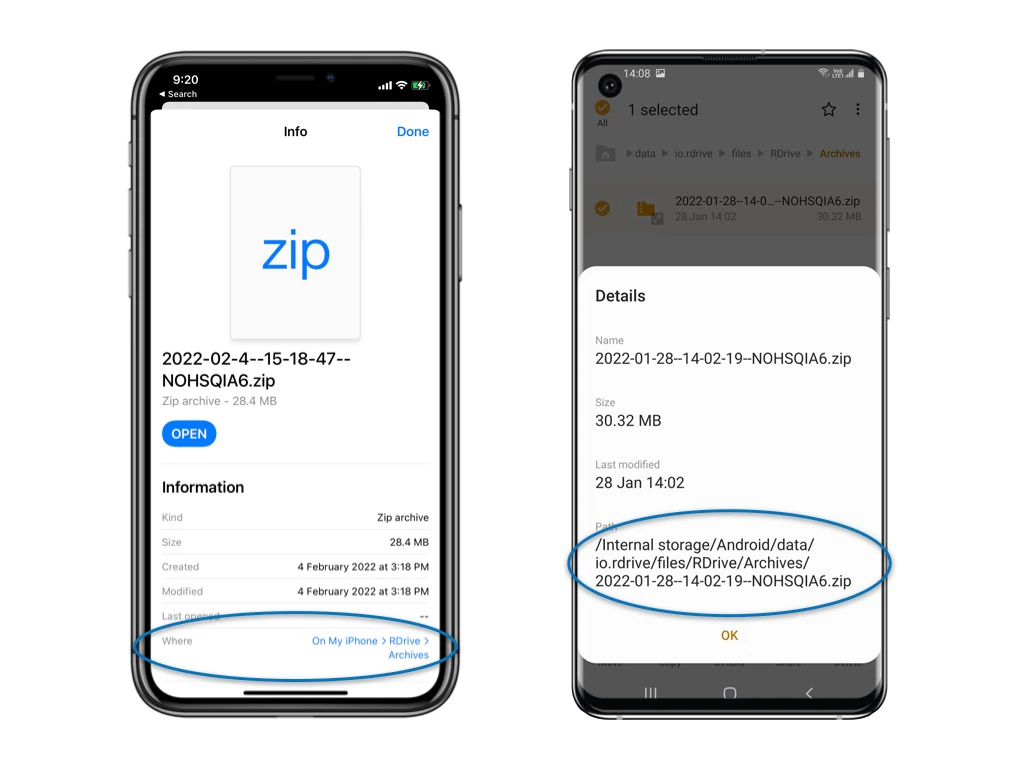
Please note that some Android devices may fail to open the file directly. In such cases, access the folder using the provided path to share the file with us.